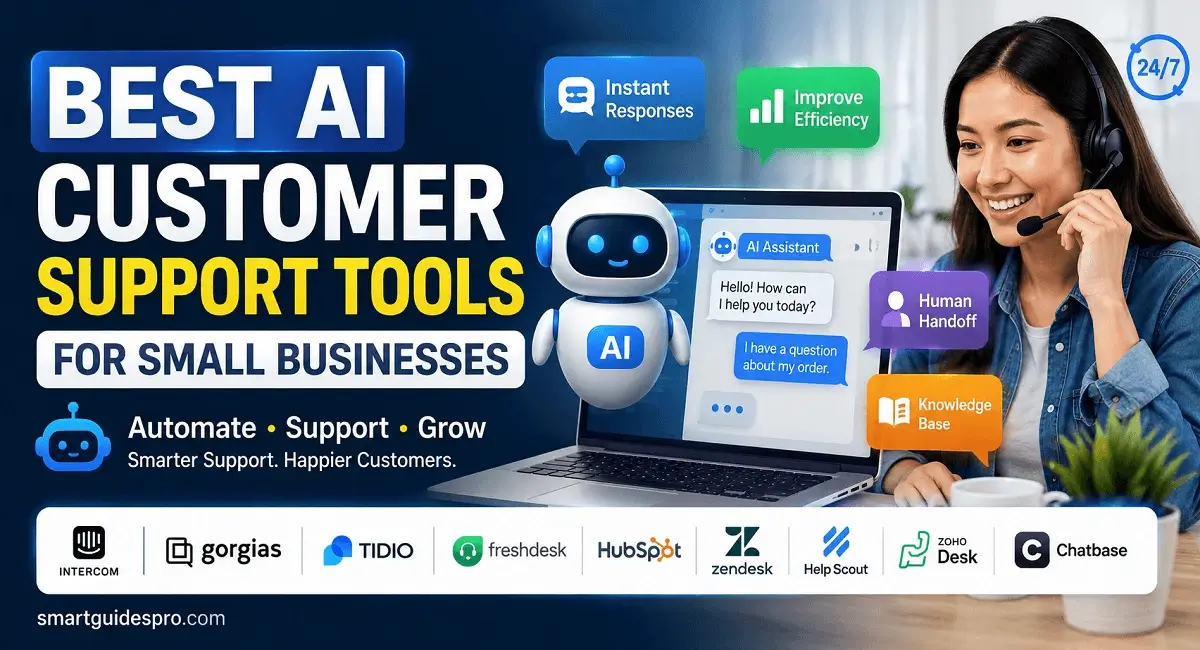
Top 9 Best AI Customer Support Tools for Small Businesses

Discover the best AI customer support tools for small businesses. Compare 9 top platforms, their key features, pros and cons, use cases, pricing options, and tips for choosing the right AI customer service solution for your business.
Introduction: Why AI Customer Support Tools Are Changing the Way Small Businesses Serve Customers
Introduction: Why AI Customer Support Tools Are Changing the Way Small Businesses Serve Customers
Customer support can become one of the biggest challenges for a small business as it grows. At first, answering emails, chat messages, product questions, and support requests may feel manageable. But once the number of customers increases, the same questions can start appearing dozens of times every day.
Where is my order? How do I reset my password? Do you offer refunds? What are your business hours? Can I change my order?
These questions may be simple, but answering them repeatedly takes time that small business owners and lean teams could spend on sales, product development, marketing, or serving customers with more complex needs.
That is where AI customer support tools are becoming increasingly useful.
Instead of treating artificial intelligence as a replacement for human support, small businesses can use it as an extra layer of help. AI can handle repetitive questions, provide instant responses, organize support requests, and guide customers toward the right information. When a situation requires judgment, empathy, or a more personal response, the conversation can still be handed over to a human.
This distinction matters.
The goal is not to make customer service completely automated. The goal is to make the support process faster and more manageable without removing the human side of customer relationships.
Why Small Businesses Are Looking More Closely at AI Customer Support
Large companies have traditionally had an advantage when it comes to customer service because they can afford dedicated support departments, multiple agents, and round-the-clock coverage.
A small business usually does not have that luxury.
One person might be handling customer emails in the morning, managing orders in the afternoon, and responding to messages after dinner. As the business grows, this approach becomes difficult to maintain.
AI can help close that gap.
Modern AI customer service tools can answer common questions, summarize conversations, suggest responses, route requests, and automate parts of a support workflow. Some platforms also combine AI chatbots with live chat and helpdesk features, giving businesses a way to automate simple interactions while keeping humans available for more complicated conversations.
For example, imagine a small online store receiving 50 customer messages in a day. If many of those messages are about shipping times, return policies, or product availability, an AI chatbot for small businesses could handle a significant portion of those routine questions.
The business owner does not necessarily need to hire another support agent immediately.
Instead, the team can focus its attention on the customers who actually need human assistance.
AI Support Does Not Have to Mean Robotic Customer Service
One concern I often see around AI customer service is the fear that automated support will make a business feel impersonal.
That concern is understandable.
Nobody wants to spend five minutes arguing with a chatbot when they simply want to speak with a real person.
The better approach is to use AI where it makes sense and humans where they matter most.
For example:
- AI handles: common questions, basic troubleshooting, order status, business hours, and simple product information.
- AI assists: agents by summarizing conversations, suggesting replies, and finding relevant information.
- Humans handle: complaints, unusual problems, sensitive situations, refunds that require judgment, and high-value customer relationships.
This hybrid approach is one reason AI support automation tools can be useful for small businesses. Automation does not have to remove people from the process. It can remove some of the repetitive work that prevents people from doing their best work.
From what I’ve seen, that is a much more practical way to think about AI in customer support.
What You Will Find in This Guide
There is no shortage of AI customer service software available today, but choosing the right one can be surprisingly difficult.
Some tools focus heavily on AI chatbots. Others combine customer support with helpdesk management, live chat, knowledge bases, CRM features, or workflow automation. Pricing and free-plan limitations can also vary considerably.
That is why this guide takes a practical approach rather than simply listing popular platforms.
We’ll look at 9 of the best AI customer support tools for small businesses, what each one is good at, where it may fall short, who should consider using it, and how it fits different business situations.
You’ll also see practical examples, a side-by-side comparison, tips for choosing the right platform, common mistakes to avoid, and ways to use AI without losing the human touch.
Whether you’re a solo entrepreneur answering customer questions yourself, a small ecommerce team trying to reduce repetitive support requests, or a growing company looking for better automation, the goal is simple: help you find AI tools that genuinely make customer support easier—not just tools with impressive AI features.
Related articles you may find helpful:
- Top 8 Best AI Tools for Productivity and Task Management for Small Businesses
- Top 7 Best AI Tools for Business Automation and Workflow Management
- Top 17 Best AI Tools for Small Businesses and Beginners (Complete Guide)
Why Use AI Tools for Customer Support?
Running a small business often means wearing too many hats. One minute you’re working on marketing, the next you’re processing an order, answering an email, and trying to solve a customer’s problem before the next message arrives.
That is exactly where AI can become useful.
The main reason to use AI customer support tools is not simply to “add AI” to your business. It is to reduce the amount of repetitive support work your team has to handle manually, while helping customers get useful answers faster.
For a small business with limited staff, that difference can be significant.
1. Customers Expect Faster Answers
People are used to getting information almost instantly. If someone has a simple question about shipping, pricing, availability, or account access, waiting several hours for a response can feel unnecessarily slow.
AI can provide an immediate first response, even when your team is busy.
For example, an AI chatbot for small businesses can answer common questions using information from your website, help center, or knowledge base. Instead of waiting for someone to become available, the customer can get an answer within seconds.
This doesn’t mean every customer needs an automated conversation. It simply gives your business a way to handle straightforward questions without creating another task for your team.
2. Small Teams Cannot Answer Everything Manually
A large company might have an entire customer service department. A small business might have one person handling support alongside several other responsibilities.
That creates a capacity problem.
Imagine receiving 100 support requests in a week. If 60 of them involve questions that could be answered using information already available on your website, manually responding to every message is not the best use of your team’s time.
This is where AI tools for customer service can help.
AI can take care of routine interactions while your team focuses on requests that actually require human involvement.
The important point is that automation should reduce workload, not simply move it somewhere else.
3. Repetitive Questions Can Consume More Time Than You Expect
Some of the most time-consuming support tasks are also the simplest.
Customers may repeatedly ask:
- “How long does shipping take?”
- “What’s your return policy?”
- “Do you ship internationally?”
- “How can I reset my password?”
- “Where can I track my order?”
- “What are your business hours?”
Individually, these questions are easy to answer.
The problem is repetition.
Answering the same question 20 times isn’t difficult because the question is complicated. It’s difficult because those 20 interactions still consume real time.
AI customer service tools can help automate these recurring conversations and surface the appropriate information when customers need it.
4. AI Can Provide Support Outside Business Hours
Small businesses don’t always have the resources to maintain a support team around the clock.
Yet customers can send questions at any hour.
An AI-powered support system can provide basic assistance after your normal business hours. This can be particularly useful for businesses serving customers across different U.S. time zones or selling to customers internationally.
For example, a customer might visit an ecommerce store at 10 p.m. and ask about the return window.
If the answer is already documented, an AI system can provide the information immediately instead of making the customer wait until the next business day.
That doesn’t mean the AI needs to solve every issue overnight. Even providing a useful first answer and explaining when a human will follow up can create a better experience.
5. AI Can Help Your Team Focus on Difficult Conversations
Not every support request deserves automation.
Some customers have complicated problems. Others may be frustrated, confused, or dealing with an unusual situation.
Those conversations require context and judgment.
This is where the real value of AI support automation tools becomes clearer. Instead of asking your support team to spend their day answering basic questions, AI can take some of the routine workload off their plate.
Your team can then spend more time on:
- complex troubleshooting
- customer complaints
- refund or billing issues
- unusual requests
- high-value customers
- situations requiring empathy or judgment
In my opinion, this is a better use of AI than trying to automate every customer interaction.
6. AI Can Make Support More Scalable
A small business may have manageable support volume today but very different needs six months from now.
A successful promotion, product launch, seasonal sales period, or sudden increase in customers can quickly create a wave of support requests.
Hiring additional staff every time support volume increases isn’t always practical.
AI can provide another layer of capacity.
The same automated workflow can potentially handle many routine questions without requiring the business to increase its support team at the same rate as its customer base.
That makes AI customer support automation tools particularly interesting for growing businesses.
The Real Question Isn’t “Should I Automate Customer Support?”
The better question is:
Which parts of customer support should I automate?
If customers regularly ask questions with clear, consistent answers, those interactions are strong candidates for automation.
If a request requires emotional understanding, negotiation, complex decision-making, or detailed context, it may be better handled by a person.
A practical starting point is to review your recent customer conversations and identify the questions that appear most often. Those repetitive interactions can become your first automation targets.
Once those tasks are handled effectively, you can gradually explore more advanced AI tools for customer service rather than trying to automate everything at once.
That’s what makes AI useful for a small business: not replacing good customer service, but giving a small team more capacity to deliver it.
Related articles you may find helpful:
- Top 7 Best AI Tools for Business Automation and Workflow Management
- Top 8 Best AI Tools for Productivity and Task Management for Small Businesses
- 10 Best Free AI Tools for Beginners (2026 Guide for USA Student)
Key Benefits of Using AI Customer Support Tools for Small Businesses
The biggest advantage of AI in customer support is not that it can make a business look more advanced. It is that a small team can potentially handle more customer conversations without adding the same amount of manual work.
That distinction matters.
Once you’ve identified why AI can be useful for customer support, the next question is more practical: what can a small business actually gain by using it?
The benefits go beyond chatbots. Depending on the platform, modern AI customer support tools can help businesses respond to common questions, organize conversations, assist human agents, and automate parts of the support workflow.
Here are the benefits that are most relevant to small businesses.
1. Faster Responses to Common Customer Questions
Speed is one of the easiest benefits for customers to notice.
When someone asks a simple question, they usually don’t need a lengthy explanation. They simply want the right information quickly.
AI can provide immediate responses to questions that have clear answers, such as shipping policies, store hours, product details, account instructions, or basic troubleshooting steps.
For example, an ecommerce business could configure its AI support system to answer questions about:
- Shipping times
- Return policies
- Order tracking
- Product availability
- Payment methods
- Frequently asked product questions
Instead of waiting for a team member to manually respond, customers can receive the relevant information immediately.
This is particularly useful when a business receives a high volume of repetitive questions.
2. Less Time Spent on Repetitive Support Tasks
Here’s one benefit that can have a surprisingly large impact: AI can take care of repetitive work that doesn’t require much human judgment.
A customer support team might spend hours each week answering variations of the same five or ten questions.
None of those conversations are necessarily difficult. They simply keep coming back.
AI customer service tools can automate some of these interactions, allowing employees and business owners to spend their time elsewhere.
For a small team, even saving 30 minutes a day can add up.
Over several weeks, that recovered time could be used for improving products, following up with leads, creating content, or handling customers who actually need personal assistance.
3. More Consistent Customer Support
When multiple people answer customer questions manually, the quality and wording of responses can vary.
One employee may give a detailed explanation. Another may provide a short answer. Someone working late at night might accidentally use outdated information.
A properly configured AI system can use the same approved information across conversations.
This can help create more consistent answers for common questions.
However, consistency only works when the underlying information is accurate. An AI tool trained on outdated policies can consistently give the wrong answer—which is obviously not a benefit.
That is why businesses should regularly review their knowledge base and automated responses.
4. Support Can Continue Outside Normal Business Hours
Small businesses often can’t afford a full support team working 24/7.
Customers, however, don’t necessarily follow business hours.
An AI chatbot can provide basic assistance when your team is offline. It might answer a question, point the customer toward a help article, collect information about the issue, or create a support request for the next available team member.
For example, a customer could ask about a return policy at 11 p.m. and receive the relevant instructions immediately.
The AI doesn’t have to solve every problem.
Sometimes simply giving customers useful information and setting expectations about human follow-up is enough to improve the experience.
5. Better Support Capacity During Busy Periods
Support volume isn’t always predictable.
A product launch, holiday promotion, viral social media post, or successful advertising campaign can suddenly bring more customers—and more questions.
This can put considerable pressure on a small support team.
AI support automation tools can provide additional capacity during these periods by handling routine requests while human agents focus on more complicated conversations.
This doesn’t eliminate the need for people. Instead, it can help prevent simple questions from competing for attention with serious customer issues.
6. Human Agents Can Focus on Higher-Value Work
Automation is most useful when it gives people more time to do things machines are not particularly good at.
A human support representative can listen to an unhappy customer, understand a complicated situation, make a judgment call, or build a stronger relationship.
Those interactions are difficult to reduce to a simple automated response.
By handling straightforward requests with AI, businesses can reserve more human attention for conversations where empathy, context, and decision-making matter.
One thing I’ve noticed when looking at customer support automation is that the best use of AI isn’t necessarily replacing conversations. It’s reducing the number of conversations that require a human from the beginning.
7. Easier Customer Support Scaling
As a business grows, customer support usually grows with it.
The challenge is that hiring additional employees every time support volume increases can become expensive.
AI can provide a layer of automation that helps a business handle more routine interactions without immediately expanding its support team.
This can be especially valuable for startups, solo entrepreneurs, and small ecommerce businesses that are growing faster than their internal processes.
Of course, AI isn’t a substitute for a proper support strategy. If customer volume increases dramatically, businesses may still need more human agents.
But automation can help create a more gradual path from a one-person support operation to a larger customer service workflow.
8. Useful Insights From Customer Conversations
Some AI-powered platforms can do more than answer questions. They can help businesses understand what customers are repeatedly asking about.
That information can reveal problems that aren’t obvious from sales data alone.
For example, if customers constantly ask how to use a particular product feature, the business might need a better tutorial.
If many customers ask about the same shipping issue, the company may need to improve its delivery information.
If customers repeatedly ask whether a product supports a particular use case, that could signal an opportunity to improve the product page.
In this way, AI tools to improve customer service can potentially contribute to broader business improvements—not just faster replies.
A Simple Way to Think About the Benefits
For a small business, the value of AI customer support can be summarized in one simple workflow:
AI handles repetitive questions → customers get faster answers → human teams have more time → complex issues receive more attention → the business can support more customers as it grows.
The important part is finding the right balance.
AI works best when businesses use it for tasks where speed, consistency, and repetition matter, while keeping humans involved when customers need judgment, empathy, or a more personal conversation.
That balance is what turns customer support automation from a novelty into something genuinely useful for a growing small business.
Top 9 Best AI Customer Support Tools for Small Businesses
Choosing customer support software is rarely as simple as picking the platform with the longest feature list. A solo business owner, a five-person ecommerce team, and a growing SaaS company can all have completely different support needs.
That is why I would not recommend choosing an AI tool based only on how impressive its chatbot demo looks.
For this list, the focus is on practical factors that matter to small businesses: AI capabilities, ease of use, automation, human handoff, integrations, scalability, and overall fit for different types of businesses.
The nine tools below cover different approaches to customer support. Some are built around AI-first conversations, some combine AI with traditional helpdesk software, while others are especially useful for ecommerce or businesses already using a particular CRM ecosystem.
Quick answer: The best AI customer support tool depends on your business. Intercom is a strong option for SaaS and chat-heavy support, Tidio is attractive for smaller ecommerce teams, Gorgias stands out for online stores, Freshdesk offers a broader helpdesk approach, and HubSpot makes the most sense for businesses already working inside the HubSpot ecosystem.
Quick Comparison of the 9 AI Customer Support Tools
| Tool | Best For | Key Features | Free Plan |
| Intercom + Fin | SaaS and chat-first businesses | AI agent, omnichannel inbox, automation, knowledge base | Free trial |
| Tidio + Lyro | Small businesses and ecommerce | AI chatbot, live chat, automation, visitor support | Limited free plan |
| Freshdesk + Freddy AI | Growing SMB support teams | Ticketing, AI agent, routing, knowledge base | Free trial |
| Gorgias | Ecommerce and Shopify stores | AI agent, order support, helpdesk, ecommerce integrations | Free trial |
| HubSpot Service Hub | Businesses using HubSpot CRM | AI customer agent, CRM, ticketing, automation | Free/limited options |
| Zendesk | Growing support operations | AI agents, ticketing, routing, reporting | Free trial |
| Help Scout | Small teams and email-first support | Shared inbox, knowledge base, AI assistance | Free trial |
| Zoho Desk + Zia | Budget-conscious businesses | Helpdesk, AI assistance, sentiment analysis, automation | Trial/free options vary |
| Chatbase | Businesses wanting a simple AI chatbot | Custom AI chatbot, knowledge-base training, website deployment | Free/limited plan |
Plans, pricing, usage limits, and AI availability can change, so check each provider’s current pricing before making a purchase.
1. Intercom + Fin — Best for SaaS and Chat-First Customer Support
Intercom is one of the better-known platforms for businesses that want customer communication, helpdesk functionality, automation, and AI in one place.
Its Fin AI Agent is designed to answer customer questions using a company’s support content and can work across channels including email, live chat, WhatsApp, and other communication channels. Intercom currently advertises Fin for small businesses at $0.99 per outcome alongside Intercom plans starting at $29 per seat per month, while a 14-day trial is available. (Intercom)
What makes it interesting: Fin is not simply a website chatbot. It is designed to become part of a broader customer support workflow, including escalation to human agents.
Pros
- Strong AI agent capabilities
- Excellent for conversational support
- Omnichannel communication
- Large integration ecosystem
- Good fit for SaaS and digital products
Cons
- Costs can become significant as usage and team size increase
- May offer more functionality than a very small business needs
- Requires thoughtful setup to get the best results
Best for: SaaS companies, software startups, and businesses where customers frequently communicate through chat.
2. Tidio + Lyro — Best for Small Businesses That Want a Simple AI Chatbot
Tidio is particularly interesting for businesses that don’t want to spend weeks configuring a complex customer support platform.
Its Lyro AI is designed to handle customer conversations while Tidio also provides live chat and customer communication features. Current industry comparisons consistently position Tidio as an accessible option for small businesses and ecommerce companies. (NextAutomation)
For a small online business, this combination can make sense because you can start with website chat and gradually introduce more automation.
Pros
- Beginner-friendly
- Live chat and AI chatbot in one platform
- Good fit for ecommerce
- Relatively straightforward setup
- Useful for after-hours customer questions
Cons
- Less suitable for very complex support operations
- Usage limits can become important as conversation volume grows
- Advanced requirements may push you toward a larger platform
Best for: Small ecommerce stores, solo entrepreneurs, startups, and businesses looking for an approachable AI chatbot for small business customer support.
3. Freshdesk + Freddy AI — Best Value for Growing Support Teams
Freshworks offers Freshdesk with its Freddy AI capabilities, giving small businesses a more traditional helpdesk combined with AI-powered support features.
Freshdesk is particularly useful if your business is moving beyond simple website chat and needs ticketing, shared inboxes, a knowledge base, reporting, routing, and automation.
Freshworks currently lists Freshdesk plans starting at $19 per agent per month when billed annually, with Freddy AI Agent included in the listed plans and additional AI sessions available as usage grows. Freshdesk Omni starts at $29 per agent per month annually and adds broader omnichannel functionality. (Freshworks)
Pros
- Strong helpdesk foundation
- AI agent and automation features
- Ticket management
- Knowledge base
- Good scalability for growing teams
Cons
- More complex than a basic chatbot
- Pricing depends on agents and usage
- Some advanced AI capabilities require higher plans or add-ons
Best for: Small and growing businesses that need AI customer support software for small businesses rather than just a standalone chatbot.
4. Gorgias — Best for Ecommerce Businesses
Gorgias deserves special attention if your business sells products online.
Instead of treating customer support as a generic communication problem, Gorgias is heavily focused on ecommerce workflows. That makes it useful for questions such as order status, returns, cancellations, shipping, and product information.
Current comparisons consistently identify Gorgias as a strong choice for Shopify and direct-to-consumer ecommerce businesses. (NextAutomation)
This is important because an ecommerce support system needs more than a chatbot that can say “Thanks for your message.” It needs access to relevant customer and order information and the ability to automate repetitive post-purchase interactions.
Pros
- Strong ecommerce focus
- Shopify and ecommerce integrations
- Useful automation for repetitive questions
- Designed around online-store support workflows
- Helpful for pre- and post-purchase conversations
Cons
- Less compelling for businesses that don’t sell products online
- Costs can increase with support volume
- Ecommerce-focused features may be unnecessary for service businesses
Best for: Shopify stores, DTC brands, online retailers, and businesses looking for AI support tools for ecommerce businesses.
5. HubSpot Service Hub — Best for Businesses Already Using HubSpot
HubSpot takes a different approach.
Rather than making customer support a completely separate system, HubSpot connects service conversations with its broader CRM ecosystem. This can be valuable when the same customer interacts with your sales, marketing, and support teams.
HubSpot’s AI capabilities can assist with customer conversations, ticket management, and automation, making it particularly attractive for businesses already keeping customer information inside HubSpot. Current comparisons also highlight its strongest advantage as being the integration between support and the wider HubSpot CRM. (Dupple)
Pros
- Customer data and support in one ecosystem
- Strong CRM integration
- AI-assisted support and automation
- Useful for growing businesses
- Connects customer service with sales and marketing
Cons
- Can become complex as you add more HubSpot products
- AI features and usage may depend on plan and credits
- Less compelling if you don’t already use HubSpot
Best for: Small businesses already using HubSpot CRM or companies that want customer support connected closely with sales and marketing.
6. Zendesk — Best for Businesses Building a More Structured Support Operation
Zendesk is one of the most established names in customer service software.
Its strength is breadth. Zendesk is designed for businesses that need structured ticketing, multiple support channels, reporting, routing, knowledge management, and AI assistance.
That makes it potentially more than a small business needs at the beginning. But for a company with growing support volume, Zendesk can provide a more mature foundation.
Current comparisons place Zendesk among the strongest options for businesses with more sophisticated ticket-based and multichannel support requirements. (TechSifted)
Pros
- Powerful ticketing system
- Strong reporting and analytics
- Multichannel support
- Advanced routing and automation
- Suitable for scaling support operations
Cons
- Can feel overwhelming for beginners
- More setup may be required
- Pricing can become substantial as teams and AI usage grow
Best for: Growing businesses that are moving toward a dedicated customer service operation rather than simply adding a chatbot to their website.
7. Help Scout — Best for Small Teams That Prefer Personal Support
Help Scout is worth considering if your business wants a cleaner, more human-centered support workflow.
Help Scout has traditionally focused on shared inboxes, knowledge bases, and customer conversations rather than trying to make the support experience feel like a massive enterprise contact center.
Its AI capabilities can help automate answers and support agents, while the platform keeps human communication at the center of the workflow. Current comparisons identify Help Scout as a strong option for small teams that prefer an email-first approach. (Supp)
Pros
- Clean and approachable interface
- Strong shared inbox
- Good for email-based support
- Knowledge base capabilities
- Suitable for smaller teams
Cons
- Not as ecommerce-focused as Gorgias
- May not provide the same depth as enterprise platforms
- Less attractive if your primary goal is advanced autonomous AI
Best for: Small service businesses, startups, and teams that want AI assistance without turning customer support into a completely automated experience.
8. Zoho Desk + Zia — Best for Budget-Conscious Businesses
Zoho is another option worth looking at, especially for businesses already using other Zoho applications.
Zoho Desk combines traditional helpdesk functionality with Zia, Zoho’s AI assistant. Depending on the configuration, AI can help with tasks such as analyzing customer sentiment, assisting agents, and making support workflows more efficient.
This makes Zoho particularly interesting for small businesses that want customer support software without immediately moving into a more expensive enterprise ecosystem. Current comparisons highlight Zoho Desk as a budget-oriented option within the Zoho ecosystem. (Clutch)
Pros
- Broad business software ecosystem
- Helpdesk and AI capabilities
- Budget-friendly positioning
- Useful automation options
- Good fit for businesses already using Zoho
Cons
- Interface may take time for new users to learn
- AI capabilities vary by plan
- Best value comes when other Zoho products are already part of the workflow
Best for: Budget-conscious small businesses, startups, and companies already using Zoho applications.
9. Chatbase — Best for Businesses That Want a Custom AI Chatbot
Chatbase takes a more focused approach than full customer service suites.
The main idea is straightforward: build an AI chatbot using your own business information and deploy it where customers can interact with it.
That makes Chatbase particularly interesting for businesses that don’t need a complicated helpdesk but do want a custom AI chatbot trained on their own content. Current comparisons identify it as a fast, no-code option for businesses that want to deploy an AI chatbot without committing to a larger customer service platform. (Clutch)
Pros
- Focused on AI chatbot deployment
- Can use your own business information
- No-code approach
- Useful for FAQ and knowledge-base support
- Faster to start than a full helpdesk platform
Cons
- Not a complete replacement for every helpdesk
- Advanced support workflows may require additional tools
- Businesses need to maintain accurate source information
Best for: Small businesses that primarily want an AI chatbot for answering customer questions rather than a complete ticketing and support platform.
Which of These 9 AI Customer Support Tools Should You Consider?
There isn’t one universal winner, and that’s actually a good thing.
A small Shopify store shouldn’t necessarily choose the same platform as a growing SaaS company. Likewise, a business that already uses HubSpot has a very different starting point from a company that simply wants to put an AI chatbot on its website.
Here’s a simpler way to narrow the list:
| If You Need… | Consider |
| AI-first conversational support | Intercom |
| Simple AI chatbot + live chat | Tidio |
| Full helpdesk + AI | Freshdesk |
| Ecommerce customer support | Gorgias |
| CRM + customer support together | HubSpot |
| Advanced ticket-based support | Zendesk |
| Email-first human support | Help Scout |
| Budget-friendly business ecosystem | Zoho Desk |
| Simple custom AI chatbot | Chatbase |
The important takeaway is that the best AI customer support tools for small businesses are not necessarily the ones with the most AI features.
A tool can have dozens of automation options and still be a poor choice if it is too complicated for your team, doesn’t integrate with your existing workflow, or costs more than the time it saves.
In my opinion, the strongest choice is the platform that solves your biggest support problem with the least unnecessary complexity.
If most of your customers ask repetitive questions on your website, start by looking at chatbot-focused platforms. If you’re already dealing with dozens or hundreds of tickets, a proper helpdesk may make more sense. And if you’re running an ecommerce store, prioritize integrations with your store and order data.
The next step is understanding how to put these tools to work. Having an AI platform is one thing; configuring it so that it actually improves the customer experience is another.
Related reading: [Top 7 Best AI Tools for Business Automation and Workflow Management]
Related reading: [Top 8 Best AI Tools for Productivity and Task Management for Small Businesses]
Related articles you may find helpful:
- Top 10 Best AI Tools for Social Media Management for Small Businesses
- Top 10 Best AI Tools for Content Creation and marketing for Small businesses
How to Use AI Customer Support Tools Effectively
Choosing one of the AI customer support tools on this list is only the first step. The real difference comes from how you use it.
A powerful AI platform can still create a frustrating customer experience if it has outdated information, unclear instructions, or no way for customers to reach a human. On the other hand, even a relatively simple AI chatbot can be useful when it is built around the questions your customers actually ask.
For a small business, the goal should not be to automate everything overnight. A better approach is to start with predictable tasks, monitor the results, and gradually expand automation as you learn what works.
Here is a practical way to do it.
1. Start With Your Most Repetitive Customer Questions
Before configuring an AI tool, look at your existing support conversations.
Don’t start by asking, “What can this AI do?”
Start with:
“What questions are customers already asking us over and over?”
Review emails, live chat conversations, contact forms, social media messages, and support tickets. You may discover that a large percentage of requests fall into a few predictable categories.
For an ecommerce business, those might include:
- Where is my order?
- How long does shipping take?
- What is your return policy?
- Can I change my order?
- Do you ship to my location?
- Is this product currently available?
A service business might see questions about pricing, availability, appointments, operating hours, or cancellation policies.
These repetitive questions are often the best starting point for AI tools for customer service because the answers are relatively straightforward.
2. Build a Reliable Knowledge Base Before Automating
AI is only as useful as the information it has access to.
If your website says one thing about your return policy while your internal documents say something else, an AI system can easily create confusion.
Before turning on automation, gather the information customers actually need.
This could include:
- FAQs
- Shipping policies
- Return and refund policies
- Product information
- Pricing details
- Business hours
- Contact information
- Troubleshooting instructions
- Appointment procedures
- Account or billing instructions
Keep these resources clear and up to date.
This step may not sound exciting, but it is one of the most important parts of building AI customer support automation tools that customers can trust.
3. Give the AI Clear Boundaries
One common mistake is expecting an AI support agent to handle situations that should remain with humans.
Instead, define what the AI is allowed to answer and what should be escalated.
For example:
AI can handle:
- Frequently asked questions
- Basic product information
- Shipping information
- Store policies
- Simple troubleshooting
- Appointment information
Human should handle:
- Angry or distressed customers
- Complex billing disputes
- Sensitive account issues
- Unusual refund requests
- Legal or policy exceptions
- Problems requiring judgment
These boundaries make automation safer and more predictable.
They also prevent customers from getting stuck in an endless chatbot conversation when they clearly need a person.
4. Make Human Handoff Easy
This is one of the most important rules for small businesses using AI.
Don’t hide the human option.
If a customer asks a question that the AI cannot confidently answer, the system should provide a clear path to a human agent.
Depending on the platform, that might mean:
- Transferring the conversation to live chat
- Creating a support ticket
- Collecting the customer’s email
- Sending the conversation to a shared inbox
- Asking the customer to contact the support team
A good AI support workflow should feel like a helpful assistant—not a locked door.
For example:
“I couldn’t find enough information to answer that accurately. I can connect you with our support team so they can take a closer look.”
That simple handoff can be much better than an AI repeatedly guessing.
5. Start With One Workflow Instead of Automating Everything
Small businesses don’t need to automate their entire support operation on day one.
In fact, trying to do so can make implementation unnecessarily complicated.
Start with one high-volume workflow.
For an online store, order-status questions might be the obvious choice.
For a SaaS business, it could be basic troubleshooting.
For a local service company, appointment questions may be more useful.
Once that workflow works reliably, expand to another one.
This gradual approach gives you an opportunity to identify mistakes before they affect a large number of customers.
6. Test the AI Like a Real Customer
Don’t assume your AI works simply because the setup is complete.
Test it.
Ask the questions customers actually ask—and include some messy versions.
For example:
“How long does shipping take?”
Then try:
“Can u tell me when my order gets here?”
And:
“I ordered last week and still don’t have it. What’s going on?”
Customers don’t always phrase questions perfectly. A useful AI support system should be able to understand reasonable variations without inventing information.
You should also test questions that the AI should not answer.
Ask about unusual refunds, exceptions to company policies, or information that isn’t included in the knowledge base.
The goal is to see whether the system knows when to answer and when to escalate.
7. Review Conversations Regularly
Launching an AI support system isn’t the end of the process.
It’s the beginning of an optimization cycle.
Review conversations regularly to identify:
- Questions the AI answered incorrectly
- Questions it failed to answer
- Customers asking for a human
- Repeated misunderstandings
- Missing information
- Responses that sound unnatural
- Workflows that create unnecessary friction
These conversations are valuable because they show you where your support system needs improvement.
One thing I’ve noticed about AI automation is that the first version rarely needs to be perfect. What matters more is having a process for finding problems and improving the system over time.
8. Measure Whether AI Is Actually Helping
Automation should have a measurable purpose.
Instead of simply saying, “We now have an AI chatbot,” track whether it is improving the customer support process.
Useful metrics can include:
| Metric | What It Tells You |
| First response time | How quickly customers receive an initial answer |
| Resolution rate | How many issues are resolved successfully |
| Human escalation rate | How often customers need an agent |
| Customer satisfaction | Whether support feels helpful |
| Repetitive ticket volume | How much manual work AI can potentially reduce |
| Response accuracy | Whether the AI is giving reliable information |
You don’t need to track every metric from day one.
Start with two or three that match your primary goal.
If your main problem is slow responses, monitor response time. If your team is overwhelmed by repetitive questions, monitor how many of those conversations are being automated successfully.
9. Keep Improving the Human-AI Balance
The best AI customer service tools should make your support team more effective, not make customers feel like they’re talking to a machine every time they need help.
That means reviewing your automation regularly.
If customers repeatedly request a human, don’t automatically assume they are resistant to AI. Their behavior may be telling you that the workflow isn’t solving their problem.
Sometimes the solution is better AI training.
Sometimes it’s better documentation.
And sometimes the right answer is simply to let a human take over sooner.
The goal is not to maximize automation.
The goal is to maximize useful customer support.
For most small businesses, the most practical approach is to automate predictable questions, give customers fast access to useful information, and keep humans available when conversations become complicated.
That balance allows businesses to benefit from AI support automation tools without sacrificing the personal service that often makes a small business stand out in the first place.
Related articles you may find helpful:
- Top 7 Best AI Tools for Business Automation and Workflow Management
- Top 8 Best AI Tools for Productivity and Task Management for Small Businesses
Real Examples: How Small Businesses Use AI for Customer Support
Knowing what AI customer support can do is useful, but seeing how it fits into an actual business workflow makes the idea much easier to understand.
A small business does not need a massive support department or a complicated AI system to benefit from automation. In many cases, the most useful applications are surprisingly simple: answering recurring questions, helping customers find information, collecting details before a human takes over, or handling routine requests while the team focuses elsewhere.
The following examples are practical business scenarios, not claims about specific companies. They show how different types of small businesses could use AI customer support tools to solve everyday problems.
Example 1: An Online Store Automates Order and Shipping Questions
Imagine a small ecommerce store selling skincare products.
The business receives dozens of customer messages every week, and many of them are variations of the same questions:
“Has my order shipped?”
“How long does delivery take?”
“Can I change my shipping address?”
“What’s your return policy?”
Instead of having an employee answer each question manually, the business could use an AI customer support system connected to its help center and ecommerce information.
The AI could handle basic questions about shipping times, returns, product availability, and store policies.
For order-specific questions, the system could potentially retrieve relevant information through an ecommerce integration or direct the customer to an order-tracking page.
The important part is knowing where the automation should stop.
If a customer says their package is marked as delivered but never arrived, that situation may require a human to investigate.
This is a good example of how AI support tools for ecommerce businesses can reduce repetitive conversations without trying to replace the entire support process.
The practical workflow:
Customer asks about shipping → AI provides available information → customer gets the answer immediately → unusual delivery problems go to a human.
The business isn’t removing customer service. It is removing unnecessary repetition.
Example 2: A SaaS Startup Uses AI for First-Level Technical Support
Now consider a small software company with a handful of employees.
The company receives support questions about its product every day:
- How do I reset my password?
- Where can I find a particular feature?
- How do I connect another application?
- Why isn’t a particular setting working?
- Where can I find the setup guide?
The support team may know the answers, but repeatedly typing the same explanations can consume a significant amount of time.
An AI support agent can use the company’s documentation and knowledge base to provide first-level assistance.
For example, if a customer asks how to connect an integration, the AI could explain the documented setup process and point the customer toward the relevant guide.
If the customer has already tried the documented steps and the problem appears more complicated, the conversation can be escalated.
This creates a simple support hierarchy:
AI → basic troubleshooting → human support → specialist if necessary
For a small SaaS company, that can be particularly useful because technical employees often have limited time to handle repetitive support requests.
The AI doesn’t need to solve every technical problem. It simply needs to solve the right level of problem.
Example 3: A Local Service Business Uses AI to Handle Appointment Questions
AI customer service isn’t limited to online stores and software companies.
Consider a small home cleaning business that receives customer inquiries through its website.
Potential customers may ask:
- Do you serve my area?
- What services do you offer?
- How much does a cleaning cost?
- What days are available?
- How long does a typical appointment take?
- How can I reschedule?
An AI chatbot can provide answers to questions where the business has clearly defined information.
It can also collect basic details before a human gets involved.
For example:
Customer: “I need a two-bedroom apartment cleaned next Saturday.”
AI: “I can help you get started. What ZIP code is the property located in, and would you like a standard or deep cleaning?”
The AI is not necessarily completing the entire booking.
Instead, it is helping move the conversation forward.
By the time a team member receives the request, they already have useful information about the customer’s needs.
That can reduce unnecessary back-and-forth communication.
Example 4: A Small Online Education Business Uses AI for Student Questions
Consider a small company selling online courses.
Customers might repeatedly ask about:
- Course access
- Lesson availability
- Downloadable materials
- Subscription plans
- Account access
- Cancellation policies
An AI support tool can answer questions based on the company’s existing course information and policies.
It could also guide users toward the correct lesson or help article.
But there is an important distinction between customer support and teaching.
If a student has a complex question that requires an instructor’s expertise, the AI shouldn’t pretend to be an expert simply because it can generate an answer.
Instead, it can collect the question and route it to the appropriate person.
This is another example of where responsible AI support is less about maximum automation and more about knowing when automation should stop.
Example 5: A Small Business Uses AI to Handle After-Hours Questions
Not every small business needs 24/7 human support.
But customers may still send messages outside normal operating hours.
Imagine a small consulting company that receives website inquiries late at night.
A visitor might ask:
“Do you work with businesses in California?”
Or:
“How can I schedule an introductory call?”
An AI chatbot can provide the relevant information immediately and explain how to request a consultation.
If the question requires a personalized response, the AI can collect the customer’s contact details and pass the request to the team.
The customer doesn’t have to wonder whether the message disappeared into a black hole.
They know what happens next.
This can be particularly useful for businesses serving customers across different time zones.
Example 6: A Small Retail Brand Uses AI Before Human Support
Here’s another interesting use case.
Instead of asking AI to completely resolve customer issues, a business can use it as a first layer of information gathering.
Suppose a customer says:
“My order arrived damaged.”
Rather than immediately sending the customer through a long automated process, the AI could collect:
- Order number
- Product name
- Date received
- Description of the issue
- Photos, if supported by the platform
The conversation can then be handed to a human agent with the relevant information already collected.
This can make the human interaction more productive because the customer doesn’t have to repeat everything from the beginning.
In this scenario, the AI isn’t replacing the support representative.
It is preparing the conversation for them.
What These Examples Have in Common
The businesses above operate in completely different industries, but their AI workflows share an important pattern.
They don’t start with:
“How can we automate customer service?”
They start with:
“Which part of our customer support process is repetitive, predictable, and suitable for automation?”
That difference is important.
A small business may only need AI for five common questions. Another might need an AI chatbot to handle thousands of routine conversations. A growing SaaS company may benefit more from AI-assisted ticketing and knowledge management.
There is no single model that works for everyone.
Here’s a simple way to think about the possibilities:
| Business Type | Common AI Support Use Case | Human Role |
| Ecommerce store | Shipping, returns, product questions | Exceptions and complaints |
| SaaS startup | Basic troubleshooting and product guidance | Complex technical issues |
| Local service business | Availability, pricing, appointments | Custom quotes and special requests |
| Online education business | Course and account questions | Complex subject-related requests |
| Retail brand | Order information and issue intake | Refunds, damaged orders, complaints |
| Consulting business | Basic service and scheduling questions | Personalized consultations |
The biggest lesson is that AI customer support tools work best when they fit an existing business workflow.
You don’t need to redesign your entire customer service operation around AI. Start with a specific problem, identify where automation can genuinely help, and keep a clear path to human support.
That approach can make AI much more practical for small businesses—and much less likely to create the frustrating “robot versus customer” experience that many people worry about.
Evaluating AI Customer Support Tools: What Actually Matters?
Not every AI customer support tool that looks impressive on paper will be a good fit for a small business.
A platform might advertise advanced AI agents, dozens of integrations, powerful automation, and impressive analytics. But if your team struggles to configure it, the AI gives unreliable answers, or customers cannot easily reach a human, those features may not provide much real value.
When comparing AI customer support tools, I think the better question is not “Which tool has the most AI features?” It is:
“Which tool can solve our biggest customer support problems without creating new ones?”
That shift makes evaluating AI customer service tools much easier.
1. Look at AI Response Quality First
The most important feature of an AI support system is surprisingly simple: Can it provide useful and accurate answers?
A chatbot that responds instantly but gives incorrect information can create more work for your team.
Before choosing a platform, consider how well it can work with your existing:
- FAQs
- Help center articles
- Product information
- Company policies
- Support documentation
- Internal knowledge bases
Good AI tools for customer service should make it easier to deliver reliable information, not encourage the AI to guess whenever it doesn’t know something.
It’s also worth testing the tool with real customer questions rather than relying entirely on a polished product demonstration.
2. Check How Easily Customers Can Reach a Human
This is one of the areas I would pay close attention to when comparing AI customer service tools for small businesses.
AI should make support easier, not trap customers inside automation.
Look for features such as:
- Human handoff
- Live chat
- Agent escalation
- Ticket creation
- Shared inboxes
- Conversation history
Imagine a customer has already tried three troubleshooting steps and is still stuck. They shouldn’t have to repeat the same question to a chatbot five more times.
A good system recognizes when automation has reached its limit.
3. Evaluate Automation Beyond the Chatbot
The term “AI customer support” can make people think only about chatbots.
In reality, some of the most useful AI support automation tools work behind the scenes.
Depending on the platform, automation might help with:
- Ticket routing
- Conversation summaries
- Suggested responses
- FAQ recommendations
- Customer intent detection
- Follow-up messages
- Categorizing support requests
This can be especially valuable for a small team because automation doesn’t always need to be customer-facing.
Sometimes the best AI feature is the one that quietly saves a support agent several minutes on every conversation.
4. Consider Integrations With Your Existing Tools
An AI support platform should fit into your existing workflow as much as possible.
For example, an ecommerce business may need integrations with its store, order management system, and messaging channels.
A SaaS company may care more about CRM, product data, knowledge bases, and communication platforms.
If an AI tool cannot access the information required to answer customer questions, its automation capabilities may be limited.
This is why AI customer support software for small businesses should be evaluated based on the entire workflow—not just the chatbot interface.
5. Don’t Ignore Ease of Use
A technically powerful platform isn’t necessarily the best option for a small business.
If setting up an AI chatbot requires extensive technical knowledge, complicated workflows, or constant maintenance, the time saved through automation may disappear during implementation.
For beginners, look for:
- Simple setup
- Clear dashboards
- Easy knowledge-base management
- Straightforward automation rules
- Useful documentation
- Responsive customer support
This is particularly important when looking for AI customer service tools for beginners.
The best platform is often the one your team will actually use consistently.
6. Compare Pricing Based on Your Real Support Volume
A low starting price doesn’t automatically mean a tool is inexpensive.
Some platforms charge based on seats, conversations, AI resolutions, contacts, tickets, or usage. Others place certain AI capabilities behind higher plans.
Before choosing one, estimate how much support you actually need.
For example:
Small support volume → a simple AI chatbot may be enough.
Growing ticket volume → a helpdesk with AI automation may offer better value.
High-volume ecommerce support → an ecommerce-focused platform may justify a higher cost if it can automate order-related conversations.
Don’t pay for enterprise-level capabilities if your business only needs a few basic automations.
7. Test Whether the AI Actually Understands Your Customers
This is where a little hands-on testing can reveal more than a feature page.
Try asking the AI questions in different ways.
For example:
“Where’s my package?”
“Can I track my order?”
“My order hasn’t arrived yet. What should I do?”
These questions may have the same underlying intent but different wording.
A useful AI customer support system should be able to recognize that connection.
Also test situations where the correct answer is “I don’t know.”
This is important because a system that confidently invents an answer can damage customer trust much faster than a system that asks the customer to contact a human.
8. Look at the Bigger Customer Experience
Finally, don’t evaluate AI in isolation.
Ask yourself what happens before, during, and after an AI conversation.
Does the customer find the chatbot easily?
Does the AI understand the question?
Can it provide a useful answer?
Can the customer reach a human?
Does the human agent receive the previous conversation?
Does the business learn from the interaction?
These questions reveal whether the platform actually improves the customer journey.
In my opinion, that is the best way to evaluate AI customer support automation tools. A successful system should reduce unnecessary work while making it easier—not harder—for customers to get the help they need.
A Simple Evaluation Checklist
Before committing to an AI customer support platform, ask:
| What to Evaluate | Why It Matters |
| AI response accuracy | Prevents misleading customer answers |
| Human handoff | Keeps complex issues with real people |
| Automation | Reduces repetitive support work |
| Integrations | Connects AI with your existing workflow |
| Ease of use | Makes adoption easier for small teams |
| Pricing | Helps prevent unnecessary software costs |
| Scalability | Allows the system to grow with your business |
| Reporting | Shows whether the AI is actually helping |
Ultimately, the best AI customer support tools for small businesses aren’t necessarily the most sophisticated ones. They’re the tools that fit the company’s size, customer needs, existing software, and support workflow.
That is also why a smaller, easier-to-manage platform can sometimes outperform a much more powerful system for a small business. The right technology should simplify customer support—not turn it into another complicated project.
Which AI Customer Support Tools Are Actually Worth Using for Small Businesses?
With so many AI platforms promising faster responses, automated conversations, and smarter customer service, it is easy to assume that the most feature-packed tool must be the best choice.
It isn’t.
For a small business, a tool is only worth using if it solves a real support problem, fits the team’s workflow, and provides enough value to justify its cost and setup time.
After comparing the capabilities and use cases of the AI customer support tools covered in this guide, I would narrow the decision down based on what the business actually needs rather than choosing one universal winner.
Best Overall: Intercom + Fin
For businesses that want a sophisticated AI-first customer support experience, Intercom with Fin is one of the strongest options on this list.
Its biggest advantage is that AI isn’t treated as a separate chatbot sitting on a website. Fin can become part of a broader customer communication and support workflow.
That makes it particularly attractive to SaaS companies, digital businesses, and teams where customers frequently communicate through chat.
Worth considering if you need:
- AI-powered customer conversations
- Human-agent handoff
- Knowledge-based answers
- Omnichannel support
- More advanced customer communication workflows
The trade-off is complexity and cost. A very small business that only receives a handful of customer questions each week may not need everything Intercom offers.
My take: Excellent for businesses that expect customer support to become a core operational function as they grow.
Best for Small Ecommerce Businesses: Gorgias
If you’re running an online store, Gorgias becomes much more interesting.
Unlike general-purpose AI customer service tools, Gorgias is designed around ecommerce support workflows. That makes it particularly useful for order questions, returns, shipping issues, product information, and other conversations that happen frequently in online retail.
For a Shopify store receiving many repetitive customer questions, that specialization can be more valuable than having a long list of unrelated features.
Worth considering if you need:
- Ecommerce-focused support
- Order-related automation
- Shopify integrations
- AI customer conversations
- Helpdesk functionality
My take: One of the strongest choices for businesses looking specifically for AI support tools for ecommerce businesses.
Best for Beginners: Tidio + Lyro
Not every small business owner wants to learn a complicated customer service platform.
If you’re looking for an approachable way to experiment with an AI chatbot for small businesses, Tidio is worth considering.
Its combination of live chat and AI-powered automation gives smaller teams a relatively straightforward way to begin.
This makes it particularly appealing for:
- Solo entrepreneurs
- Small online stores
- Startups
- Businesses new to AI
- Teams with limited technical resources
My take: A practical starting point if your main goal is to automate common website questions without building a complicated support infrastructure.
Best for a Growing Helpdesk: Freshdesk + Freddy AI
Freshdesk makes more sense when your support operation is starting to move beyond simple chat.
If you’re dealing with tickets, multiple support requests, a growing knowledge base, and a larger team, a traditional helpdesk combined with AI can provide a more structured workflow.
Its AI capabilities can assist with customer interactions while the underlying helpdesk handles the organizational side of support.
Worth considering if you need:
- Ticket management
- AI assistance
- Knowledge-base support
- Automated workflows
- A platform that can scale with a growing support team
My take: A strong middle ground for businesses that have outgrown basic chatbot tools but don’t necessarily need an enterprise-level support operation.
Best for Businesses Already Using HubSpot: HubSpot Service Hub
If your business already uses HubSpot, the decision becomes easier.
Rather than introducing another disconnected system, HubSpot Service Hub can connect customer support with your existing CRM, sales, and marketing information.
That can be especially useful when support conversations are closely connected to the customer lifecycle.
For example, a sales team may need to see support history before following up with a customer, or a support representative may need access to customer information already stored in the CRM.
My take: Worth considering when your business already lives inside the HubSpot ecosystem. If you’re not using HubSpot, however, there may be simpler options.
Best for More Structured Customer Support: Zendesk
Zendesk is a better fit when customer support is becoming a dedicated business function rather than something handled casually through email and chat.
It offers a mature support environment with ticketing, automation, reporting, and AI capabilities.
The downside is that its broader feature set can be more than a small team needs.
My take: A strong option for businesses planning for a more structured support operation, but beginners should compare its complexity against simpler alternatives first.
Best for a Human-Centered Support Experience: Help Scout
Help Scout is interesting because its appeal isn’t based entirely on trying to automate everything.
For small teams that rely heavily on email and shared customer conversations, it provides a more straightforward support environment while still offering AI assistance.
This can work well for businesses where relationships and personal communication are important.
My take: Worth considering if you want AI to assist your team without making the customer experience feel overly automated.
Best Budget-Oriented Option: Zoho Desk + Zia
For businesses that are careful about software costs, Zoho Desk deserves a closer look.
Its value becomes even more apparent when a company already uses other Zoho products and wants customer support to fit into the same ecosystem.
The platform combines helpdesk functionality with AI assistance and automation features.
My take: A potentially strong choice for budget-conscious businesses, particularly those already invested in Zoho’s broader business software ecosystem.
Best for a Simple Custom AI Chatbot: Chatbase
Sometimes a business doesn’t need a full customer service suite.
Maybe you simply want an AI chatbot that can learn from your website, documentation, or knowledge base and answer customer questions.
That’s where Chatbase can make sense.
It is more focused than platforms such as Zendesk or Freshdesk, which can be an advantage when your requirements are simple.
My take: A good option to investigate if your primary requirement is a custom AI chatbot rather than a complete helpdesk.
So, Which Tools Are Actually Worth It?
If we simplify the choices, the answer looks something like this:
| Business Need | Tool Worth Considering | Why |
| Best overall AI-first support | Intercom + Fin | Strong conversational AI and support workflow |
| Ecommerce support | Gorgias | Built around ecommerce customer service |
| Beginner-friendly AI chatbot | Tidio + Lyro | Easier starting point for smaller teams |
| Growing helpdesk | Freshdesk + Freddy AI | Combines ticketing with AI |
| HubSpot users | HubSpot Service Hub | Support and CRM work together |
| Structured support operation | Zendesk | Broad ticketing and automation capabilities |
| Human-centered support | Help Scout | Strong email and shared inbox workflow |
| Budget-conscious business | Zoho Desk + Zia | Broad ecosystem and AI capabilities |
| Custom AI chatbot | Chatbase | Focused chatbot approach |
There is an important pattern here.
The “best” AI customer support tool changes depending on the business.
A solo entrepreneur might be better off with a simple chatbot than an advanced helpdesk. An ecommerce company may get more value from order-aware automation than a generic AI assistant. A growing SaaS company may eventually need ticketing, knowledge management, reporting, and deeper automation.
So before choosing, ask yourself three questions:
- What customer questions consume the most time?
- How much of that work can realistically be automated?
- Will this tool save enough time or improve support enough to justify its cost?
If the answer to the third question is unclear, don’t buy the platform simply because it has impressive AI features.
In my opinion, the best AI customer service tools for small businesses are the ones that solve a specific problem well and remain easy enough for the team to manage.
Start with the biggest support bottleneck. Choose the simplest tool that can address it. Then expand your automation only when your business actually needs more.
That approach is usually more sustainable than trying to build a fully automated customer service operation from day one.
Are AI Customer Support Tools Really Helpful for Small Businesses?
It is easy to look at the growing number of AI customer support tools and assume that every small business should start using one immediately.
But that isn’t necessarily true.
AI can make customer support faster and more manageable, but its value depends heavily on the type of business, the questions customers ask, and how the technology is implemented.
For some businesses, an AI customer service tool can save hours every week. For others, a simple FAQ page and a shared inbox may still be enough.
So, are AI customer support tools really helpful for small businesses?
Yes—but only when they solve a real support problem.
When AI Customer Support Is Genuinely Helpful
The strongest use cases usually have one thing in common: repetition.
If your business receives the same questions again and again, AI can potentially remove a large amount of manual work.
For example, imagine a small ecommerce store where customers frequently ask about shipping times, returns, order tracking, and product availability.
Those questions are relatively predictable.
An AI chatbot for small businesses can provide answers using the company’s approved information, while more complicated situations can be passed to a human.
The same principle works for other industries.
A SaaS business might use AI to answer basic product questions. A local service company could use it for appointment information. An online education business could automate questions about course access and account management.
In these situations, AI isn’t being used because it is trendy.
It is being used because there is a clear problem to solve.
AI Is Most Useful When Your Team Is Already Overloaded
One of the clearest signs that your business could benefit from AI tools for customer service is when customer support starts competing with other important work.
For a small business owner, this can happen gradually.
At first, answering five customer messages a day isn’t a problem.
Then it becomes 15.
Eventually, you’re spending part of every morning answering questions that you’ve already answered dozens of times.
That’s when automation can become valuable.
AI can take some routine interactions off the team’s plate, allowing people to focus on issues that actually require human attention.
The benefit isn’t necessarily that the business handles more customers with fewer employees.
Sometimes the benefit is much simpler:
Your existing team gets some of its time back.
When AI May Not Be Worth It Yet
Not every business needs customer support automation.
If you only receive a few customer questions each week and most conversations are highly personal, introducing an AI platform could create more work than it saves.
For example, a small consulting business might have customers asking highly specific questions about their individual projects.
Those conversations require context and expertise.
An automated chatbot may not add much value if every customer needs a personalized response anyway.
In that situation, improving your existing email workflow or creating a better FAQ page might be a more practical first step.
This is an important point for beginners:
Don’t automate a problem that isn’t actually causing a problem.
AI Doesn’t Automatically Mean Better Customer Service
There is another misconception worth addressing.
Faster responses do not always equal better support.
Imagine a customer has a complicated billing problem.
The AI responds instantly—but gives the wrong answer.
The customer asks again.
The AI gives another generic response.
Eventually, the customer becomes frustrated and asks for a human.
The business hasn’t really improved customer service. It has simply added another step between the customer and the person who can solve the problem.
This is why AI customer support automation tools need clear escalation rules.
The system should know when it can help and when it should step aside.
The Quality of Your Information Matters
Another factor that determines whether AI is helpful is the quality of the information behind it.
Suppose your business changed its return policy three months ago, but the AI is still using an outdated document.
It may confidently provide the wrong answer to every customer who asks about returns.
That’s worse than having no chatbot at all.
Businesses using AI customer service tools should therefore treat their knowledge base as an ongoing responsibility.
Policies, product details, pricing, shipping information, and troubleshooting instructions need to remain accurate.
The AI isn’t responsible for deciding what your business policy should be.
Your business is.
The Human Touch Still Matters
Small businesses often compete with larger companies by offering something bigger companies struggle to provide: personal attention.
That advantage shouldn’t disappear simply because AI is introduced.
In fact, AI can potentially make the human side of customer service better by giving employees more time for meaningful conversations.
Consider the difference:
Without AI:
Agent spends 20 minutes answering five basic questions and then rushes through a complicated customer complaint.
With well-designed AI support:
AI handles the five routine questions while the agent spends those 20 minutes properly resolving the complicated issue.
That’s a much more compelling use of automation.
The goal isn’t fewer human interactions at all costs.
The goal is better human interactions where they matter most.
A Simple Test: Is AI Actually Helping Your Business?
If you’re unsure whether AI customer support is worth implementing, consider these questions:
| Question | If Your Answer Is “Yes” |
| Do customers ask the same questions repeatedly? | AI may reduce repetitive work |
| Does your team struggle to respond quickly? | AI can provide faster first responses |
| Do customers contact you outside business hours? | AI can provide basic after-hours assistance |
| Are support requests growing? | Automation may help you scale |
| Do you have clear answers documented? | Your business may be ready for AI |
| Are most support issues highly personalized? | Human support may remain more valuable |
This simple test can help prevent a common mistake: buying an AI tool simply because other businesses are using one.
The Real Value Depends on the Business
After looking at different use cases, I think the most accurate answer is this:
AI customer support tools are helpful when they remove friction from an existing support process.
They’re particularly useful when a business has repetitive questions, growing support volume, limited staff, or customers who need basic information outside normal business hours.
But AI isn’t automatically useful just because it is AI.
A small business with low support volume may not need sophisticated automation. A business with highly personal customer relationships may need to keep most conversations human. And a company with poorly documented policies should fix its information structure before expecting an AI system to solve the problem.
For businesses that are ready, however, AI customer support tools can become a practical support layer that helps teams respond faster without sacrificing human involvement.
The smartest approach isn’t to ask, “How much customer support can we automate?”
Ask:
“Which parts of our customer support would be better if AI handled them?”
That question leads to a much more useful—and sustainable—automation strategy.
Related articles you may find helpful:
- Top 17 Best AI Tools for Small Businesses and Beginners (Complete Guide)
- 10 Best Free AI Tools for Beginners (2026 Guide for USA Student)
Pros and Cons of Using AI Customer Support Tools
AI can make customer support more efficient, but it is not a magic solution.
For a small business, the decision to adopt AI customer support tools should come with a realistic understanding of both sides. The right platform can reduce repetitive work and improve response times, while a poorly implemented system can frustrate customers or create extra work for your team.
The key is understanding where AI adds value and where human support remains essential.
The Pros of AI Customer Support Tools
Let’s start with the benefits that can make AI customer service worth considering for a small business.
Faster Responses
One of the biggest advantages is speed.
An AI chatbot can respond to common customer questions almost immediately instead of making customers wait for a support agent.
This can be especially useful for questions about shipping, business hours, pricing, product information, account instructions, or basic troubleshooting.
For small businesses that don’t have a large support team, faster first responses can make a noticeable difference.
24/7 Basic Support
Small businesses can’t always afford employees working around the clock.
AI can provide a basic layer of support outside normal business hours.
Customers might receive answers to common questions at night, during weekends, or while the team is busy with other work.
The AI doesn’t need to resolve every issue. Even providing useful information and collecting the customer’s request for later follow-up can be valuable.
Less Repetitive Work
This is arguably the most practical benefit.
If your team repeatedly answers the same questions, AI customer service tools can automate some of those interactions.
Instead of spending time typing the same shipping policy explanation for the twentieth time, a support agent can focus on a customer who has a unique problem.
For a small team, that recovered time can be more valuable than adding another feature to the software stack.
More Consistent Answers
When AI is connected to an accurate knowledge base, it can provide consistent information across customer conversations.
That can reduce situations where different employees give slightly different explanations of the same company policy.
Consistency is particularly useful for businesses with multiple support agents or several communication channels.
Easier Scaling
Support volume tends to increase as a business grows.
AI can provide an additional layer of capacity without requiring the business to immediately increase its support team at the same rate.
This doesn’t mean AI eliminates the need for human agents. Instead, it can help businesses absorb more routine questions before those requests become a bottleneck.
Helpful Agent Assistance
AI doesn’t always need to communicate directly with customers.
Some AI tools for customer service can assist human agents by summarizing conversations, suggesting responses, finding relevant information, or organizing support requests.
This can be an excellent middle ground for businesses that want AI assistance without giving an automated system complete control over customer conversations.
The Cons of AI Customer Support Tools
The benefits sound appealing, but there are several trade-offs that small businesses should consider before implementing automation.
AI Can Give Incorrect Answers
This is probably the biggest risk.
AI systems can misunderstand questions, use outdated information, or provide an answer that sounds confident but isn’t correct.
Imagine a customer asking about your return policy and receiving information from an old policy document.
The response may sound perfectly professional while still being wrong.
That is why businesses need to monitor their AI systems and keep their underlying information current.
Complex Problems Still Need Humans
AI is generally better suited to predictable questions than situations requiring judgment.
Customers with complicated billing problems, unusual complaints, emotional concerns, or special requests may need a real person.
Trying to force these conversations through automation can make the experience worse.
A good AI support system should therefore make human escalation easy.
Setup Takes Time
One common misconception is that you install an AI chatbot and immediately have automated customer service.
In reality, good implementation takes preparation.
You may need to:
- Organize your FAQs
- Review company policies
- Build or update a knowledge base
- Configure automation rules
- Define escalation conditions
- Connect other business systems
- Test different customer questions
- Monitor AI conversations
The initial setup can take time, especially if your existing information is scattered across different documents.
Costs Can Increase With Usage
Some platforms appear inexpensive when you first look at their entry-level pricing.
However, costs can change as your business grows.
Depending on the provider, you may pay based on:
- Number of users
- Number of conversations
- AI resolutions
- Tickets
- Contacts
- Automation usage
- Additional channels
A platform that works well at 100 conversations per month may have a very different cost at 5,000 conversations.
That’s why small businesses should evaluate pricing based on expected usage, not just the advertised starting price.
Too Much Automation Can Feel Impersonal
Customers don’t always want to talk to AI.
Sometimes they simply want to know that a real person is available when something goes wrong.
If every interaction starts and ends with a chatbot, customers may feel that the business is trying to avoid human support.
This is especially important for small businesses that rely on personal relationships.
Automation should make customers feel better supported—not less supported.
AI Can Create New Support Problems
Ironically, poorly configured automation can sometimes create more work.
For example:
Customer asks a question → AI misunderstands it → customer asks again → AI misunderstands again → customer becomes frustrated → human agent has to repair the entire conversation.
Instead of saving time, the AI has created an additional layer of work.
This is why monitoring matters.
AI support automation tools should be evaluated based on outcomes, not simply the number of automated conversations.
AI Customer Support: Pros vs. Cons at a Glance
| Pros | Cons |
| Faster responses | Can provide incorrect information |
| 24/7 basic support | Complex issues still require humans |
| Reduces repetitive work | Requires setup and maintenance |
| More consistent answers | Costs can increase with usage |
| Helps teams scale | Can feel impersonal if overused |
| Supports human agents | Poor automation can create extra work |
| Can improve workflow efficiency | Requires accurate business information |
The important thing is that the disadvantages aren’t necessarily reasons to avoid AI altogether.
Most of them can be managed with the right strategy.
For example, inaccurate answers can be reduced through better knowledge management and regular testing. Impersonal interactions can be addressed with clear human handoff options. Rising costs can be managed by starting with a focused automation workflow rather than deploying AI everywhere.
So, Is the Trade-Off Worth It?
For many small businesses, it can be—but only when the tool matches the actual support problem.
If your team spends hours answering repetitive questions every week, the time savings may justify the investment.
If you receive only a handful of highly personalized support requests each month, an advanced AI platform may not provide enough value.
That’s why I wouldn’t judge AI customer support tools by how much they can automate.
I’d judge them by a simpler question:
Does this tool make it easier for customers to get the right help while making the team’s workload more manageable?
If the answer is yes, AI can be a worthwhile addition to your customer support workflow.
If the answer is no, more automation isn’t necessarily the solution.
The strongest approach is usually a balanced one: let AI handle repetitive, predictable tasks, while keeping human agents responsible for situations where context, empathy, and judgment matter most.
Best AI Customer Support Tools for Different Business Needs
There is no single winner when it comes to AI customer support tools. The right choice depends on how your business communicates with customers, how many support requests you receive, what kind of questions customers ask, and how much automation you actually need.
That is especially important for small businesses.
A solo entrepreneur may only need a simple AI chatbot that answers common questions. An ecommerce store may need AI that can help with order-related requests. A growing SaaS company may need a complete helpdesk with ticketing, automation, knowledge management, and human-agent collaboration.
So instead of asking, “Which AI customer support tool is the best?” a more useful question is:
“Which tool is the best fit for my specific business?”
Based on the different use cases covered in this guide, here is how I would match the nine tools to common small-business needs.
Best for SaaS and Software Businesses: Intercom + Fin
SaaS businesses often deal with a particular type of customer support question.
Customers want to know how a feature works, where to find a setting, how to connect an integration, or what to do when something isn’t working as expected.
For that kind of environment, Intercom + Fin can be a strong choice because the platform is built around customer conversations and AI-assisted support rather than simply placing a chatbot on a website.
A software company could use it to answer common product questions, guide customers toward documentation, and route more complicated issues to a human agent.
It can be particularly useful when support conversations are an important part of the customer experience.
Best for: SaaS startups, software companies, digital products, and businesses with chat-heavy customer communication.
Why it stands out: Strong fit for conversational support and businesses that expect their customer service operation to grow over time.
Potential drawback: It may offer more functionality than a very small business actually needs.
Best for Ecommerce Businesses: Gorgias
For ecommerce businesses, customer support often revolves around a predictable set of questions.
Customers want to know where their order is, whether an item can be returned, how shipping works, whether a product is available, or what happens after a purchase.
That makes ecommerce one of the clearest use cases for specialized AI customer service tools.
Gorgias is particularly suited to this type of environment because its approach is closely connected to online-store support workflows.
For example, an ecommerce business could use AI to handle common questions while allowing human agents to step in when a customer has an unusual order problem or complaint.
This is where specialized software can make more sense than a generic chatbot.
Best for: Shopify stores, online retailers, DTC brands, and businesses searching for AI support tools for ecommerce businesses.
Why it stands out: Strong focus on ecommerce-related customer conversations and repetitive post-purchase support.
Potential drawback: Businesses that don’t sell products online may not benefit from its specialized ecommerce capabilities.
Best for Beginners: Tidio + Lyro
Not every small business has a dedicated technical team.
For a business owner who is just getting started with AI, simplicity can be more important than having dozens of advanced features.
Tidio is worth considering in this situation because its combination of live chat and AI chatbot functionality gives smaller businesses a relatively straightforward way to introduce automation.
For example, a small online store could use an AI chatbot for small business customer support to answer questions about products, shipping, returns, or store hours.
The business can still keep live support available when a customer needs more personalized help.
Best for: beginners, solo entrepreneurs, small online stores, and businesses new to AI.
Why it stands out: Easier starting point for businesses that want website chat and basic AI support without building a complicated support operation.
Potential drawback: Businesses with complex ticketing or advanced support requirements may eventually need a more comprehensive platform.
Best for Growing Support Teams: Freshdesk + Freddy AI
Some businesses start with email and chat but eventually reach a point where those systems aren’t enough.
Support requests become harder to organize. Multiple employees need access to the same conversations. Tickets need to be assigned, prioritized, tracked, and resolved.
This is where a helpdesk-based approach becomes more useful.
Freshdesk combined with its AI capabilities can make sense for businesses that are moving beyond basic chatbot support and need a more structured customer service workflow.
Instead of focusing only on customer-facing conversations, the platform can support the broader process behind them.
Best for: growing small businesses, support teams with increasing ticket volume, and companies that need more organized workflows.
Why it stands out: Combines traditional helpdesk functionality with AI assistance and automation.
Potential drawback: It may feel more complex than necessary for a business receiving only a small number of support requests.
Best for Businesses Already Using HubSpot: HubSpot Service Hub
Sometimes the best customer support tool is the one that already fits into your existing software ecosystem.
For a business that already uses HubSpot for CRM, marketing, or sales, adding a separate customer service platform may create unnecessary duplication.
HubSpot Service Hub can make more sense because customer information and support activity can remain connected within the same broader environment.
This can be useful when customer support is closely tied to sales or customer relationships.
For example, a sales representative may benefit from seeing a customer’s previous support interactions before following up with them.
Best for: businesses already using HubSpot and teams that want customer support connected with CRM data.
Why it stands out: Keeps customer service closer to sales, marketing, and customer information.
Potential drawback: It may not be the simplest choice for a business that only wants a basic AI chatbot.
Best for Structured and Multichannel Support: Zendesk
As a business grows, customer support can become much more complicated.
Customers may contact the company by email, chat, social channels, or other communication methods. Multiple agents may need to collaborate on the same issue. Managers may also need reporting and visibility into the support process.
Zendesk is better suited to this kind of structured environment.
Its broader approach makes it more appropriate for businesses that are treating customer support as a dedicated operation rather than an occasional responsibility handled by the owner.
Best for: growing companies, businesses with multiple support channels, and teams that need structured customer service workflows.
Why it stands out: A broad platform for businesses preparing for more sophisticated support operations.
Potential drawback: Its wider feature set can be more than a very small team needs.
Best for Small Teams That Want a Human Feel: Help Scout
Not every business wants its customer service experience to feel heavily automated.
For some small businesses, the personal relationship with the customer is part of the brand.
Help Scout is worth considering when the team wants a straightforward support environment while still using AI to reduce repetitive work and assist agents.
This approach can be especially useful for agencies, professional service businesses, consultants, and other companies where customer conversations tend to be more personal.
Instead of turning every interaction into a chatbot conversation, AI can work more quietly in the background.
Best for: small teams, agencies, consultants, service businesses, and relationship-driven brands.
Why it stands out: A more human-centered approach to customer support.
Potential drawback: Businesses looking for heavily specialized ecommerce automation may find other platforms more suitable.
Best for Budget-Conscious Small Businesses: Zoho Desk + Zia
Software costs can add up quickly for a small business.
That’s why budget should be part of the decision from the beginning—not something considered only after choosing a platform.
Zoho Desk can be interesting for businesses that want helpdesk functionality combined with AI assistance, particularly when they already use other Zoho products.
The larger ecosystem can make it possible to keep several business processes connected instead of paying for many unrelated platforms.
Best for: budget-conscious businesses, startups, and companies already using Zoho.
Why it stands out: A broad business ecosystem with customer support and AI capabilities.
Potential drawback: New users may need some time to become comfortable with the broader platform.
Best for a Simple Custom AI Chatbot: Chatbase
What if you don’t need a full helpdesk at all?
Maybe your main goal is simply to put an AI chatbot on your website that can answer customer questions using your own content.
In that case, Chatbase can be worth considering.
This type of solution can be useful for businesses that have a relatively straightforward support process and want an AI assistant to answer questions based on their website, documents, or knowledge base.
For example, a small consulting company might use an AI chatbot to explain its services, answer common questions, and direct prospects toward the appropriate contact or booking process.
Best for: businesses that mainly need a custom AI chatbot rather than a complete customer service platform.
Why it stands out: Focused approach for businesses that want to create an AI-powered question-and-answer experience.
Potential drawback: A specialized chatbot may not replace the ticketing, reporting, and workflow features required by a growing support department.
Which AI Customer Support Tool Fits Your Business?
By now, it should be clear that choosing among AI customer support tools is less about finding a universal winner and more about identifying the problem you need to solve.
| Business Need | Recommended Tool | Why It May Fit |
| SaaS or software company | Intercom + Fin | Strong conversational support |
| Ecommerce store | Gorgias | Designed around ecommerce support workflows |
| Beginner using AI for the first time | Tidio + Lyro | Simple chatbot and live chat approach |
| Growing support team | Freshdesk + Freddy AI | Helpdesk plus AI automation |
| Existing HubSpot user | HubSpot Service Hub | Connects support with CRM |
| Structured or multichannel support | Zendesk | Broader customer service infrastructure |
| Human-centered small team | Help Scout | Simple support workflow with AI assistance |
| Budget-conscious business | Zoho Desk + Zia | Broad ecosystem and flexible support options |
| Simple custom chatbot | Chatbase | Focused AI chatbot approach |
Which Option Makes the Most Sense for You?
A useful way to narrow the list is to start with your biggest customer support problem.
If customers repeatedly ask basic questions on your website, a chatbot-focused platform may be enough.
If your ecommerce team spends hours responding to shipping and order questions, an ecommerce-focused tool may provide more value.
If support requests are becoming difficult to organize, a helpdesk such as Freshdesk or Zendesk may make more sense.
And if your business already depends heavily on HubSpot or Zoho, staying within that ecosystem could simplify your technology stack.
One thing I’ve noticed when comparing AI customer service tools is that businesses can easily get distracted by feature lists. More features do not automatically mean more value.
A small business shouldn’t pay for a complicated platform simply because a larger company uses it.
The better question is:
What specific customer support task do I want AI to improve?
Once you have a clear answer, the choice becomes much easier.
This is also why AI tools for customer service should be evaluated according to actual workflows rather than popularity alone. The right tool should reduce repetitive work, improve the customer experience, and remain manageable for the people responsible for running it.
For many small businesses, starting small is the smarter strategy. Automate one meaningful support problem first, measure the result, and expand only when the business is ready.
That way, AI customer support software for small businesses becomes a practical part of the operation rather than another complicated piece of technology to maintain.
Related reading: [Top 7 Best AI Tools for Business Automation]
Related reading: [Top 8 Best AI Tools for Productivity and Task Management for Small Businesses]
Related articles you may find helpful:
- Top 7 Best AI Tools for Business Automation and Workflow Management
- Top 8 Best AI Tools for Productivity and Task Management for Small Businesses
Comparison Table of the Best AI Customer Support Tools
Choosing between several AI customer support tools can become confusing once you start comparing features, pricing, AI capabilities, integrations, and support channels.
That’s why a side-by-side comparison can be more useful than another long description of each platform.
The table below gives you a quick overview of the nine tools covered in this guide. Rather than ranking them from “best” to “worst,” the goal is to show which type of small business each tool may fit best.
Note: Pricing, free plans, AI usage limits, and included features can change over time. Always check the provider’s official website before making a purchasing decision.
| Tool | Best For | Key Features | Free Plan | Official Website |
| Intercom + Fin | SaaS, startups, chat-heavy businesses | AI agent, live chat, helpdesk, knowledge base, automation, omnichannel support | Free trial / limited options vary | Intercom |
| Tidio + Lyro | Beginners, small online stores | AI chatbot, live chat, automation, visitor support, ecommerce features | Limited free plan available | Tidio |
| Freshdesk + Freddy AI | Growing support teams | Ticketing, AI assistance, automation, knowledge base, reporting | Free/trial options vary by plan | Freshdesk |
| Gorgias | Ecommerce and Shopify stores | AI agent, helpdesk, order support, ecommerce integrations, automation | Free trial | Gorgias |
| HubSpot Service Hub | Businesses using HubSpot CRM | AI customer agent, CRM, ticketing, live chat, automation, reporting | Free/limited options available | HubSpot |
| Zendesk | Growing and multichannel support teams | AI agents, ticketing, routing, reporting, knowledge base, automation | Free trial | Zendesk |
| Help Scout | Small, email-first support teams | Shared inbox, knowledge base, AI assistance, customer conversations | Free trial / plan-dependent | Help Scout |
| Zoho Desk + Zia | Budget-conscious businesses | Helpdesk, AI assistance, automation, analytics, CRM integrations | Free/trial options vary | Zoho Desk |
| Chatbase | Businesses wanting a custom AI chatbot | Custom AI chatbot, knowledge-base training, website deployment, analytics | Limited free plan available | Chatbase |
How to Read This Comparison
The table is useful as a starting point, but the “Best For” column is arguably more important than the number of features.
For example, Gorgias may be a stronger choice for an ecommerce business than a general-purpose helpdesk because its workflow is more closely aligned with online-store support.
Meanwhile, Intercom + Fin may make more sense for a SaaS company where customer conversations and product guidance are central to the support experience.
A beginner may prefer Tidio because the business doesn’t necessarily need a complex helpdesk yet. On the other hand, a company with a growing support team may eventually benefit more from a structured system such as Freshdesk or Zendesk.
This is why I wouldn’t treat the table as a simple ranking.
It’s better viewed as a decision shortcut.
Quick Comparison by Business Need
| What You Need | Tool to Consider | Main Reason |
| AI-first conversational support | Intercom + Fin | Strong AI agent and messaging workflow |
| Simple AI chatbot | Tidio + Lyro | Beginner-friendly chat and automation |
| Full helpdesk with AI | Freshdesk + Freddy AI | Structured ticket-based support |
| Ecommerce support automation | Gorgias | Built around online-store workflows |
| CRM-connected customer support | HubSpot Service Hub | Support works within the HubSpot ecosystem |
| Advanced support operation | Zendesk | Broad ticketing and multichannel capabilities |
| Human-centered email support | Help Scout | Simple shared inbox and support workflow |
| Budget-focused support | Zoho Desk + Zia | Broad ecosystem and flexible support options |
| Custom website AI chatbot | Chatbase | Focused chatbot approach |
Which Features Should Small Businesses Prioritize?
It’s tempting to compare these platforms by counting AI features, but that can lead you in the wrong direction.
For most small businesses, I would pay closer attention to five areas.
AI accuracy matters because a fast incorrect answer is still a bad customer experience.
Human handoff matters because customers will eventually have questions that automation cannot handle.
Ease of use matters because a small team may not have a dedicated person managing customer service software.
Integrations matter because the AI needs access to the information and systems required to solve customer problems.
And pricing structure matters because software costs can change significantly as conversations, tickets, users, or AI usage increase.
These factors are often more important than having the longest feature list.
Don’t Make Your Decision From the Table Alone
The comparison gives you a useful overview, but there is no substitute for testing a tool against your actual customer support workflow.
Before committing, think about the questions your customers ask most often.
If 70% of your support requests are simple shipping questions, an AI system that handles those questions efficiently could be far more valuable than a platform with dozens of advanced features you’ll never use.
If your team is drowning in tickets, however, structured helpdesk automation may be a higher priority.
And if your business depends heavily on personal relationships, you may want an AI system that assists your employees rather than taking over customer conversations.
In other words, the right AI customer support software for small businesses should fit the way your business already operates—or make that workflow meaningfully better.
The table above can help narrow the list. The next step is choosing the tool based on your actual support volume, customer expectations, budget, integrations, and growth plans.
That’s where a simple selection framework becomes much more useful than another feature comparison.
How to Choose the Right AI Customer Support Tool for Your Small Business
Choosing between AI customer support tools can feel harder than expected.
At first, the decision seems simple: find a tool with a good AI chatbot, compare the prices, and pick the one with the most features. But that approach can lead small businesses toward software that is too complicated, too expensive, or simply not designed for the way their customers actually ask for help.
The better approach is to start with your business—not the software.
Before choosing an AI customer support tool, think about the problems your team is trying to solve, the type of questions customers ask, and how much automation you genuinely need.
Here is a practical framework you can use.
1. Identify the Customer Support Problem First
Before comparing platforms, write down the biggest customer support challenge in your business.
Is your team spending too much time answering repetitive questions?
Are customers waiting too long for replies?
Are support messages coming from several different channels?
Are you struggling to keep track of conversations?
Or do customers frequently contact you outside business hours?
These problems require different solutions.
For example, a small ecommerce store that receives hundreds of “Where is my order?” messages may benefit from an ecommerce-focused AI system.
A solo consultant who receives only a few highly personalized inquiries each week may get more value from AI-assisted email management than a full helpdesk.
This is an important starting point because AI tools for customer service should solve an existing problem rather than create a new technology project.
2. Look at the Questions Customers Ask Most Often
Your customer conversations can tell you more about which AI platform you need than a software company’s feature page.
Review recent emails, live chats, support tickets, contact forms, and social messages.
Then group recurring questions into categories.
For example:
| Customer Question | Possible AI Use |
| “What are your business hours?” | Automated FAQ response |
| “How long does shipping take?” | Shipping information |
| “Where is my order?” | Order-status assistance |
| “How do I reset my password?” | Basic troubleshooting |
| “Can I get a refund?” | Policy guidance + human escalation |
| “I received the wrong product.” | Human support workflow |
If a large portion of your support requests are predictable, AI customer support automation tools may be particularly useful.
If nearly every conversation is unique, you may get more value from AI features that assist human agents rather than fully automated customer conversations.
3. Decide What You Actually Want AI to Handle
This is where many businesses make their first mistake.
They start with the idea of automating everything.
A better strategy is to decide which specific tasks AI should handle.
For example, you might want AI to:
- Answer common questions
- Recommend relevant help articles
- Collect information before human support
- Summarize conversations
- Categorize incoming tickets
- Suggest responses to agents
- Handle simple troubleshooting
- Provide basic after-hours support
You don’t necessarily need an AI system to manage the entire customer journey.
For many businesses, the best result comes from letting AI handle simple and repetitive questions while humans take care of situations requiring judgment or empathy.
That is often a more sustainable approach to customer support automation.
4. Choose Between a Chatbot, Helpdesk, or AI Assistant
Not every business needs the same type of AI support software.
A chatbot-focused platform may be enough when your primary goal is answering questions on your website.
A helpdesk platform makes more sense when your business receives large numbers of tickets and needs assignment, tracking, reporting, and team collaboration.
An AI assistant for human agents can be the better option when your business wants employees to remain responsible for most customer conversations but needs help with repetitive work.
Think of it this way:
Need basic answers? → Consider an AI chatbot.
Need organized support tickets? → Consider an AI-powered helpdesk.
Need to make human agents faster? → Consider AI-assisted support.
Understanding this distinction can help prevent you from paying for capabilities you don’t need.
5. Check Human Handoff Before Anything Else
A good customer support system should make it easy for customers to speak with a person.
This is especially important for small businesses because personal service can be a competitive advantage.
Before choosing a platform, check whether it supports practical handoff options such as:
- Live agent transfer
- Support ticket creation
- Shared inboxes
- Conversation history
- Agent notifications
- Escalation rules
Imagine a customer asking about a complicated billing issue.
The AI shouldn’t keep producing generic answers simply because it is configured to avoid human escalation.
Instead, the system should recognize that the situation needs a person.
When evaluating AI customer service tools, don’t just ask how much they can automate.
Ask how gracefully they can stop automating.
6. Make Sure the Tool Can Use Your Business Information
An AI support system needs accurate business information to provide useful answers.
Look for platforms that can work with the information customers already rely on, such as:
- Website content
- FAQs
- Knowledge bases
- Product documentation
- Shipping policies
- Return policies
- Help center articles
- Internal support documentation
This becomes especially important when looking for an AI chatbot for small business customer support.
A chatbot may sound impressive during a demo, but it won’t be very useful if it doesn’t have access to the information customers actually need.
Also consider how easy it is to update that information.
Your business policies can change. Products can be discontinued. Pricing can change. Shipping rules can change.
A good support workflow should make keeping the AI’s information current relatively straightforward.
7. Check Integrations With the Tools You Already Use
Adding AI should ideally simplify your workflow—not create another disconnected system.
Before choosing a platform, make a list of the tools your business already depends on.
These might include:
- Shopify or another ecommerce platform
- CRM software
- Website chat
- Payment systems
- Calendar tools
- Project management software
- Social messaging platforms
Then check whether the AI customer support platform integrates with the tools that matter most.
This can be especially important for ecommerce businesses.
An AI chatbot that can answer general questions is useful. But an AI system that can work with relevant order information can potentially handle much more practical customer requests.
8. Consider Ease of Use for Your Actual Team
A platform can have excellent AI technology and still be a poor choice for a small business.
Why?
Because someone has to operate it.
If your team doesn’t have a dedicated support manager, developer, or automation specialist, setup and maintenance need to be manageable.
Look for:
- Clear setup processes
- Easy-to-understand dashboards
- Useful documentation
- Simple workflow configuration
- Easy knowledge-base updates
- Straightforward reporting
This is particularly important for businesses searching for AI customer service tools for beginners.
A simpler platform that your team understands is often more useful than a sophisticated platform that nobody has time to manage properly.
9. Compare Pricing Based on Your Expected Usage
Never judge an AI support platform solely by its lowest advertised price.
A tool may look inexpensive at a low usage level but become much more expensive as your business grows.
Depending on the provider, costs may depend on:
- Number of agents
- Conversations
- Tickets
- AI resolutions
- Contacts
- Channels
- Automation usage
- Additional features
So instead of asking:
“What’s the cheapest tool?”
Ask:
“What will this tool realistically cost my business at the level of support I expect to handle?”
This is particularly important when looking at free AI customer support tools for small businesses.
A free plan can be an excellent way to test a platform, but make sure you understand its limits before building your entire support workflow around it.
10. Think About Your Business Six Months From Now
The cheapest option today isn’t always the best choice for a growing business.
Imagine your customer volume doubles.
Will the tool still be practical?
Can you add more team members?
Can it handle additional communication channels?
Can you expand your knowledge base?
Can automation become more sophisticated?
Can humans take over more complex conversations when needed?
You don’t need to buy enterprise software just because your business might grow.
But it is worth choosing a platform that won’t immediately become a limitation if your support volume increases.
This is where AI customer support software for small businesses should be evaluated not only for today’s needs but also for reasonable near-term growth.
11. Test the Tool With Real Customer Questions
Before committing, use the trial or demo period to test realistic scenarios.
Don’t just ask easy questions that you already know the AI can answer.
Try:
“How long does shipping take?”
Then ask the same thing differently:
“When should I expect my order?”
Then test something the AI shouldn’t confidently answer:
“Can you make an exception to your refund policy?”
You want to see whether the AI can distinguish between situations it can handle and situations that require a human.
Also test the human handoff.
How quickly can a team member take over?
Does the agent see the previous conversation?
Does the customer have to explain everything again?
These details can have a bigger impact on the real customer experience than an impressive list of AI features.
12. Measure the Value After You Launch
Choosing the right tool doesn’t end when you click “Subscribe.”
Once the system is live, measure whether it is actually helping.
Useful metrics include:
| Metric | What to Look For |
| Response time | Are customers getting answers faster? |
| Resolution rate | Is AI successfully handling suitable requests? |
| Escalation rate | Which issues still need humans? |
| Customer satisfaction | Do customers find the support useful? |
| Repetitive ticket volume | Is manual workload decreasing? |
| AI accuracy | Are answers reliable? |
| Support workload | Is your team actually saving time? |
The most important metric isn’t necessarily the percentage of conversations handled by AI.
A system that automates 80% of conversations but leaves customers frustrated isn’t a successful implementation.
A system that handles 30% of conversations accurately and gives your team more time for complex issues may create much more value.
A Simple Decision Framework for Small Businesses
When you’re comparing the best AI customer support tools for small businesses, use this sequence:
1. Identify the biggest support problem.
2. Find the most repetitive customer questions.
3. Decide which tasks AI should handle.
4. Choose chatbot, helpdesk, or agent-assistance software based on that need.
5. Check human handoff and integrations.
6. Compare realistic pricing and usage limits.
7. Test the platform using real customer questions.
8. Measure the results after implementation.
This approach keeps the decision focused on business value rather than software hype.
In my opinion, the right AI customer support tool is rarely the platform with the biggest feature list. It’s the one that solves your most important support problem, fits your current workflow, stays within your budget, and gives customers a clear path to human help when they need it.
Start with one problem rather than trying to automate everything at once. Once you see measurable improvement, you can expand into more advanced AI tools for customer service automation without making your support operation unnecessarily complicated.
Related reading: [Top 7 Best AI Tools for Business Automation and Workflow Management]
Related reading: [Top 8 Best AI Tools for Productivity and Task Management for Small Businesses]
Related articles you may find helpful:
- Top 7 Best AI Tools for Business Automation and Workflow Management
- Top 8 Best AI Tools for Productivity and Task Management for Small Businesses
Common Mistakes Small Businesses Make When Using AI Customer Support Tools
AI can make customer support easier, but simply installing one of the AI customer support tools from this guide doesn’t guarantee better results.
In fact, some of the biggest problems happen after the software has already been chosen.
A small business may have a capable AI chatbot, helpful automation features, and a good knowledge base, yet still end up with frustrated customers because the system was configured without enough thought.
The good news is that most of these mistakes are avoidable.
Here are some of the most common problems to watch for when using AI customer service tools.
1. Trying to Automate Everything From Day One
This is probably the easiest mistake to make.
A business discovers what AI can do and immediately starts looking for ways to automate every possible customer interaction.
That sounds efficient.
In practice, it can create a confusing support experience.
Not every conversation should be automated. A customer asking about business hours is very different from a customer disputing a charge or explaining a complicated problem.
A better approach is to start with a small number of repetitive tasks.
For example:
Start with: shipping questions, FAQs, product information, or basic troubleshooting.
Keep human: complaints, unusual requests, sensitive billing issues, and situations requiring judgment.
Once the first workflow works reliably, you can gradually expand it.
This is one of the most important principles behind effective AI support automation tools: automate the predictable work first.
2. Using AI Without a Reliable Knowledge Base
An AI system cannot magically know your company’s current policies.
If your return policy is unclear, your product information is incomplete, or your internal documentation is outdated, the AI may struggle to give accurate answers.
This can create a serious trust problem.
Imagine a customer asks about a refund and receives an answer based on an old policy.
The response might sound perfectly professional, but it is still wrong.
Before deploying AI, make sure your support information is organized and current.
Review:
- FAQs
- Return and refund policies
- Product details
- Shipping information
- Business hours
- Pricing
- Troubleshooting guides
- Account instructions
Think of your knowledge base as the foundation underneath your AI customer service system.
If the foundation is messy, automation won’t fix it.
3. Forgetting to Give Customers a Human Option
Some businesses make the mistake of treating human support as something they should hide.
That’s rarely a good idea.
Customers may be perfectly happy to use AI for a simple question. But when the situation becomes complicated, they need confidence that a real person is available.
A clear human handoff can be as simple as:
“I can help with that. If you’d like to speak with our support team, I’ll pass this conversation to a human agent.”
The AI should also preserve the conversation history where possible, so customers don’t have to explain the entire situation again.
This is particularly important for small businesses because personal service can be one of their strongest competitive advantages.
4. Choosing a Tool Based Only on the Feature List
More features don’t automatically mean more value.
A platform may offer advanced AI agents, multiple channels, analytics, automation builders, integrations, and dozens of settings.
But ask yourself:
Will my team actually use them?
A two-person business receiving a few dozen support questions per month may have no reason to adopt a complex platform designed for a large support operation.
On the other hand, a growing ecommerce company may quickly outgrow a simple chatbot.
When comparing AI tools for customer service, focus on the workflows you actually need rather than counting features.
The best platform is the one that fits your business—not the one with the longest product page.
5. Ignoring What Customers Are Actually Saying
Another mistake is treating automation as a “set it and forget it” project.
Your customers are constantly giving you feedback through their conversations.
If customers repeatedly ask for a human, the AI may not be solving the problem correctly.
If the same question keeps getting escalated, your knowledge base may be missing important information.
If customers repeatedly misunderstand an automated response, the wording may need to change.
Reviewing conversations can reveal problems that aren’t visible from the software dashboard.
One thing I’ve noticed about customer support automation is that real conversations often tell you more than feature documentation ever will.
Use that feedback to improve the system.
6. Not Testing Difficult or Unexpected Questions
It’s easy to test an AI system with straightforward questions.
The harder test is seeing how it behaves when the customer’s request falls outside the normal workflow.
Try questions such as:
“Can you make an exception to your refund policy?”
“My order says delivered, but I never received it.”
“I was charged twice. What should I do?”
“I’m extremely unhappy with this purchase.”
These situations can reveal whether the AI understands its boundaries.
You want the system to recognize when it should provide information, when it should ask for additional details, and when it should escalate.
An AI that knows when it doesn’t have enough information can be more useful than one that tries to answer everything.
7. Forgetting to Review AI Responses After Launch
Launching your AI customer support software is not the finish line.
It is the beginning of an ongoing improvement process.
Businesses should periodically review conversations to identify:
- Incorrect answers
- Missing information
- Repeated escalations
- Customer complaints
- Unclear responses
- Outdated policies
- Questions the AI cannot handle
Even good AI systems can need adjustments as your products, policies, and customer questions change.
Set aside time to review the system regularly instead of assuming it will remain accurate forever.
8. Focusing on Automation Percentage Instead of Customer Outcomes
A common metric is the percentage of conversations handled by AI.
That number can be useful, but it isn’t the ultimate measure of success.
Suppose an AI chatbot handles 80% of conversations, but customers have to contact support again because their questions weren’t actually resolved.
That isn’t a successful outcome.
Meanwhile, another AI system might handle only 30% of conversations but resolve those requests accurately and give human agents more time to handle complicated issues.
The second system may provide significantly more value.
When measuring AI customer support automation tools, look beyond automation volume.
Consider:
- Customer satisfaction
- Resolution rate
- Response time
- Escalation quality
- Human-agent workload
- Accuracy of answers
The goal is better support—not a higher automation percentage.
9. Choosing a Free Tool Without Checking Its Limits
Free AI customer support tools for small businesses can be useful, especially when you’re testing whether automation fits your workflow.
But “free” doesn’t always mean “suitable for long-term use.”
A free plan may have limits on conversations, AI responses, team members, integrations, or available features.
That’s not necessarily bad.
The problem occurs when a business builds its entire support process around a free tier and only later discovers that it cannot scale with customer demand.
Before choosing a free plan, check:
- Monthly conversation limits
- AI usage limits
- Number of agents
- Available integrations
- Human handoff features
- Knowledge-base limits
- What happens when you exceed the allowance
A free plan can be a great testing ground. Just understand where it stops.
10. Letting AI Replace the Human Voice of the Business
Small businesses often have something larger companies struggle to create: personality.
Customers may choose a small brand because they appreciate its direct communication and personal service.
If every response suddenly sounds generic and robotic, the business can lose some of that identity.
This is why AI customer service tools should be configured to reflect the company’s communication style.
The AI should know:
- How formal or casual the business normally sounds
- Which words or phrases to avoid
- How to communicate policies clearly
- When to apologize
- When to escalate
- How to maintain a consistent brand voice
AI can provide the speed.
Your business should still provide the personality.
11. Treating Customer Support and Sales as the Same Conversation
AI can sometimes help with both customer questions and pre-purchase conversations, but the objectives are different.
A potential customer asking:
“Does this product come in black?”
is having a very different conversation from an existing customer saying:
“My order arrived damaged.”
Trying to handle both situations with exactly the same workflow can create confusion.
Businesses should understand the difference between:
Pre-purchase support: product information, availability, pricing, recommendations.
Post-purchase support: orders, shipping, returns, refunds, troubleshooting.
Separating these workflows can make automation much more useful.
12. Not Reviewing Costs as Support Volume Changes
A tool that costs very little when your business receives 200 conversations per month may look very different when support volume reaches 2,000.
Depending on the provider, costs may increase with:
- AI resolutions
- Conversations
- Tickets
- Agents
- Contacts
- Additional channels
- Advanced automation
This is why small businesses should periodically review whether the tool is still delivering enough value.
A simple calculation can help:
Monthly software cost ÷ support hours saved = approximate software cost per hour saved
It isn’t a perfect measurement, but it can help you think about whether the automation is economically sensible.
A Simple Rule for Avoiding Most AI Support Mistakes
Most problems can be traced back to one of three issues:
Too much automation.
Not enough reliable information.
Not enough human oversight.
The strongest AI customer support tools sit somewhere in the middle.
AI handles the repetitive and predictable work.
Humans handle the complicated and personal work.
The business continuously reviews the system to make sure both sides are working together.
That balance is much more realistic than expecting AI to become a complete replacement for customer support.
Before expanding your automation, ask a simple question:
“Is this making it easier for customers to get the right help?”
If the answer is yes, keep improving it.
If the answer is no, adding more AI features probably isn’t the solution.
For small businesses, successful customer service automation is less about doing everything automatically and more about using AI where it genuinely improves the customer experience while keeping people in control of the conversations that matter most.
Related AI Tools That Can Improve Business Productivity and Automation
Customer support is only one part of running a small business.
You can have excellent AI customer support tools, but your team may still lose hours every week creating content, managing tasks, organizing meetings, updating spreadsheets, or moving information between different business apps.
That is where a broader AI strategy can become useful.
Instead of thinking about AI as one chatbot or customer service platform, think of it as a collection of tools that can support different parts of your daily workflow. When these systems work together, they can reduce repetitive work across the business—not just inside customer support.
AI Productivity Tools for Daily Business Tasks
Small business owners often spend a surprising amount of time on administrative work.
Writing emails, summarizing meetings, creating documents, organizing tasks, preparing reports, and managing schedules may not seem difficult individually, but these tasks can quickly add up.
AI productivity tools can help with some of this workload.
For example, an AI assistant might help summarize a long meeting transcript, turn notes into a task list, draft a customer follow-up email, or organize information from several documents.
The goal isn’t to let AI make every decision.
It’s to reduce the amount of time your team spends on repetitive preparation work.
For a deeper look at this category, see [Top 8 Best AI Tools for Productivity and Task Management for Small Businesses].
AI Automation Tools for Repetitive Workflows
Customer support often involves more than answering questions.
A new customer request may need to be recorded, categorized, assigned to a team member, followed up later, and stored in the right system.
The same type of workflow can appear across marketing, sales, operations, and administration.
This is where AI support automation tools and broader business automation platforms can complement each other.
For example:
Customer message arrives → AI identifies the request → workflow creates a task → information is sent to the right system → team member receives an alert.
Instead of relying on someone to move every piece of information manually, automation can handle the routine steps.
Businesses interested in expanding beyond customer service can explore [Top 7 Best AI Tools for Business Automation and Workflow Management].
AI Tools for Content and Marketing
Customer support isn’t the only place where businesses need to communicate.
Small teams also need to create product descriptions, email campaigns, social media posts, blog content, ad copy, and other marketing materials.
AI can assist with brainstorming, drafting, editing, repurposing content, and organizing ideas.
However, the best results usually come when humans remain responsible for the final message.
AI can help produce a first draft quickly, while the business adds its own expertise, brand voice, examples, and customer knowledge.
That approach can make content creation more efficient without making every piece of content sound identical.
AI Tools for Connecting Business Processes
The biggest opportunity may come from connecting these different categories rather than using them independently.
Imagine a customer asks about a product.
An AI customer service system answers the question. If the customer shows buying intent, the conversation can be passed to sales. After the purchase, automated workflows can help with order communication. Customer feedback can then be collected and analyzed to identify recurring issues.
The technology becomes more useful when each part of the business workflow supports the next.
That is the bigger picture behind using AI for small business.
Customer support AI handles customer questions. Productivity tools help the team work faster. Automation tools connect repetitive processes. Marketing tools help the business communicate at scale.
One thing I’ve noticed is that businesses often get more value from a few well-connected tools than from collecting dozens of disconnected AI applications.
Start with the business process that consumes the most time. Improve that workflow first, then look for the next repetitive task worth automating.
That way, AI becomes part of a practical productivity system rather than another collection of software your team has to manage.
Frequently Asked Questions (FAQ) About AI Customer Support Tools
Still wondering whether AI is right for your customer service workflow? These are some of the most common questions small business owners ask when comparing AI customer support tools, chatbots, and customer service automation.
What are AI customer support tools?
AI customer support tools are software platforms that use artificial intelligence to help businesses answer customer questions, automate repetitive support tasks, and assist human agents.
Depending on the platform, they can provide automated chat, answer questions from a knowledge base, summarize conversations, route support requests, suggest replies, or help customers find relevant information.
Some tools focus mainly on AI chatbots, while others combine AI with traditional helpdesk features such as ticketing, live chat, reporting, and customer relationship management.
For a small business, the most useful option is usually the one that matches its actual support workflow rather than the platform with the largest feature list.
What is the best AI customer support tool for a small business?
There isn’t one universal winner because the best choice depends on the business’s size, industry, support volume, and specific needs.
For example, Intercom + Fin can be a strong choice for SaaS and chat-heavy businesses, while Gorgias is particularly relevant for ecommerce. Tidio can be attractive for beginners, Freshdesk can work well for growing support teams, and HubSpot Service Hub may make more sense for businesses already using HubSpot.
The best approach is to first identify your biggest customer support problem and then choose a platform designed to solve it.
Can small businesses use AI for customer service?
Yes. Small businesses can use AI to handle many routine customer service tasks without needing a large support department.
Common applications include answering frequently asked questions, providing basic product information, guiding customers to help articles, handling simple troubleshooting, collecting information before human support, and providing assistance outside normal business hours.
The important part is choosing tasks that are predictable enough for automation.
AI should not necessarily handle every customer conversation. Complex complaints, unusual situations, sensitive billing issues, and conversations requiring empathy or judgment are often better handled by people.
Are there free AI customer support tools for small businesses?
Yes, some platforms offer free plans, free trials, or limited versions that allow small businesses to test AI customer support features.
However, a free plan may come with restrictions on conversations, AI usage, team members, integrations, or other features.
That’s why free AI customer support tools for small businesses should be evaluated based on what is actually included rather than the word “free” alone.
For a very small business, a free plan may be enough to test whether AI is useful. As support volume increases, however, a paid plan may become necessary.
How much do AI customer support tools cost?
Pricing varies considerably.
Some platforms charge per agent, while others may charge based on AI resolutions, conversations, tickets, contacts, or the number of features included in a plan.
A basic chatbot can cost considerably less than a full helpdesk with AI, automation, multiple channels, and advanced reporting.
Before purchasing, estimate your expected support volume and calculate what the platform could cost as that volume grows.
The cheapest starting plan isn’t always the cheapest long-term option.
Can AI completely replace customer service agents?
For most small businesses, it shouldn’t be treated that way.
AI is very useful for repetitive and predictable questions, but human agents remain important when customers have complex problems, complaints, unusual requests, or situations that require judgment and empathy.
A better model is often:
AI handles routine questions → AI escalates complicated requests → human resolves the issue.
This approach allows businesses to benefit from automation without removing the personal element of customer support.
Conclusion: Choosing the Right AI Customer Support Tool for Your Business
Choosing among the many AI customer support tools available today can feel overwhelming, especially when every platform seems to offer powerful AI, automation, and customer service features.
But after looking at the different tools, use cases, benefits, drawbacks, and implementation strategies, one thing becomes clear:
The best AI customer support tool is not necessarily the one with the most features. It is the one that solves your specific support problems without making the customer experience more complicated.
For a small ecommerce business, that might mean choosing a platform that can handle order, shipping, and return questions. A SaaS company may need conversational AI and knowledge-based product support. A solo entrepreneur may simply need an easy chatbot that can answer common questions and collect inquiries after business hours.
Your business doesn’t need to automate everything.
Start With the Problem, Not the Technology
Before choosing an AI platform, look at the customer conversations your team handles every week.
Which questions appear repeatedly?
Which requests consume the most time?
Which conversations could be answered using information you already have?
Those are often the best opportunities for automation.
For example, if your team spends hours answering questions about shipping policies, an AI chatbot for small business customer support could potentially handle those routine requests.
If your bigger problem is managing hundreds of incoming tickets, a traditional helpdesk with AI capabilities may be a better fit.
And if your customers usually have highly personalized questions, AI may be more useful as an assistant for human agents rather than the primary point of contact.
Choose the Right Level of Automation
One of the biggest lessons from this guide is that more automation isn’t always better.
A useful customer support system creates a balance:
AI handles repetitive questions → humans handle complex conversations → customers get the right level of help.
That can mean letting AI answer FAQs, provide product information, summarize conversations, categorize support requests, or guide customers toward the right resources.
At the same time, customers should be able to reach a person when they have a complicated problem, a complaint, or a situation that requires judgment.
This balanced approach can make AI customer service tools more valuable without making the business feel impersonal.
Choose Based on Your Business Needs
There are several strong options in the market, but they serve different purposes.
Intercom + Fin can be a strong choice for SaaS and conversational support.
Gorgias is particularly relevant to ecommerce businesses.
Tidio + Lyro can be appealing to beginners and smaller online stores.
Freshdesk + Freddy AI makes more sense when a business needs structured helpdesk support.
HubSpot Service Hub can be a natural fit for businesses already using HubSpot.
Zendesk is worth considering for businesses building a more structured and scalable support operation.
Help Scout can suit smaller teams that want a more human-centered workflow.
Zoho Desk + Zia may appeal to businesses looking for broader value within the Zoho ecosystem.
And Chatbase can make sense when the primary goal is deploying a custom AI chatbot rather than a complete helpdesk.
There is no need to choose the most advanced platform simply because it is popular.
Choose the platform that fits your current support workflow.
Don’t Forget the Human Side of Customer Service
The biggest mistake would be treating AI as a replacement for good customer service.
Technology can provide speed.
It can reduce repetitive work.
It can help organize conversations and support customers outside normal business hours.
But empathy, judgment, and genuine understanding are still incredibly important.
For small businesses, that human connection can be a competitive advantage.
One thing I’ve noticed throughout this topic is that the strongest AI customer service strategy isn’t about removing people from the process. It’s about giving people more time to focus on the conversations where their involvement matters most.
That is what makes AI worthwhile.
The Smartest Way to Get Started
You don’t need to launch a complicated automation system immediately.
Start with one repetitive support problem.
Find the questions customers ask most often. Organize the information needed to answer them. Choose a tool that can handle that specific workflow. Then test it with real customer conversations.
After that, measure the results.
Are customers getting answers faster?
Is your team spending less time on repetitive tasks?
Are customers still able to reach a human easily?
Are AI responses accurate?
If the answers are positive, gradually expand your automation.
This approach allows AI tools for customer service automation to grow alongside your business instead of forcing your entire support operation to change overnight.
Ultimately, the right AI customer support software for small businesses should make customer service more efficient while keeping the experience helpful, trustworthy, and human.
Before you make your final decision, use the comparison and selection framework in this guide to narrow your options based on your business size, support volume, industry, budget, and customer expectations.
Then start with the problem that matters most.
A small, well-designed automation can be more valuable than a complicated AI system that tries to do everything.
The goal isn’t to automate customer service. The goal is to make great customer service easier to deliver.
Related articles you may find helpful:
- Top 7 Best AI Tools for Business Automation and Workflow Management
- Top 8 Best AI Tools for Productivity and Task Management for Small Businesses
Start Using AI Customer Support Without Losing the Human Touch
AI can make customer support faster, but speed should never come at the expense of making customers feel ignored.
That is especially important for small businesses. Customers often choose smaller brands because they expect a more personal experience. They want to know that there is a real person behind the business when something goes wrong.
The good news is that using AI customer support tools doesn’t mean giving up that personal connection.
The best approach is to let AI handle the repetitive work while your team stays involved where human communication matters most.
Start Small With One Customer Support Task
You don’t need to automate your entire support operation on the first day.
Pick one task that consumes a lot of time but doesn’t require much human judgment.
For example, you could start with:
- Frequently asked questions
- Shipping information
- Business hours
- Basic product information
- Appointment details
- Simple troubleshooting
- Order-status questions
This gives your team a controlled environment to see how customers respond to automation.
A small first step is also easier to monitor and improve than launching multiple automated workflows at once.
Make It Easy to Reach a Real Person
One of the simplest ways to keep AI support human-friendly is to make the human option obvious.
Don’t force customers to repeatedly interact with a chatbot when they have already made it clear that they need help from an agent.
A good workflow might look like this:
AI answers the basic question → customer needs additional help → AI collects relevant details → human agent takes over.
That can actually improve the experience because the customer doesn’t have to start from zero when the conversation reaches a person.
For AI tools for handling customer questions, this type of handoff can be more valuable than trying to maximize the number of conversations AI resolves independently.
Keep Your Brand Voice in the Conversation
Automation should still sound like your business.
If your brand is friendly and conversational, your AI support responses shouldn’t suddenly sound like a legal document. If your business is professional and straightforward, the AI shouldn’t use overly casual language.
Give your AI system clear guidance about:
- Tone and writing style
- Common terminology
- Important policies
- What it should never promise
- When it should apologize
- When it should escalate
This helps AI customer service tools feel more like an extension of your team rather than a separate automated system.
Let Humans Handle the Moments That Matter
Some conversations are simply more important than others.
A customer asking about store hours doesn’t necessarily need a human.
A customer whose order arrived damaged probably does.
Someone asking about a basic feature may be happy with an AI answer.
Someone frustrated about a billing problem may need empathy and a person who can actually make a decision.
This is where the human touch becomes a strength rather than a limitation.
One thing I’ve noticed is that customers don’t necessarily dislike automation. What they dislike is being prevented from getting help when automation stops being useful.
Improve the System as You Learn
Your first AI workflow doesn’t have to be perfect.
Pay attention to the questions customers ask, the conversations that get escalated, and the points where the AI struggles.
Then improve the knowledge base, update your instructions, refine your workflows, and add new automation only when there is a clear reason to do so.
This gradual approach can turn AI customer support automation tools into a practical part of your business rather than a technology experiment.
And remember, the goal isn’t to achieve the highest possible automation rate.
The better goal is to create a support experience where customers can get simple answers quickly and reach a knowledgeable human when they genuinely need one.
That’s the balance that makes AI useful for small businesses: automation for efficiency, people for empathy, and a customer experience that benefits from both.