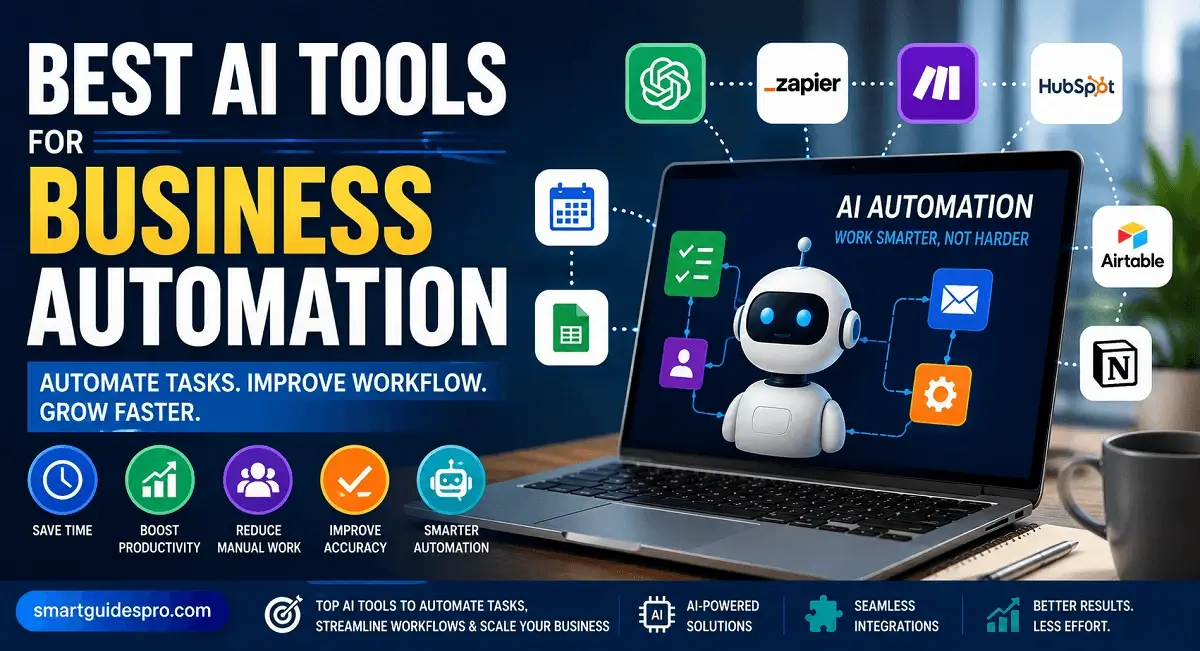
Top 7 Best AI Tools for Business Automation and Workflow Management

Discover the best AI tools for business automation to streamline workflows, automate repetitive tasks, improve productivity, and help your small business grow more efficiently. Compare the top AI automation tools, explore their features, pros and cons, and learn how to choose the right solution for your business.
Introduction: Why AI Tools Are Changing Business Automation and Workflow Management
Running a small business often means handling dozens of tasks every day. From replying to customers, managing emails, updating reports, organizing schedules, processing data, to keeping different business operations connected — many tasks take valuable time that could be used for growth.
The challenge is that many businesses still rely on manual processes. While these methods may work at the beginning, repetitive tasks can quickly become overwhelming as the business grows. This is where AI tools for business automation are becoming more valuable.
AI is changing the way businesses handle daily operations by helping automate repetitive workflows, improve efficiency, and reduce the amount of time spent on routine tasks. Instead of manually completing every step, businesses can now use AI automation tools to create smarter workflows that work faster and more consistently.
For small businesses especially, automation is no longer only available for large companies with expensive systems. Today, many affordable ai tools for small businesses can help automate customer communication, marketing tasks, scheduling, data management, and internal workflows without requiring advanced technical skills.
One thing I’ve noticed is that many business owners do not actually need more tools — they need better systems. A good automation setup can help organize existing processes and remove unnecessary manual work. The goal is not to replace people but to give business owners and teams more time to focus on important decisions, creativity, and customer relationships.
Modern ai automation tools are also becoming smarter because they can understand patterns, analyze information, and assist with decision-making. For example, an AI workflow system can help automatically sort customer requests, trigger follow-up emails, organize tasks, or connect different business applications together.
Based on experience, the biggest advantage of using AI for workflows is consistency. When repetitive processes are automated properly, businesses can reduce mistakes and maintain a smoother operation even when managing multiple responsibilities at the same time.
This is why more entrepreneurs are searching for the best ai tools for business automation to improve productivity and build more efficient workflows. Whether you run an online store, service business, agency, or small team, the right automation tools can help you save time and create a more scalable business system.
In this guide, we will explore the top AI solutions that can help businesses automate tasks, manage workflows, and improve everyday operations. You will discover which tools are worth considering, what they are best used for, and how they can fit different business needs.
Related Articles:
- Top 10 Best AI Tools for Social Media Management for Small Businesses
- Top 8 Best AI Tools for Productivity and Task Management for Small Businesses
- Top 10 Best AI Tools for Content Creation and marketing for Small businesses
- Top 17 Best AI Tools for Small Businesses and Beginners (Complete Guide)
- Top 10 Best AI Project Management Tools to Help Small Businesses Work Smarter
- Top 7 AI Accounting and Bookkeeping Tools Small Businesses Should Know
Why Use AI Tools for Business Automation?
Many businesses start with simple processes: answering customer questions, managing schedules, tracking orders, sending emails, and updating information manually. But as the business grows, these small tasks can slowly become a major workload. This is where AI tools for business automation can make a meaningful difference.
The main reason businesses use AI automation is simple: they want to spend less time on repetitive tasks and more time on activities that create growth. Instead of spending hours handling the same processes every day, businesses can use AI systems to complete routine work faster and more efficiently.
One of the biggest advantages of modern ai automation tools is their ability to connect different parts of a business workflow. For example, an automated system can help collect customer information, organize leads, send follow-up messages, update records, and notify team members without requiring constant manual input.
For small businesses, this can be especially valuable. Many small business owners manage multiple roles at once, from marketing and customer service to operations and administration. Using ai automation tools for small businesses can help reduce workload pressure while keeping daily operations organized.
Another important reason to use AI automation is improving consistency. Human teams can make mistakes when handling repetitive work, especially during busy periods. AI-powered workflows can follow predefined rules and complete tasks in a more predictable way.
In my opinion, the biggest benefit is not only saving time but creating better systems. A business that has clear workflows can operate more smoothly and scale more easily. AI does not replace the need for human decisions; instead, it helps remove repetitive steps so people can focus on strategy, creativity, and customer relationships.
Modern business automation tools can support many areas, including:
- Automating customer support responses
- Managing marketing campaigns
- Organizing sales workflows
- Scheduling meetings and reminders
- Processing and organizing business data
- Creating automatic notifications and reports
Another reason businesses are adopting AI is accessibility. In the past, automation often required complicated software development or expensive solutions. Today, many AI platforms offer user-friendly features that allow small teams to create automated workflows with minimal technical knowledge.
From what I’ve seen, businesses often get the best results when they start with simple automation. Instead of trying to automate everything at once, identifying repetitive tasks that consume the most time is usually the best first step.
For example, a small online business might start by automating customer email replies, order notifications, or social media scheduling. Over time, these small improvements can create a more efficient workflow across the entire business.
The rise of ai tools for automating business workflows shows that automation is becoming a practical solution, not just a trend. Businesses that use AI strategically can improve efficiency, reduce unnecessary work, and build smoother operations for long-term growth.
Key Benefits of Using AI Automation Tools for Small Businesses
Key Benefits of Using AI Automation Tools for Small Businesses
Small businesses often operate with limited time, resources, and team members. Because of this, even simple repetitive tasks can take valuable hours away from activities that actually help the business grow. This is why many entrepreneurs are starting to explore ai automation tools for small businesses as a practical way to improve daily operations.
The biggest advantage of using AI automation is that it helps businesses work smarter. Instead of manually handling every task, businesses can create automated systems that support everyday workflows, reduce unnecessary effort, and improve overall efficiency.
One thing I’ve noticed is that many small business owners do not struggle because they lack ideas — they struggle because too much time is spent on repetitive work. AI automation helps solve this problem by taking care of routine processes while allowing business owners to focus on customers, strategy, and growth.
1. Save Time by Automating Repetitive Tasks
Time is one of the most valuable resources for any business. Tasks like sending emails, organizing customer information, scheduling appointments, creating reports, and updating data can become repetitive when done manually.
With ai tools to automate business tasks, businesses can reduce the amount of time spent on these activities. For example, an AI workflow can automatically send follow-up emails after a customer inquiry or organize incoming requests based on specific rules.
This allows teams to spend more time on higher-value work instead of repeating the same manual actions every day.
2. Improve Workflow Efficiency
A business workflow often involves multiple steps and different tools. Without a proper system, tasks can become confusing and slow.
AI automation tools help connect different processes together. For example:
- A customer fills out a form
- AI organizes the information
- The system updates the database
- A follow-up message is automatically sent
This type of automation creates a smoother workflow and reduces unnecessary delays.
The best ai workflow automation tools are designed to help businesses manage processes from start to finish with fewer manual steps.
3. Reduce Human Errors
Manual work increases the possibility of mistakes, especially when teams handle large amounts of information. A missed email, incorrect data entry, or forgotten follow-up can affect customer experience and business performance.
AI-powered automation helps maintain consistency by following predefined workflows. While human oversight is still important, automation can reduce small errors that happen during repetitive tasks.
4. Improve Customer Experience
Customers today expect fast responses and smooth communication. Small businesses may not always have enough staff to respond immediately, especially during busy periods.
AI tools can help businesses provide faster support through automated responses, customer tracking, appointment reminders, and personalized communication.
For example, a small service business can use automation to answer common questions instantly and send updates without requiring someone to manually respond every time.
5. Help Small Businesses Scale Faster
Growth usually means more customers, more tasks, and more complex operations. Without efficient systems, business owners can quickly become overwhelmed.
Using business automation tools allows small businesses to handle more work without increasing workload at the same speed. Automation creates a foundation that supports growth while keeping operations organized.
Based on experience, businesses that build efficient workflows early often have an easier time expanding because they already have systems in place.
6. Make Better Decisions With Data
AI automation is not only about completing tasks. Many modern AI tools can also analyze information and provide useful insights.
Businesses can use AI to understand customer behavior, monitor performance, and identify areas that need improvement. This helps owners make decisions based on real data instead of assumptions.
7. Reduce Operational Costs
For small businesses, managing expenses is always important. Automation can help reduce the time and resources needed for repetitive operations.
Instead of hiring additional help for every small task, businesses can use AI solutions to handle certain processes more efficiently.
Overall, the benefits of ai tools for business automation go beyond simply saving time. They help small businesses create better workflows, improve customer experiences, and build systems that support long-term growth.
The key is choosing the right tools and using them for the right tasks. AI automation works best when it supports human creativity and decision-making rather than trying to replace it.
Top 7 Best AI Tools for Business Automation and Workflow Management
Choosing the right automation tool can feel confusing because there are hundreds of AI platforms promising to make business easier. Some focus on marketing, some help with customer support, while others are built specifically for connecting workflows between different apps.
The best solution depends on what your business actually needs. A small online store may need customer automation, while a service business may need scheduling and workflow management. In my opinion, the most valuable ai tools for business automation are the ones that remove repetitive work and fit naturally into your existing process.
Below are some of the best ai tools for business automation that can help businesses automate tasks, improve workflows, and manage daily operations more efficiently.
1. Zapier
Zapier is one of the most popular workflow automation platforms because it helps businesses connect different apps and automate repetitive processes without needing coding skills.
With Zapier, users can create automated workflows called “Zaps.” For example, when a customer submits a form, Zapier can automatically add the information to a spreadsheet, send a notification, or create a follow-up task.
Key Features:
- Connects thousands of business apps
- Automates repetitive workflows
- AI-powered automation suggestions
- Customer management workflows
- Task and data automation
Pros:
- Beginner-friendly interface
- Works with many popular business tools
- Saves significant manual time
Cons:
- Advanced automation can become expensive
- Some complex workflows require testing
Best for:
Small businesses, marketers, freelancers, and teams that want simple automation between multiple tools.
2. Make (formerly Integromat)
Make is a powerful automation platform designed for businesses that need more flexible workflows. Compared with simpler automation tools, Make provides more control over how different steps connect.
It allows businesses to create visual workflows where they can automate complex processes, manage data movement, and build customized systems.
Key Features:
- Visual workflow builder
- Advanced automation scenarios
- Data processing
- App integrations
- Business process automation
Pros:
- More flexibility for complex workflows
- Powerful customization options
- Suitable for growing businesses
Cons:
- Learning curve can be higher
- Beginners may need time to understand advanced features
Best for:
Businesses that need detailed automation systems and more control over their workflows.
3. HubSpot AI
HubSpot combines CRM, marketing, sales, and customer service tools with AI features to help businesses automate customer-related workflows.
For businesses focused on improving customer relationships, HubSpot can help manage leads, automate communication, and organize sales processes.
Key Features:
- AI-assisted CRM
- Marketing automation
- Customer communication workflows
- Sales pipeline management
- Automated follow-ups
Pros:
- All-in-one business platform
- Strong CRM features
- Useful for customer-focused businesses
Cons:
- Advanced features may require paid plans
- Can feel overwhelming for very small teams
Best for:
Small businesses, startups, and companies that want to automate customer and sales workflows.
4. ClickUp AI
ClickUp is a project management platform that includes AI features to help teams organize tasks, automate workflows, and improve collaboration.
Businesses can use ClickUp AI to summarize information, generate content ideas, manage projects, and reduce administrative work.
Key Features:
- AI task assistance
- Project workflow management
- Team collaboration
- Automated task organization
- Productivity insights
Pros:
- Combines project management and AI
- Good for team workflows
- Many customization options
Cons:
- Many features require setup
- New users may need time to learn the platform
Best for:
Teams managing multiple projects, operations, and internal workflows.
5. Monday.com AI
Monday.com helps businesses manage projects, operations, and workflows through customizable boards and automation features.
Its AI capabilities help teams organize information, automate routine actions, and improve workflow visibility.
Key Features:
- Workflow automation
- Team management
- AI assistance
- Project tracking
- Business operations management
Pros:
- Easy visual workflow management
- Good collaboration features
- Flexible for different industries
Cons:
- Can become costly for larger teams
- Some automation features require higher plans
Best for:
Small businesses and teams that need organized workflow management.
6. Notion AI
Notion AI helps businesses organize documents, knowledge, tasks, and internal information in one workspace.
While it is not a traditional automation platform, it can support business workflows by helping teams create content, summarize information, organize notes, and manage knowledge.
Key Features:
- AI writing assistance
- Document organization
- Knowledge management
- Task planning
- Team workspace
Pros:
- Simple and flexible
- Great for organizing business information
- Useful for small teams
Cons:
- Less focused on advanced automation
- Requires good workspace organization
Best for:
Businesses that need better organization and internal workflow management.
7. Airtable AI
Airtable combines database management with automation features, making it useful for businesses that need to organize information and create custom workflows.
Businesses can use Airtable AI to manage customer data, track projects, automate updates, and create structured business systems.
Key Features:
- AI-powered data management
- Custom databases
- Workflow automation
- Business tracking systems
- App integrations
Pros:
- Highly customizable
- Good for managing business data
- Flexible workflow creation
Cons:
- Requires some learning
- Advanced setups can become complex
Best for:
Businesses that need customized systems for managing data and operations.
Each of these tools offers different advantages depending on the type of workflow you want to automate. Some businesses may only need simple automation, while others may need complete systems that connect multiple departments.
When choosing among these ai automation tools, focus on your biggest time-consuming tasks first. The right tool is not always the one with the most features — it is the one that solves your actual business problems.
These platforms show how ai tools for automating business workflows are becoming more accessible for small businesses that want to improve efficiency without building complicated systems from scratch.
Comparison Table of the Best AI Automation Tools for Businesses
With so many AI automation platforms available today, choosing the right one can become confusing. Every tool has different strengths, pricing models, and target users. Some are better for connecting apps, while others focus on customer management, team collaboration, or organizing business workflows.
A good comparison helps you understand which tool matches your business needs before investing time and money. In my opinion, the best ai tools for business automation are not always the ones with the most advanced features. The best choice is the tool that fits your workflow, team size, and daily challenges.
The table below compares some of the most popular ai automation tools based on their main purpose, features, and suitability for different types of businesses.

| Tool | Best For | Key Features | Free Plan | Official Website |
| Zapier | Connecting apps and automating repetitive tasks | App integrations, workflow automation, AI suggestions, automated actions | Yes | Zapier |
| Make | Advanced workflow automation | Visual automation builder, complex workflows, data processing, integrations | Yes | Make |
| HubSpot AI | Customer relationship and sales automation | CRM, marketing automation, AI assistance, customer workflows | Yes | HubSpot |
| ClickUp AI | Team productivity and project workflows | Task management, AI assistance, workflow organization, collaboration | Yes | ClickUp |
| Monday.com AI | Business operations and team workflows | Workflow boards, automation, project tracking, team management | Yes | Monday.com |
| Notion AI | Knowledge management and internal organization | AI writing, documentation, task planning, workspace management | Limited | Notion |
| Airtable AI | Data management and custom business systems | Databases, AI data tools, automation, integrations | Yes | Airtable |
Which AI Automation Tool Is Best for Your Business?
The right choice depends on what you want to automate.
If your main goal is connecting different applications and reducing repetitive tasks, tools like Zapier and Make are strong options. They are especially useful for businesses that already use multiple platforms and want them to work together automatically.
For businesses focused on customer relationships, sales, and marketing processes, HubSpot AI can be a better fit because it combines CRM features with automation capabilities.
Teams that manage many projects or internal processes may benefit more from ClickUp AI or Monday.com AI. These platforms help organize workflows, assign tasks, and keep team operations structured.
For businesses that need a flexible system to manage information, Airtable AI and Notion AI can help create customized workflows around data and knowledge management.
One thing I’ve noticed is that many small businesses choose automation tools based only on popularity. However, the better approach is to start by identifying your biggest workflow problems first.
For example:
- Spending too much time moving data between apps → Use workflow automation tools
- Losing track of customer follow-ups → Use CRM automation
- Managing too many projects manually → Use workflow management platforms
- Organizing business information → Use AI workspace tools
The goal of using ai workflow automation tools is not to automate every single activity. It is about removing unnecessary manual steps and creating a smoother business process.
For small businesses, starting with one or two important workflows is often more effective than using many different platforms at the same time. As your business grows, you can expand your automation system based on your needs.
By choosing the right tool, businesses can build more efficient workflows, reduce repetitive tasks, and create systems that support long-term growth.
How to Choose the Right AI Workflow Automation Tool for Your Business
Choosing an AI automation tool is not just about finding the platform with the most features. The right tool should solve real business problems, fit your current workflow, and help your team work more efficiently.
With so many options available, many small business owners make the mistake of choosing popular tools without first understanding what they actually need. A tool that works well for one company may not be the best choice for another.
In my opinion, the best ai workflow automation tools are the ones that simplify your daily operations instead of creating more complexity. Before choosing a platform, it is important to look at your business goals, current processes, and the tasks that consume the most time.
Here are some important factors to consider when choosing the right automation solution.
1. Identify Which Tasks You Want to Automate
The first step is understanding where automation can create the biggest impact.
Look at your daily activities and identify repetitive tasks such as:
- Sending customer emails
- Managing appointments
- Updating spreadsheets
- Creating reports
- Following up with leads
- Organizing customer information
- Moving data between different applications
Not every process needs automation. Start with tasks that happen frequently and require a lot of manual effort.
For example, a small online business may benefit from automating order notifications, while a consulting business may need automated scheduling and client communication.
Using ai tools to automate business tasks works best when the tool is connected to a clear business need.
2. Consider Your Business Size and Team Needs
A tool designed for a large company may feel too complicated for a small team. On the other hand, a basic tool may not support a growing business.
Small businesses should look for automation platforms that are:
- Easy to set up
- Simple to manage
- Affordable
- Flexible enough to grow
For many small businesses, starting with simple ai automation tools for small businesses is often better than investing in complex systems with features they may never use.
The goal is to create efficient workflows, not add unnecessary software.
3. Check Integration With Your Existing Tools
A powerful automation tool is only useful if it works with the platforms you already use.
Before choosing a solution, check whether it supports your current business tools, such as:
- Email platforms
- CRM systems
- Project management software
- Accounting tools
- Marketing platforms
- Customer support systems
For example, if your business already uses multiple applications, a workflow automation platform that connects them can save hours of manual work.
This is why tools like Zapier and Make are popular among businesses that want different systems to communicate automatically.
4. Evaluate Ease of Use
A common problem with automation software is choosing a platform that is too complicated.
Even if a tool has advanced features, it may not be useful if your team struggles to understand how it works.
Look for platforms that offer:
- Simple dashboards
- Clear workflow builders
- Templates
- Helpful documentation
- Easy customization
Based on experience, businesses usually get better results when their team actually uses the tool consistently rather than choosing the most advanced option available.
5. Think About Cost and Long-Term Value
Price is an important factor, especially for small businesses. However, the cheapest option is not always the best choice.
Consider:
- How much time it saves
- How many tasks it can automate
- Whether it can grow with your business
- Whether it reduces operational costs
A good automation tool should create value by saving time and improving efficiency.
6. Prioritize Security and Data Management
When using AI automation, businesses often connect important information such as customer details, business records, and internal data.
Before choosing a platform, consider:
- Data protection features
- User permissions
- Privacy settings
- Reliability of the provider
Trust is an important part of building an efficient automated workflow.
7. Start Small and Expand Gradually
Many businesses try to automate everything immediately and end up creating unnecessary complexity.
A better approach is starting with one important workflow.
For example:
- Automate customer inquiries
- Improve sales follow-ups
- Connect business applications
- Expand automation over time
One thing I’ve noticed is that successful automation usually grows step by step. Businesses that understand their processes first often get better results from AI tools.
The right ai tools for business automation should make your business easier to manage, not harder. By choosing a platform based on your actual needs, you can build smarter workflows, reduce repetitive tasks, and create a more efficient operation for long-term growth.
How to Use AI Tools to Automate Business Tasks Effectively
Buying an AI automation tool is only the first step. The real value comes from knowing how to use it properly inside your business workflow. Many businesses invest in automation software but do not get the expected results because they automate the wrong processes or use tools without a clear strategy.
The goal of automation is not to remove every human action. Instead, the purpose is to make daily operations smoother by reducing repetitive work and allowing teams to focus on more important tasks.
When used correctly, ai tools for business automation can help businesses save time, improve workflow accuracy, and create more organized systems.
Here are practical ways businesses can use AI automation effectively.
1. Start With Repetitive Tasks That Take the Most Time
The best place to begin is by identifying tasks that happen frequently and require manual effort.
Examples include:
- Responding to common customer questions
- Sending appointment reminders
- Creating weekly reports
- Updating customer records
- Organizing leads
- Managing email follow-ups
- Tracking business data
These tasks may seem small, but they can consume many hours over time.
One thing I’ve noticed is that businesses often try to automate complicated processes first. However, simple repetitive tasks usually provide the fastest results because the improvement can be seen immediately.
Using ai tools to automate business tasks allows businesses to handle routine activities faster while keeping important decisions in human hands.
2. Create Clear Workflows Before Automating
Automation works best when your existing process is already understood.
Before creating an automated workflow, ask:
- What starts this process?
- What steps happen next?
- Who is responsible?
- What result do we want?
For example:
Customer inquiry → AI categorizes request → Team receives notification → Follow-up message is sent
A clear workflow helps automation tools perform better because the system knows exactly what should happen at each stage.
The best ai tools for automating business workflows are not just about adding AI features. They are about creating smarter business processes.
3. Connect Different Business Applications
Many businesses use multiple tools every day. The problem is that these platforms often work separately.
AI automation can connect different systems together.
For example:
- Website form → CRM
- Customer purchase → Email notification
- New lead → Sales task creation
- Customer feedback → Business report
Tools like workflow automation platforms help businesses reduce manual data transfer and keep information updated automatically.
This is one reason why many companies use ai workflow automation tools to create smoother operations.
4. Use AI for Customer Communication
Customer communication is one of the easiest areas to improve with automation.
Businesses can use AI to help with:
- Automated replies
- Customer support questions
- Follow-up messages
- Appointment reminders
- Personalized recommendations
For small businesses, this can create a better customer experience without requiring a large support team.
However, human involvement is still important. AI should handle repetitive questions, while more complex customer situations should still receive personal attention.
5. Automate Internal Team Workflows
Automation is not only for customers. Internal business processes can also become more efficient.
Examples:
- Automatically assigning tasks
- Creating project updates
- Organizing documents
- Sending team notifications
- Tracking deadlines
For businesses with small teams, this can reduce administrative work and improve collaboration.
Modern business automation tools can help teams stay organized without spending too much time managing systems manually.
6. Monitor and Improve Your Automation
A common mistake is setting up automation and never checking the results.
Businesses should regularly review:
- Time saved
- Workflow performance
- Errors or problems
- Customer feedback
AI automation should improve over time as your business needs change.
Based on experience, the most successful automation systems are not created once and forgotten. They are adjusted and improved as the business grows.
7. Combine AI With Human Decision-Making
The most effective approach is using AI as a support system.
AI is excellent for:
- Processing information
- Organizing tasks
- Finding patterns
- Handling repetitive activities
Humans are still needed for:
- Strategy
- Creativity
- Relationship building
- Important decisions
The combination creates a stronger workflow than relying only on automation.
Using ai automation tools for small businesses effectively is about finding the right balance. Businesses that focus on solving real problems can create workflows that save time, reduce unnecessary work, and support long-term growth.
The right automation strategy does not make a business feel less personal — it gives people more time to focus on the parts of business that matter most.
Real Examples: How Small Businesses Use AI Tools to Automate Daily Workflows
Understanding how AI automation works in theory is useful, but seeing real examples makes the benefits much clearer. Many small businesses are not using AI just because it is a trend — they are using it because automation helps them save time, organize operations, and handle more work without increasing unnecessary complexity.
For small businesses, the biggest opportunity is often found in everyday workflows. Tasks that seem simple, such as replying to customers, scheduling appointments, managing leads, or creating reports, can take hours when handled manually.
This is where ai tools for business automation become valuable. By automating repetitive processes, businesses can create smoother systems and spend more time focusing on growth.
Below are some practical examples of how small businesses use AI automation in real situations.
1. Online Stores Automating Customer Support and Orders
An online store usually receives many repeated questions every day:
- Where is my order?
- How long does shipping take?
- How can I return a product?
- Is this item available?
Instead of answering every question manually, businesses can use AI-powered customer support tools to handle common requests automatically.
For example, an AI assistant can answer basic questions, provide order updates, and direct complex issues to a human team member.
This helps small online businesses provide faster responses while reducing the workload on customer service teams.
Many ecommerce businesses also use business automation tools to connect their store, inventory system, email marketing, and customer database. This creates a smoother workflow from purchase to customer follow-up.
2. Marketing Teams Automating Content and Campaign Workflows
Marketing often requires many repetitive activities, including:
- Creating content ideas
- Scheduling posts
- Sending newsletters
- Tracking campaign performance
- Managing customer segments
Small marketing teams can use ai automation tools to organize these processes more efficiently.
For example, a business can create a workflow where customer data is collected, audiences are organized, and personalized email campaigns are sent automatically.
AI can also help marketers analyze results and identify which campaigns perform better.
From what I’ve seen, automation is especially helpful for small teams because it allows them to maintain consistent marketing without spending all day managing small tasks.
3. Service Businesses Automating Appointments and Client Management
Businesses such as consultants, agencies, coaches, and local services often spend a lot of time managing appointments and client communication.
AI automation can help with:
- Booking appointments
- Sending reminders
- Organizing client information
- Following up after meetings
For example, when a customer schedules a service, an automated workflow can send confirmation messages, update calendars, and create follow-up tasks.
These types of ai tools for small businesses help owners spend less time on administration and more time serving customers.
4. Small Teams Automating Internal Workflows
Even businesses without many customers can benefit from automation.
Internal tasks such as:
- Assigning tasks
- Updating project status
- Sharing reports
- Managing documents
can become easier with AI-powered workflow systems.
For example, when a team member completes a task, an automated system can notify the next person responsible and update the project status.
This reduces communication delays and helps teams stay organized.
5. Freelancers Automating Administrative Tasks
Freelancers often manage everything themselves, including client communication, proposals, invoices, and project tracking.
AI tools can help automate:
- Client onboarding
- Email responses
- Scheduling
- Document organization
- Task reminders
This allows freelancers to focus more on their actual service instead of spending too much time on administrative work.
6. Businesses Using AI to Manage Data and Reports
Many small businesses collect valuable information but do not have enough time to analyze it.
AI automation can help organize data and create useful reports automatically.
Examples include:
- Sales summaries
- Customer insights
- Performance tracking
- Business activity reports
Instead of manually collecting information from different sources, businesses can use automation to create a more connected workflow.
What These Examples Show About AI Automation
These examples prove that automation is not only for large companies. Small businesses can use AI to improve daily operations in practical ways.
The most successful businesses usually start with simple improvements. They do not automate everything immediately — they focus on the tasks that create the biggest time savings.
In my opinion, the future of business automation is not about replacing people with technology. It is about creating systems where people and AI work together more efficiently.
With the right ai workflow automation tools, small businesses can reduce repetitive tasks, improve customer experiences, and build workflows that support long-term growth.
My Experience Using AI Automation Tools for Business Tasks
When I first started exploring AI tools for business automation, I assumed they were mainly designed for large companies with complex operations. After spending more time learning how these tools work and seeing how many small businesses use them, my perspective changed.
In my opinion, AI automation is not about replacing people or running a business on autopilot. Its real value is helping eliminate repetitive tasks that consume time but add very little value. Even automating just a few daily processes can make a noticeable difference in how smoothly a business operates.
One thing I’ve noticed is that many business owners think automation has to be complicated. In reality, some of the most effective automations are also the simplest.
For example, imagine a small business that receives dozens of customer inquiries every day. Instead of manually replying to each email, an AI-powered workflow can acknowledge the inquiry, organize the request, and notify the right team member. The business owner still reviews important conversations, but they no longer waste time on repetitive administrative work.
The same idea applies to marketing. Rather than manually moving customer information between different platforms, ai automation tools can connect those systems automatically. A new lead from a website can be added to a CRM, assigned to a salesperson, and receive a welcome email without anyone touching the process.
Based on experience, one of the biggest benefits of automation is consistency. People naturally forget small tasks during busy days—sending follow-up emails, updating spreadsheets, or notifying team members. Automation helps ensure these routine steps happen every time, reducing mistakes and improving overall workflow.
Another lesson I’ve learned is that automation should always support a well-defined process. If a business has an inefficient workflow, automating it will simply make the inefficiency happen faster. Before implementing any automation, it is worth reviewing your existing process and asking whether it can be simplified first.
For example, instead of creating a complicated workflow with dozens of conditions, many business automation tools allow you to begin with a simple sequence:
- A customer submits a contact form
- Customer information is automatically saved
- A confirmation email is sent
- A follow-up task is created for the sales team
This type of workflow is easy to understand, easy to maintain, and already saves valuable time.
I also believe that businesses should avoid trying to automate everything at once. Start with one workflow that has a clear impact, measure the results, and then expand gradually.
For many ai tools for small businesses, the best starting points include:
- Customer inquiries
- Appointment scheduling
- Lead management
- Email follow-ups
- Internal task notifications
- Weekly reporting
These are repetitive activities where automation can provide immediate value without disrupting the business.
Another observation is that the best ai workflow automation tools are often the ones that fit naturally into your existing way of working. A platform with hundreds of advanced features is not necessarily better if your team only needs a few reliable automations.
Ultimately, I think AI should be viewed as a business assistant rather than a replacement for human expertise. AI is excellent at handling repetitive processes, organizing information, and connecting workflows. Humans are still essential for building relationships, solving complex problems, making strategic decisions, and delivering creativity.
When businesses use AI with this mindset, automation becomes more than a way to save time—it becomes a practical tool for building a more efficient, scalable, and sustainable operation.
Which AI Workflow Automation Tools Are Actually Worth Using?
With so many AI platforms available today, it’s natural to wonder which ones are actually worth your time and money. A quick online search will return hundreds of recommendations, but not every tool delivers real value for every business.
The truth is, there is no single “best” solution for everyone. The most effective AI tools for business automation are the ones that solve your specific business challenges, integrate well with your existing software, and are simple enough for your team to use consistently.
One thing I’ve noticed is that many small businesses choose automation tools based on popularity rather than practicality. A platform with dozens of advanced features may look impressive, but if you only use 10% of them, you’re probably paying for capabilities you don’t need.
Instead, focus on the tasks that take up the most time in your daily operations. Once you identify those bottlenecks, choosing the right automation tool becomes much easier.
If You Need Simple Workflow Automation
For businesses that want to connect different apps without writing code, platforms like Zapier and Make remain two of the strongest choices.
They are excellent for:
- Automatically transferring data between apps
- Sending notifications
- Creating recurring workflows
- Reducing manual data entry
These AI workflow automation tools are ideal if your business already uses several cloud-based applications and you want them to work together automatically.
If Your Business Depends on Customer Relationships
If managing leads, customers, and follow-ups is your biggest challenge, HubSpot AI is one of the strongest options.
Its automation features help businesses:
- Organize customer information
- Automate sales pipelines
- Send personalized follow-ups
- Manage marketing campaigns
- Improve customer communication
Rather than using several separate tools, HubSpot allows many businesses to manage these activities from one platform.
If You Manage Projects Every Day
Businesses with multiple ongoing projects often benefit more from ClickUp AI or Monday.com AI.
These platforms are designed to improve internal collaboration by helping teams:
- Assign tasks automatically
- Track project progress
- Organize workflows
- Reduce manual project updates
For growing companies, these business automation tools can improve visibility across teams while reducing administrative work.
If You Need Better Knowledge and Data Management
Some businesses don’t need complex workflow automation—they simply need better organization.
In these situations:
- Notion AI works well for documentation, knowledge sharing, and internal collaboration.
- Airtable AI is excellent for organizing structured business data and building custom workflows.
These tools are particularly useful for businesses that manage large amounts of information or want flexible systems tailored to their operations.
My Recommendations Based on Different Business Needs
Based on experience and the strengths of each platform, here’s how I would recommend choosing among them:
| Business Need | Recommended Tool |
| Connecting multiple apps | Zapier or Make |
| Customer relationship management | HubSpot AI |
| Team collaboration | ClickUp AI |
| Project management | Monday.com AI |
| Knowledge management | Notion AI |
| Custom databases and workflows | Airtable AI |
This approach is usually more helpful than trying to find one tool that does everything.
What Makes an AI Automation Tool Worth Using?
Before investing in any platform, ask yourself these questions:
- Does it solve a real business problem?
- Will it save time every week?
- Can my team learn it quickly?
- Does it integrate with our existing software?
- Is the pricing reasonable as the business grows?
If the answer is “yes” to most of these questions, the tool is likely a worthwhile investment.
One thing I’ve learned is that the best AI tools for business automation are rarely the most complicated ones. They are the tools that quietly eliminate repetitive work, improve efficiency, and allow business owners to focus on serving customers and growing their business.
Whether you’re looking for AI automation tools to simplify marketing, automate customer communication, or streamline internal operations, the key is choosing a platform that fits your workflow—not changing your workflow just to fit the software.
Ultimately, successful automation isn’t about using the most AI. It’s about using the right AI in the right place.
Best AI Tools for Different Business Automation Needs (Marketing, Customer Support, Scheduling, Data, and Workflows)
Not every business needs the same type of automation. A marketing agency may spend most of its time creating campaigns, while a local service business focuses on appointments and customer communication. That’s why choosing automation software based on your specific needs is often more effective than trying to find one tool that does everything.
The good news is that today’s AI tools for business automation are designed to solve different business challenges. Some specialize in connecting applications, while others focus on customer relationships, project management, or organizing business data.
If you’re unsure where to begin, the recommendations below can help you choose the right solution based on your daily workflow.
Best for Marketing Automation
Recommended Tool: HubSpot AI
Marketing involves many repetitive tasks, including email campaigns, lead nurturing, customer segmentation, and performance tracking.
HubSpot AI helps automate many of these activities by allowing businesses to:
- Send personalized marketing emails
- Score and organize leads
- Automate customer journeys
- Schedule follow-up campaigns
- Track marketing performance
For businesses that rely heavily on digital marketing, this can significantly reduce manual work while improving consistency.
Best for Customer Support Automation
Recommended Tool: HubSpot AI
Providing fast customer support is important, but answering the same questions repeatedly can consume valuable time.
Using AI automation tools, businesses can automate:
- Frequently asked questions
- Customer inquiries
- Ticket routing
- Follow-up messages
- Customer communication
AI handles routine conversations while human agents focus on more complex issues that require personal attention.
Best for Scheduling and Team Management
Recommended Tool: Monday.com AI
Managing appointments, deadlines, and team responsibilities becomes more difficult as a business grows.
Monday.com AI helps businesses organize:
- Project timelines
- Team schedules
- Task assignments
- Workflow updates
- Deadline reminders
For growing teams, these business automation tools improve visibility and reduce the amount of manual coordination required.
Best for Data Management and Reporting
Recommended Tool: Airtable AI
Businesses collect information from many different sources every day. Without proper organization, valuable data can quickly become difficult to manage.
Airtable AI allows businesses to:
- Build custom databases
- Organize customer information
- Track projects
- Automate reports
- Manage business records
This makes it an excellent choice for businesses that rely on structured information to make decisions.
Best for Workflow Automation Between Apps
Recommended Tools: Zapier and Make
Many businesses use separate tools for email, CRM, accounting, marketing, and project management.
Instead of moving information manually, Zapier and Make allow these applications to communicate automatically.
For example, they can:
- Create leads automatically
- Transfer customer data
- Send notifications
- Update spreadsheets
- Trigger multi-step workflows
These AI workflow automation tools are ideal for businesses that want to eliminate repetitive administrative work.
Best for Internal Documentation and Knowledge Management
Recommended Tool: Notion AI
Not every business challenge involves customers. Many companies also need better ways to organize internal information.
Notion AI helps teams:
- Create documentation
- Summarize meeting notes
- Organize company knowledge
- Manage internal projects
- Draft business content
For small teams, keeping information in one organized workspace can improve collaboration and reduce time spent searching for documents.
Which Tool Should You Choose?
If you’re still unsure, here’s a quick summary based on common business needs.
| Business Need | Recommended Tool | Why It Stands Out |
| Marketing automation | HubSpot AI | CRM, email automation, lead nurturing |
| Customer support | HubSpot AI | AI-assisted customer communication |
| Scheduling & team management | Monday.com AI | Project planning and workflow organization |
| Data management | Airtable AI | Flexible databases and reporting |
| Workflow automation | Zapier or Make | Connects apps and automates repetitive tasks |
| Knowledge management | Notion AI | Documentation and team collaboration |
Based on experience, businesses don’t need every automation tool on this list. Most small businesses achieve better results by choosing one or two platforms that solve their biggest operational challenges first.
As your business grows, you can gradually expand your automation strategy by adding more AI tools for small businesses where they provide clear value.
The most effective automation system is not the one with the most software—it is the one that simplifies your daily operations, reduces repetitive work, and supports sustainable business growth.
Pros and Cons of Using AI Business Automation Tools
AI automation has become more accessible than ever, making it possible for businesses of all sizes to streamline daily operations. However, while AI tools for business automation offer significant advantages, they are not a perfect solution for every situation.
Understanding both the benefits and limitations can help you make smarter decisions and set realistic expectations before investing in automation.
Based on experience, businesses see the best results when they use AI to support their existing processes rather than expecting it to solve every operational challenge.
Pros of Using AI Business Automation Tools
1. Save Time on Repetitive Tasks
One of the biggest advantages of AI automation tools is their ability to handle routine work automatically.
Tasks such as:
- Sending follow-up emails
- Scheduling appointments
- Updating customer records
- Organizing leads
- Creating reports
can all be completed with minimal manual effort.
Instead of spending hours on repetitive administrative work, business owners can focus on activities that drive growth.
2. Improve Workflow Efficiency
Automation helps eliminate unnecessary steps in a business process.
For example, customer information can automatically move from a website form into a CRM, trigger a confirmation email, and notify the sales team—all without manual input.
This is why many businesses invest in AI workflow automation tools to create faster and more reliable operations.
3. Reduce Human Errors
Manual processes naturally increase the chance of mistakes.
Automation reduces errors caused by:
- Forgotten follow-ups
- Incorrect data entry
- Missed notifications
- Duplicate information
Although AI is not perfect, it generally performs repetitive tasks more consistently than manual workflows.
4. Increase Team Productivity
When repetitive work is automated, employees can spend more time on activities that require creativity, communication, and decision-making.
For small businesses with limited staff, this productivity boost can make a noticeable difference.
One thing I’ve noticed is that automation often improves employee satisfaction because teams spend less time on repetitive administrative work.
5. Support Business Growth
As a business grows, manual processes often become harder to manage.
Using business automation tools allows businesses to handle more customers, projects, and data without increasing workload at the same pace.
Well-designed automation systems also make it easier to scale operations over time.
Cons of Using AI Business Automation Tools
1. Initial Setup Takes Time
Automation is rarely a plug-and-play solution.
Businesses need time to:
- Plan workflows
- Configure automations
- Test different scenarios
- Train employees
The initial investment in setup can be worthwhile, but it should not be overlooked.
2. Learning Curve for New Users
Some automation platforms offer hundreds of features.
While this flexibility is valuable, it can also feel overwhelming for beginners.
Businesses may need time to understand how different workflows, integrations, and automation rules work together.
3. Monthly Subscription Costs
Many AI platforms offer free plans, but advanced automation usually requires paid subscriptions.
Before choosing a platform, businesses should consider:
- Monthly costs
- Number of users
- Automation limits
- Future scalability
The goal is to ensure that the time saved justifies the ongoing investment.
4. AI Still Needs Human Oversight
AI is excellent at handling structured and repetitive tasks, but it cannot replace human judgment in every situation.
Complex customer requests, strategic planning, creative problem-solving, and sensitive business decisions still require people.
Automation should be viewed as a support system rather than a complete replacement for employees.
5. Poor Workflows Can Still Produce Poor Results
One common misconception is that automation automatically fixes inefficient business processes.
In reality, if an existing workflow is confusing or poorly designed, automation may simply repeat those problems faster.
Before implementing AI tools for small businesses, it’s important to simplify and improve your processes first.
A Quick Comparison
| Pros | Cons |
| Saves time on repetitive work | Initial setup may require planning |
| Improves workflow efficiency | Learning curve for beginners |
| Reduces manual errors | Advanced features often require paid plans |
| Increases team productivity | Human oversight is still necessary |
| Supports business growth | Poor workflows still need improvement before automation |
Is AI Automation Worth It?
For most small businesses, the answer is yes—but only when automation is used strategically.
In my opinion, the biggest mistake is expecting AI to completely run a business on its own. The most successful businesses use automation to handle repetitive work while allowing people to focus on customer relationships, creativity, and business strategy.
When implemented thoughtfully, AI tools for business automation can help businesses work more efficiently, reduce operational bottlenecks, and build scalable workflows that support long-term success. The key is choosing the right tool, automating the right tasks, and continuously refining your processes as your business grows.
Common Mistakes Small Businesses Make When Using AI Automation Tools
AI automation can significantly improve business efficiency, but simply installing an automation platform does not guarantee success. Many small businesses become disappointed with automation because they expect immediate results or implement it without a clear plan.
The good news is that most of these problems are avoidable. By understanding the common mistakes businesses make, you can build smarter workflows and get much better results from your investment.
In my opinion, successful automation isn’t about using the most advanced technology—it’s about using the right technology in the right way.
Here are some of the most common mistakes businesses make when using AI tools for business automation.
1. Trying to Automate Everything at Once
One of the biggest mistakes is attempting to automate every process immediately.
While it may seem like the fastest way to improve efficiency, introducing too many automated workflows at once often creates confusion instead of saving time.
A better approach is to start with one or two repetitive tasks, such as:
- Customer follow-up emails
- Appointment reminders
- Lead management
- Internal notifications
Once these workflows run smoothly, you can gradually automate additional processes.
2. Choosing Tools Based Only on Popularity
Just because a tool is widely recommended doesn’t mean it’s the right choice for your business.
Some companies purchase expensive platforms with advanced features but end up using only a small percentage of their capabilities.
Instead of following trends, evaluate your actual needs.
Ask yourself:
- Which tasks consume the most time?
- Which workflows cause the most delays?
- Which processes are repeated every day?
The best AI automation tools solve your specific business problems—not someone else’s.
3. Automating Poor Processes
Automation makes existing workflows faster.
Unfortunately, if your process is already inefficient, automation will simply repeat those inefficiencies.
For example, if customer inquiries are routed to the wrong department manually, automating that workflow without fixing the routing process first won’t improve the customer experience.
Based on experience, businesses should simplify and document their workflows before introducing automation.
4. Ignoring Employee Training
Even the best automation platform won’t deliver results if employees don’t know how to use it.
Many businesses focus on software installation but spend very little time teaching their teams how the new workflows operate.
Providing basic training helps employees:
- Understand automated processes
- Fix minor issues
- Monitor workflow performance
- Work more confidently with AI
Automation should support employees, not confuse them.
5. Not Monitoring Automated Workflows
Another common mistake is assuming automation will always work perfectly.
Businesses should regularly review:
- Failed automations
- Workflow performance
- Customer feedback
- Processing times
- System notifications
Even reliable AI workflow automation tools require occasional adjustments as business needs change.
Monitoring your workflows helps identify small issues before they become larger operational problems.
6. Overlooking Data Security
Many automation platforms connect important business information, including:
- Customer details
- Sales data
- Financial records
- Internal documents
Failing to review security settings or user permissions can create unnecessary risks.
When choosing business automation tools, always consider:
- Security features
- Access controls
- Data privacy policies
- Integration permissions
Protecting business data should always be part of your automation strategy.
7. Expecting AI to Replace Human Decision-Making
AI is extremely effective at handling repetitive and structured tasks, but it cannot replace human experience, creativity, or judgment.
Small businesses sometimes expect AI to manage customer relationships, solve complex problems, or make strategic decisions entirely on its own.
In reality, the best results come from combining automation with human expertise.
AI should handle routine work while people focus on:
- Customer relationships
- Business strategy
- Creative thinking
- Complex decision-making
8. Failing to Measure Results
Many businesses install automation and never evaluate whether it is actually improving performance.
Instead, measure key indicators such as:
- Time saved each week
- Faster response times
- Reduced manual work
- Lower error rates
- Improved customer satisfaction
These measurements help determine whether your automation strategy is delivering real value.
Final Thoughts
Every business makes mistakes while adopting new technology, and that’s completely normal. The important thing is learning from those experiences and improving your workflows over time.
One thing I’ve noticed is that businesses that succeed with AI tools for small businesses usually keep their automation simple in the beginning. They solve one problem, evaluate the results, and then expand gradually.
By avoiding these common mistakes, you can make better use of AI tools for business automation, build more reliable workflows, and create an automation strategy that supports long-term business growth instead of adding unnecessary complexity.
Related articles:
- Top 8 Best AI Tools for Productivity and Task Management for Small Businesses
- Top 10 Best AI Tools for Social Media Management for Small Businesses
- Top 10 Best AI Tools for Content Creation and marketing for Small businesses
Related AI Tools That Can Improve Workflow and Business Efficiency
Business automation doesn’t happen in isolation. While AI tools for business automation can eliminate repetitive tasks and streamline workflows, they often deliver even better results when combined with other AI-powered solutions.
For example, automating your customer follow-ups is useful, but combining that automation with AI content creation, project management, or social media scheduling can create an even more efficient business ecosystem.
Based on experience, small businesses usually see the greatest improvements when different AI tools work together instead of relying on a single platform.
Here are several categories of AI tools that can further improve your workflow and overall business efficiency.
AI Productivity and Task Management Tools
Automation is only one part of running an efficient business. Teams also need a structured way to manage projects, assign responsibilities, and track progress.
AI productivity tools can help you:
- Organize daily tasks
- Prioritize workloads
- Manage deadlines
- Improve team collaboration
- Track project progress
When combined with AI workflow automation tools, these platforms reduce manual coordination and help teams stay organized.
Recommended Internal Reading:
• Top 8 Best AI Tools for Productivity and Task Management for Small Businesses
AI Content Creation Tools
Marketing requires a steady flow of quality content, including blog posts, emails, product descriptions, and social media updates.
AI content tools can assist with:
- Writing first drafts
- Generating marketing ideas
- Creating product descriptions
- Improving copywriting
- Repurposing existing content
These tools work particularly well alongside automation platforms. For example, an automated workflow can generate content, schedule reviews, and notify team members when drafts are ready.
Recommended Internal Reading:
• Top 10 Best AI Tools for Content Creation for Small Businesses
AI Social Media Management Tools
Managing multiple social media platforms manually can consume hours every week.
AI-powered social media tools help businesses:
- Schedule posts
- Generate captions
- Analyze engagement
- Plan content calendars
- Monitor performance
When integrated with AI automation tools, businesses can create a more consistent marketing workflow while reducing repetitive manual work.
Recommended Internal Reading:
• Top 10 Best AI Tools for Social Media Management for Small Businesses
AI Customer Service Tools
Providing excellent customer support is essential for business growth.
AI customer service solutions can automate:
- Frequently asked questions
- Live chat responses
- Customer routing
- Ticket management
- Follow-up messages
Combined with business automation tools, these systems allow businesses to deliver faster responses while keeping support teams focused on more complex customer needs.
AI Data Analysis and Reporting Tools
Many businesses collect valuable information but struggle to turn it into useful insights.
AI-powered reporting tools can help:
- Analyze sales trends
- Monitor customer behavior
- Generate performance dashboards
- Identify business opportunities
- Create automated reports
These insights support better decision-making while reducing the time spent preparing reports manually.
Why Combining AI Tools Works Better
One thing I’ve noticed is that businesses rarely improve dramatically by using a single AI platform.
Instead, the biggest gains come from connecting different solutions into one efficient workflow.
For example:
- AI generates marketing content
- Workflow automation schedules approvals
- Social media tools publish the content
- CRM software tracks customer engagement
- Analytics tools measure performance
This connected approach allows information to flow automatically between different systems, reducing manual work across the entire business.
For many AI tools for small businesses, the goal isn’t simply adding more software. It’s building a technology stack where each tool complements the others and supports a smoother workflow.
If you’re just getting started, begin with one automation platform and one complementary AI solution. As your business grows, you can gradually expand your system without making it unnecessarily complicated.
Ultimately, the most successful businesses are not the ones using the greatest number of AI tools—they are the ones using the right combination of tools to improve efficiency, support better decision-making, and create sustainable long-term growth.
Are AI Tools Really Helpful for Business Automation?
Are AI Tools Really Helpful for Business Automation?
The short answer is yes, but only when they are used for the right reasons.
Many business owners hear about AI every day and wonder whether it’s genuinely useful or simply another technology trend. The reality is that AI tools for business automation can deliver measurable benefits, but they are not magic solutions. Their effectiveness depends on how well they fit your business processes and whether they’re solving real operational problems.
In my opinion, the businesses that benefit the most from AI are not necessarily the ones using the most advanced tools. They are the ones that identify repetitive tasks, automate them strategically, and continue improving their workflows over time.
AI Helps Businesses Work Smarter, Not Harder
One of the biggest strengths of AI automation is its ability to take over routine, repetitive work.
Instead of spending hours every week on tasks like:
- Sending follow-up emails
- Organizing customer information
- Scheduling appointments
- Updating databases
- Creating recurring reports
businesses can let AI handle these activities automatically.
This allows business owners and employees to spend more time on work that requires creativity, strategic thinking, and personal interaction.
For many AI automation tools, the real value isn’t replacing employees—it’s allowing them to focus on higher-value work.
Small Businesses Can Benefit Just as Much
There’s a common misconception that automation is only useful for large corporations.
In reality, many AI tools for small businesses are specifically designed to help companies with limited staff and resources.
For example, a small business owner may handle sales, marketing, customer support, and administration at the same time.
By automating repetitive workflows, that owner can reduce administrative work while maintaining a high level of customer service.
Based on experience, even automating one or two daily processes can save several hours each week.
AI Isn’t Perfect and That’s Okay
Although AI is incredibly useful, it also has limitations.
Automation works best when tasks are:
- Repetitive
- Rule-based
- Time-consuming
- Clearly defined
However, AI is still not well suited for:
- Building customer relationships
- Negotiating complex situations
- Making strategic business decisions
- Handling highly sensitive conversations
- Replacing human creativity
This is why the most successful businesses combine AI with human expertise rather than relying on automation alone.
The Biggest Benefits Businesses Notice
From what I’ve seen, businesses that successfully implement business automation tools often experience improvements in several areas:
- Faster customer response times
- Fewer manual errors
- Better workflow consistency
- Increased employee productivity
- More organized business operations
- Greater scalability as the business grows
These improvements don’t usually happen overnight, but they become more noticeable as automation expands into additional workflows.
What Determines Success?
Not every business will achieve the same results.
Success depends on several factors, including:
- Choosing the right automation platform
- Clearly defining business processes
- Training employees
- Monitoring automated workflows
- Continuously improving the system
Even the best AI workflow automation tools require thoughtful planning and occasional adjustments.
Businesses that treat automation as an ongoing improvement project often see much better long-term results than those expecting instant transformation.
My Final Thoughts
If someone asked me whether AI automation is worth investing in, my answer would be yes—but start small.
One thing I’ve noticed is that businesses often overestimate what AI can accomplish in the first month and underestimate its long-term value. A single automated workflow may save only a few minutes each day, but over weeks and months, those small time savings add up to significant productivity gains.
The key is to automate the right tasks rather than every task.
When implemented thoughtfully, AI tools for business automation help businesses become more efficient, reduce repetitive work, and create smoother workflows without sacrificing the human touch that customers still value.
For small businesses looking to grow sustainably, AI automation isn’t about replacing people—it’s about giving people more time to focus on the work that truly drives success.
Frequently Asked Questions(FAQ) About AI Tools for Business Automation
If you’re considering using AI tools for business automation, you probably have a few questions before deciding which platform to use. Below are answers to some of the most common questions business owners and entrepreneurs ask when exploring AI automation.
What are the best AI tools for business automation?
Some of the best AI tools for business automation include Zapier, Make, HubSpot AI, ClickUp AI, Monday.com AI, Notion AI, and Airtable AI. Each platform specializes in different areas, such as workflow automation, customer relationship management, project management, or data organization.
The best choice depends on your business goals and the types of tasks you want to automate.
Are AI automation tools suitable for small businesses?
Yes. In fact, many AI automation tools for small businesses are designed specifically to help companies with limited staff and resources.
Small businesses can use AI to automate customer communication, appointment scheduling, lead management, reporting, and many other repetitive tasks without hiring additional employees.
Do I need coding skills to use AI workflow automation tools?
No. Most modern AI workflow automation tools are designed with no-code or low-code interfaces.
Platforms such as Zapier, Make, ClickUp AI, and Monday.com AI allow users to create workflows using visual builders, making automation accessible even for beginners.
Are AI business automation tools expensive?
Not necessarily.
Many business automation tools offer free plans or affordable entry-level subscriptions for small businesses.
As your business grows, you can upgrade to paid plans that provide more advanced automation features, additional integrations, and higher usage limits.
How long does it take to see results from AI automation?
The timeline depends on what you’re automating.
Simple workflows, such as automated email responses or appointment reminders, can deliver immediate time savings.
More complex workflows involving multiple systems may require additional setup and testing before showing measurable improvements.
Based on experience, businesses often begin noticing productivity gains within the first few weeks after implementing well-designed automation.
Is investing in AI business automation worth it?
For most businesses, yes.
When implemented strategically, AI tools for business automation can reduce repetitive work, improve workflow efficiency, minimize manual errors, and support long-term business growth.
The key is starting with the processes that create the biggest impact, measuring the results, and expanding your automation gradually as your business evolves.
Conclusion: Choosing the Right AI Tools for Business Automation
Conclusion: Choosing the Right AI Tools for Business Automation
Business automation is no longer something reserved for large enterprises with dedicated IT teams. Today, businesses of every size can take advantage of AI tools for business automation to simplify repetitive work, improve productivity, and create more efficient workflows.
Throughout this guide, we’ve explored some of the best AI tools for business automation, compared their features, discussed their strengths and weaknesses, and looked at real-world examples of how small businesses use automation every day. One thing becomes clear: there isn’t a single tool that’s perfect for everyone.
The right solution depends on your business goals.
If your priority is connecting multiple apps and automating repetitive processes, workflow platforms like Zapier or Make can be excellent choices. If customer relationship management is your focus, HubSpot AI offers powerful automation features. Teams managing projects may benefit more from ClickUp AI or Monday.com AI, while businesses handling large amounts of information may find Notion AI or Airtable AI to be the better fit.
The most important lesson is to start with your biggest pain points rather than chasing every new AI feature.
Ask yourself:
- Which tasks consume the most time each week?
- Which repetitive processes could be automated?
- Which workflows create unnecessary delays?
- Which automation would provide the fastest return on investment?
Answering these questions will help you choose the AI automation tools that deliver real value instead of unnecessary complexity.
Based on experience, the businesses that achieve the best results don’t try to automate everything on day one. They begin with one or two important workflows, measure the improvements, and gradually expand their automation strategy as their business grows.
Remember that even the best AI workflow automation tools are meant to support your team—not replace it. AI excels at handling repetitive, rule-based tasks, while people remain essential for creativity, customer relationships, problem-solving, and strategic decision-making.
As AI technology continues to evolve, automation will become an even more important part of running a competitive business. Starting now gives you the opportunity to build efficient systems that can grow alongside your company.
If you’re new to automation, choose one workflow, test one tool, and learn from the results. Small improvements made consistently often have a bigger long-term impact than trying to transform your entire business overnight.
Thank you for reading this guide. If you found it helpful, you may also enjoy exploring our other AI tool recommendations for productivity, content creation, and social media management to build an even smarter and more efficient business workflow.