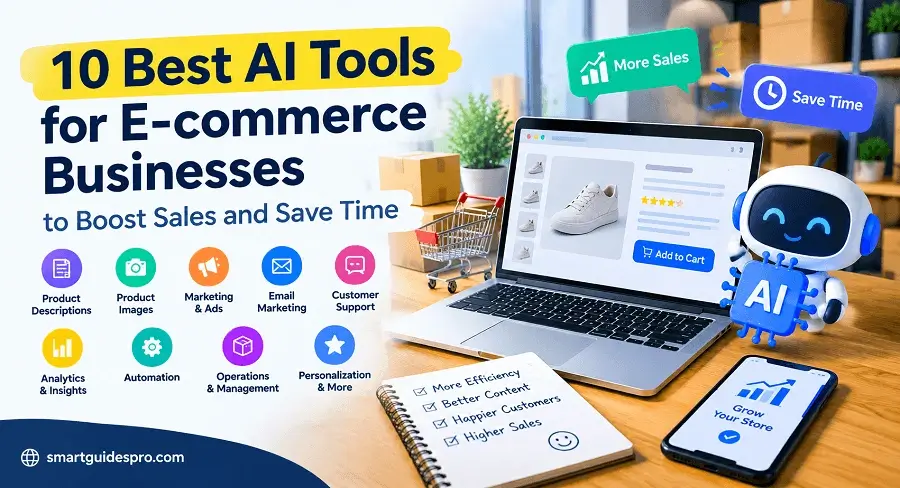
10 Best AI Tools for ECommerce Businesses to Boost Sales and Save Time

Discover the 10 best AI tools for ecommerce businesses to boost sales, save time, and simplify online store management. Compare tools for product descriptions, marketing, customer support, automation, and analytics to find the right fit for your business.
Introduction: Can AI Actually Help Your Online Store Sell More?
Running an online store involves much more than listing products and waiting for customers to place orders. You may spend hours writing product descriptions, updating images, creating marketing campaigns, answering customer questions, and keeping track of everyday tasks. When all these responsibilities fall on one person or a small team, finding time to grow the business can become a real challenge.
This is where AI tools for ecommerce can make a difference. Instead of handling every repetitive task manually, store owners can use artificial intelligence to assist with product content, marketing materials, customer communication, and other parts of their daily workflow. The goal is not to let AI run the entire business. It is to make certain tasks easier to manage so you can focus more attention on your customers, products, and long-term goals.
However, choosing the right software matters. Not every AI tool is designed for the same purpose, and a feature that works well for a large retailer may be unnecessary for a small online shop. Some tools focus on content creation, while others help with customer service, email marketing, product recommendations, or workflow automation.
It is also important to keep expectations realistic. AI can help save time and support better decision-making, but it cannot guarantee more sales, higher conversion rates, or business growth. Product quality, pricing, customer experience, competition, and how you use the technology still matter.
In this guide, we will explore the 10 best AI tools for ecommerce businesses that can help online retailers work more efficiently and manage common business tasks. You will learn what each tool does, which types of stores may benefit from it, what to consider before paying for a subscription, and how to find options that fit your needs.
Whether you are launching your first online store or managing an established ecommerce business, the aim is simple: help you identify practical AI solutions without paying for features you do not need.
Related articles you may find helpful:
- Top 17 Best AI Tools for Small Businesses and Beginners (Complete Guide)
- We Tested 5 of the Best AI Sales and CRM Tools for Small Businesses
- Top 10 Best AI Tools for Content Creation and marketing for Small businesses
- 10 Best Free AI Tools for Beginners (Guide for USA Student)
Why Use AI Tools for E-commerce Businesses? Benefits, Limitations, and Real-World Uses
Running an online store means balancing product management, marketing, customer service, and daily operations. For small teams, these responsibilities can quickly become overwhelming. AI tools for online stores can help reduce some of that workload by assisting with repetitive tasks, generating content, and organizing information. Used thoughtfully, they can give business owners more time to focus on customers and business growth.
One practical benefit is product content creation. AI can help draft product descriptions, suggest clearer product titles, and turn basic product information into customer-friendly copy. Store owners can also use AI tools for ecommerce marketing to brainstorm promotional ideas, prepare social media captions, outline email campaigns, and adapt messages for different audiences.
Customer support is another area where AI can help. AI-powered assistants can respond to common questions, explain basic policies, or direct customers to relevant information. Personalization features may also suggest products based on browsing behavior or previous purchases, although their usefulness depends on the quality of the available data.
Beyond marketing and customer interactions, AI tools for automating ecommerce operations can assist with routine workflows, such as organizing incoming requests, summarizing reports, or triggering actions when specific conditions are met. These capabilities can help AI tools for small businesses deliver practical value without requiring a large team.
A Realistic Example: A Small Online Store
Imagine a small store selling home accessories. The owner spends several hours each week writing product descriptions, preparing promotional emails, and answering repeated questions about shipping.
With AI assistance, the owner could draft product descriptions from verified product specifications, prepare an initial email campaign, and use an automated assistant to answer basic shipping questions using the store’s approved policies. The owner then reviews the content, corrects mistakes, and handles unusual customer concerns personally.
AI does not eliminate the workload, but it can make parts of the process faster and more consistent.
Where AI Helps — and Where Human Judgment Still Matters
AI is most useful when it assists with clearly defined, repetitive tasks. For example, it can draft content, summarize information, categorize requests, or carry out a workflow after specified conditions are met. These activities leave people with more time for work that requires context, empathy, and business knowledge.
However, automation is not the same as making a sound business decision. AI may generate inaccurate product specifications, produce generic marketing copy, recommend irrelevant products, or misunderstand a customer’s complaint. If a store uses customer data for personalization, it must also consider privacy, data security, and applicable data-protection requirements.
Human review remains essential before publishing product claims, sending sensitive customer communications, changing prices, or making decisions that affect customers and revenue. Store owners should verify important facts, protect customer information, and monitor whether AI-assisted workflows actually improve results.
The best approach is to treat AI as a helpful assistant rather than an independent business manager. Start with one repetitive task, check the results, and expand its role only when it proves useful.
Related articles you may find helpful:
- Top 10 Best AI Project Management Tools to Help Small Businesses Work Smarter
- We Tested and Compared 7 of the Best AI Video Creation Tools for Small Businesses
- Top 7 AI Accounting and Bookkeeping Tools Small Businesses Should Know
Top 10 Best AI Tools for ECommerce Businesses to Boost Sales and Save Time
Not every online store needs the same kind of AI. A small Shopify shop may want help writing product descriptions, while a growing retailer may need better email automation, customer support, or clearer sales reporting. The best AI tools for ecommerce businesses are the ones that solve a real problem in your workflow—not simply the ones with the most features or the biggest reputation.
The tools below cover different parts of running an online store, from product content and images to customer communication, personalization, analytics, and automation. Some offer free plans or built-in AI features, while others are paid platforms designed for stores with more complex needs. Always check the current plan details and confirm that a tool works with your ecommerce platform before committing.
Quick Comparison: AI Tools for ECommerce
| Tool | Best For | Key Features | Free Plan | Official Website |
| Shopify Magic | Product descriptions and Shopify workflows | AI-generated product copy, media tools, and store assistance | AI features available at no extra charge on eligible Shopify plans; availability varies | Shopify Magic |
| Photoroom | Product photos and image editing | Background removal, AI backgrounds, product visuals | Yes, with feature and export limits | Photoroom |
| Canva | Promotional graphics and marketing content | AI-assisted design, image creation, and content tools | Yes, with some features and usage limits | Canva |
| Klaviyo | Email marketing and abandoned-cart flows | Segmentation, automated messages, personalized campaigns | Yes, subject to contact and sending limits | Klaviyo |
| Tidio | Customer support and AI chat | Live chat, AI customer conversations, support workflows | Yes, with limits on usage and AI conversations | Tidio |
| Nosto | Product recommendations and personalization | AI-powered product discovery, merchandising, personalization | No standard self-service free trial; tailored pricing | Nosto |
| Triple Whale | Ecommerce analytics and performance insights | Business dashboards, attribution, and Moby AI analysis | Yes, a free plan is available | Triple Whale |
| Zapier | Connecting apps and automating workflows | App integrations, automated workflows, AI-assisted steps | Yes, with a monthly task limit | Zapier |
| Gorgias | Commerce-focused customer conversations | AI Agent, order-related assistance, support automation | Trial availability and paid-plan terms should be checked | Gorgias |
| Inventory Planner | Inventory planning and demand forecasting | Inventory analysis, purchasing recommendations, demand planning | Pricing and demo options depend on business needs | Inventory Planner |
Plan details can change. Shopify confirms that Shopify Magic features are available without an additional AI fee, although access can vary by feature and plan. Photoroom, Klaviyo, Tidio, Nosto, Triple Whale, and Zapier publish plan information or usage limits on their official sites. Review those details before choosing a subscription.
1. Shopify Magic — Best for AI Product Descriptions
Shopify Magic is Shopify’s built-in collection of AI features. It is especially useful for merchants who already run their stores on Shopify and want help creating product content without adding another writing tool to their workflow.
For stores with dozens or hundreds of products, writing descriptions individually can take considerable time. Shopify Magic can create a first draft from information such as a product title, keywords, and details supplied by the store owner.
Automatically generating product descriptions
- Product description generation: Drafts product copy from information you provide.
- AI-assisted content creation: Helps merchants prepare and refine text for store-related tasks.
- Additional Shopify AI features: Depending on availability, Shopify Magic includes tools for media, themes, and other workflows.
Practical e-commerce example
A small store selling reusable water bottles could provide the product material, capacity, colors, and care instructions. Shopify Magic can turn those details into a readable description. The owner then checks every specification and edits the wording to match the brand’s voice.
Pros
- Integrated directly into Shopify.
- Convenient for drafting product descriptions at scale.
- Reduces the need to move between separate applications.
- Shopify Magic AI features are available without an additional AI fee, although feature availability varies.
Cons
- Primarily useful to merchants within the Shopify ecosystem.
- Generated copy may contain unsupported benefits or inaccurate details.
- It cannot replace product research, brand strategy, or human editing.
Best for: Shopify merchants who need help writing product descriptions and streamlining everyday store tasks.
Pricing and free plan: Shopify Magic itself does not have a separate AI usage fee, but you still need to account for the cost of your Shopify subscription and any other paid features or apps you use.
Official website: Shopify Magic
2. Photoroom — Best for AI E-commerce Product Images
Product images influence how shoppers perceive an item before they read its description. Photoroom helps merchants create cleaner product visuals by removing backgrounds, generating new backgrounds, and editing images with AI.
It can be particularly useful for small stores that do not have the budget or equipment for a professional product photography setup.
Key AI features
- Background removal: Separates a product from its original background.
- AI backgrounds: Creates alternative settings for product photography.
- Image editing: Helps prepare consistent visuals for product pages and promotional materials.
- Batch-oriented workflows: Higher-tier plans offer more generous usage limits for businesses handling larger image volumes.
Practical e-commerce example
A seller photographing handmade jewelry on a kitchen table could remove the distracting background and create a clean, consistent presentation for the product catalog. The seller should still inspect the result to make sure the jewelry’s shape, color, and details remain accurate.
Pros
- Useful for improving product image consistency.
- Can reduce time spent on routine image editing.
- Suitable for sellers without advanced design skills.
- Offers a free plan for trying basic features.
Cons
- The free plan has feature and export limits.
- AI backgrounds may look unrealistic or misrepresent the product.
- Larger catalogs may require a paid subscription.
- It does not replace careful photography when material details, color accuracy, or product dimensions are important.
Best for: Small online stores that need polished product photos for catalogs, marketplaces, and social media.
Pricing and free plan: Photoroom offers a free plan with limitations. Its paid plans provide additional features, AI credits, and export capacity. The official pricing page lists plan details and may change over time.
Official website: Photoroom
3. Canva — Best for Promotional Graphics and Marketing Content
Canva is a design platform with AI-assisted tools for creating visual content. For ecommerce businesses, it can help produce promotional banners, social media posts, sale announcements, email graphics, and other branded assets without requiring professional design software.
Unlike a specialized product-photo editor, Canva is more useful for assembling complete marketing materials around a product.
Key AI features
- AI-assisted design: Helps generate or develop design concepts.
- AI image tools: Supports image creation and editing, subject to plan limits.
- Magic Write: Helps draft short promotional copy and content ideas.
- Templates and brand tools: Make it easier to maintain a consistent visual style across campaigns.
Canva’s AI access varies by feature and subscription. Its free plan includes limited AI usage, while paid plans provide higher allowances and additional capabilities.
Practical e-commerce example
A store preparing a weekend promotion could use Canva to create a social media graphic, a website banner, and an email header from the same campaign concept. The owner can then adapt the design for different formats while keeping the product image, price, and brand colors consistent.
Pros
- Beginner-friendly visual editor.
- Useful for many marketing formats in one place.
- Includes templates and a free plan.
- Helps small teams produce branded content more efficiently.
Cons
- Some AI features have limited monthly usage.
- Template-heavy designs can look generic without customization.
- AI-generated text and visuals still need review.
- It is not a dedicated ecommerce analytics or inventory tool.
Best for: Store owners who regularly create promotional content but do not have an in-house designer.
Pricing and free plan: Canva Free is available at no cost and includes limited AI usage. Paid plans provide broader access to design resources and AI features. Check the current limits before planning a high-volume workflow.
Official website: Canva
4. Klaviyo — Best for AI Email Marketing and Abandoned-Cart Recovery
Klaviyo combines email and SMS marketing with customer data, segmentation, and automated messaging. It helps ecommerce businesses communicate with shoppers based on actions such as subscribing, browsing products, placing an order, or leaving items in a cart.
Its main advantage is the ability to connect marketing messages to customer behavior rather than sending the same promotion to everyone.
Key AI features
- Personalized campaigns: Use customer information and behavior to tailor marketing messages.
- Automated flows: Trigger messages after events such as signup, browsing, abandoned checkout, or purchase.
- Audience segmentation: Group customers according to relevant attributes and activity.
- Campaign insights and testing: Help merchants review and refine marketing performance.
Klaviyo provides automation templates for use cases such as abandoned-cart reminders, post-purchase follow-ups, and browse-abandonment messages.
Practical e-commerce example
A customer adds a pair of running shoes to a cart but leaves before purchasing. A store could configure Klaviyo to send a reminder after an appropriate delay. If the customer completes the purchase, the flow should stop sending abandoned-cart messages and move the customer into a suitable post-purchase journey.
Pros
- Built around ecommerce marketing workflows.
- Supports behavioral segmentation and automated messaging.
- Can coordinate email and SMS communication.
- Offers a free plan for smaller contact lists.
Cons
- Costs can rise as contact lists and sending needs grow.
- Campaign setup requires careful planning and testing.
- Poorly timed or excessive messages can annoy customers.
- Personalization depends on the quality of the available customer data and permissions.
Best for: Online stores that want to build customer relationships, recover abandoned carts, and encourage repeat purchases.
Pricing and free plan: Klaviyo’s published free plan allows up to 250 active profiles and 500 email sends per month, subject to its current terms. Larger lists and more advanced needs may require a paid plan.
Official website: Klaviyo
5. Tidio — Best for AI Customer Support on a Budget
Tidio combines live chat, customer communication, and AI-assisted support. Its Lyro AI Agent can answer common customer questions using information provided to it, helping stores respond to routine inquiries when staff members are busy or unavailable.
For small stores, this can be a practical starting point before investing in a more extensive customer-service system.
Key AI features
- Lyro AI Agent: Handles supported customer questions using the information and guidance available to it.
- Live chat: Lets shoppers communicate with a support representative.
- Automated workflows: Helps route or respond to certain common interactions.
- Integrations: Connects with ecommerce platforms and other communication tools, depending on the setup.
Tidio supports ecommerce platforms including Shopify and WooCommerce, making it relevant to stores using either system.
Practical e-commerce example
A small skincare store receives repeated questions about shipping times, order tracking, and return policies. The owner can configure Lyro using approved information so it can handle appropriate routine questions while directing unusual or sensitive cases to a person.
Pros
- Combines live chat and AI support.
- Useful for repetitive customer questions.
- Supports common ecommerce platforms.
- Offers a free plan and a limited free Lyro quota.
Cons
- Free usage is limited.
- AI responses can be wrong if the supplied information is incomplete.
- Complex complaints and sensitive situations still need human attention.
- Paid usage may be necessary as customer conversations increase.
Best for: Small and growing online stores that want to improve response availability without building a large support team.
Pricing and free plan: Tidio offers a free plan. Its published help information describes the free Lyro version as having a lifetime quota of up to 50 conversations, so it should not be treated as 50 free conversations every month. Paid plans and usage limits can change.
Official website: Tidio
6. Nosto — Best for Product Recommendations and Personalization
Nosto focuses on tailoring the shopping experience using customer, product, and content data. It can help ecommerce brands personalize product discovery, search, category merchandising, recommendations, and other onsite experiences.
This makes it different from a general content generator: its role is to help shoppers find products that are more relevant to their interests.
Key AI features
- Product recommendations: Surfaces relevant items based on shopping signals and product data.
- Personalized search and merchandising: Helps adjust product discovery and category ordering.
- Content personalization: Supports tailored shopping experiences for different audiences.
- Optimization tools: Helps merchants evaluate and refine selected experiences.
Nosto’s product suite is modular, so merchants can select capabilities according to their needs. Its pricing depends on factors such as business volume and selected modules.
Practical e-commerce example
An online home decor store could display complementary products alongside a table lamp, such as matching shades or decorative accessories. Rather than showing the same recommendations to every visitor, the store could use relevant shopping signals to make product discovery more useful.
Pros
- Focuses on the shopping experience, not just content creation.
- Combines personalization with product discovery and merchandising.
- Modular capabilities can suit different business requirements.
- Designed for ecommerce brands seeking more tailored customer journeys.
Cons
- May be more than a very small store needs.
- Results depend on suitable product data and sufficient customer activity.
- Implementation may require technical work.
- Pricing is customized rather than a simple low-cost monthly plan.
Best for: Established online retailers with enough traffic and product data to make personalization worthwhile.
Pricing and free plan: Nosto does not advertise a standard self-service free trial. It offers tailored pricing and a proof-of-concept process for qualified merchants.
Official website: Nosto
7. Triple Whale — Best for Ecommerce Analytics and Sales Insights
As a store grows, it becomes harder to understand how sales, advertising, customer acquisition, and other activities fit together. Triple Whale brings ecommerce performance information into a shared view and offers Moby AI to help merchants interpret business data.
Its value is less about generating product content and more about helping owners investigate performance and decide where to look next.
Key AI features
- Unified reporting: Brings relevant business performance information into dashboards.
- Moby AI: Lets users ask questions about their business data and explore changes in performance.
- Attribution and measurement: Supports analysis of the sources associated with sales and customer activity.
- Workflow support: Paid tiers include additional analysis and automation capabilities.
Practical e-commerce example
A store notices that advertising costs have increased while revenue remains steady. The owner could use Triple Whale’s dashboards and AI-assisted analysis to investigate campaign performance, compare relevant metrics, and identify areas that deserve closer examination. Any changes to advertising spend should still be based on validated data and business judgment.
Pros
- Designed specifically for ecommerce performance analysis.
- Helps bring multiple data sources into one view.
- Offers AI-assisted investigation of business metrics.
- Provides a free plan.
Cons
- Some advanced attribution and reporting features are paid.
- Connecting data sources and interpreting results takes effort.
- Analytics do not automatically explain every cause behind a sales change.
- May be unnecessary for a very small store with simple reporting needs.
Best for: Ecommerce owners and marketing teams who need a clearer view of performance across sales and marketing channels.
Pricing and free plan: Triple Whale offers a free plan with core data visibility and Moby AI capabilities. Advanced features are available through paid plans whose pricing depends on the package and business requirements.
Official website: Triple Whale
8. Zapier — Best for Automating Ecommerce Workflows
Zapier connects different applications so that an event in one tool can trigger an action in another. Its AI-related capabilities can help with certain workflow steps, but its main strength is connecting systems and reducing repetitive manual work.
For an online store, that can mean moving information between a store platform, a spreadsheet, a customer relationship tool, or a task-management app.
Key AI features
- Automated workflows: Connects apps through trigger-and-action sequences.
- AI processing steps: Can support tasks such as classifying information or summarizing text, depending on the plan and model tier.
- App integrations: Helps move data between supported services.
- Multi-step automation: Paid plans support more complex workflows than the free plan.
Practical e-commerce example
When a new wholesale inquiry arrives through a form, a store could use Zapier to add the contact to a spreadsheet, create a follow-up task, and notify the person responsible for sales. An AI step could help categorize the inquiry, with a human reviewing important leads before responding.
Pros
- Connects a wide range of applications.
- Reduces repetitive copying and administrative work.
- Can support both simple and advanced workflows.
- Offers a free plan for testing basic automations.
Cons
- Task limits can restrict how much a free account can automate.
- More complex workflows require setup and maintenance.
- Each successful action may consume tasks, and AI steps can use different amounts.
- Poorly designed automations can spread incorrect information across connected systems.
Best for: Store owners who use several apps and want them to work together with less manual effort.
Pricing and free plan: Zapier’s free plan includes 100 tasks per month and two-step Zaps. Multi-step workflows and other advanced capabilities may require a paid plan. AI features have their own availability and task-usage considerations.
Official website: Zapier
9. Gorgias — Best for Commerce-Focused Customer Conversations
Gorgias is a conversational commerce platform designed to help brands manage customer interactions across the shopping journey. Its AI Agent can use relevant product, policy, and order information to handle supported questions and certain actions.
Compared with Tidio, which can be a straightforward starting point for live chat and AI support, Gorgias is worth considering when a store needs a more integrated customer-conversation workflow.
Key AI features
- AI Agent: Handles supported customer inquiries and can resolve eligible conversations.
- Order-aware assistance: Its Shopify integration can provide relevant order and customer context.
- Support workflows: Helps teams manage conversations across supported channels.
- Human escalation: Businesses can configure rules for situations that should be handed to a person.
Gorgias explains that its AI Agent can help with tasks such as order tracking and return requests, while allowing brands to control escalation rules.
Practical e-commerce example
A clothing store receives many messages asking where orders are and how returns work. Gorgias could help answer supported inquiries using store information and order context. A request involving a disputed refund or an unusual delivery problem could be routed to a human representative.
Pros
- Built for ecommerce conversations.
- Can use relevant store and order information.
- Supports automation alongside human customer service.
- Offers integrations for common ecommerce workflows.
Cons
- Its ticket-based pricing can be harder to estimate than a simple flat subscription.
- AI Agent usage may add a separate charge.
- Setup and policy configuration require attention.
- May be excessive for a new store receiving only a few support requests.
Best for: Growing ecommerce brands with frequent customer inquiries and a need to connect support with order information.
Pricing and free plan: Gorgias offers a seven-day free trial according to its published plan information. Its helpdesk plans are based on ticket volume, and AI Agent has separate usage-based charges. Check the current pricing page to calculate the likely total cost.
Official website: Gorgias
10. Inventory Planner — Best for Inventory Planning and Demand Forecasting
Marketing and customer support are only part of ecommerce management. A store also needs to decide what to reorder, how much stock to keep, and when to purchase more inventory. Inventory Planner is a specialized inventory-planning product aimed at helping retailers make more informed stock and purchasing decisions.
Unlike the other tools in this list, its primary purpose is not to write content or communicate with customers. It addresses the operational challenge of balancing product availability against excess stock.
Key features to evaluate
- Demand planning: Helps retailers plan inventory around sales patterns and business requirements.
- Replenishment planning: Supports decisions about when and how much stock to reorder.
- Inventory visibility: Helps organize information relevant to purchasing and stock management.
- Retail workflow support: Can be useful when a store manages many products or multiple sales channels, depending on its setup.
Because inventory decisions depend on the retailer’s data and configuration, confirm the exact forecasting methods, supported integrations, and features available in the current product package before buying.
Practical e-commerce example
A store selling seasonal outdoor equipment wants to prepare for higher demand before summer. Inventory-planning software can help the owner review sales history and stock positions when deciding which products to reorder. The owner should also account for supplier lead times, upcoming promotions, and unusual market conditions.
Pros
- Addresses inventory planning rather than duplicating marketing tools.
- Can help organize replenishment decisions.
- More relevant to stores with a broad catalog or complex purchasing needs.
- Supports a workflow that can become difficult to manage in spreadsheets as a business grows.
Cons
- May be unnecessary for stores with a small, stable product range.
- Forecast quality depends on data quality and business conditions.
- Inventory software may require onboarding and integration work.
- Current pricing and the exact availability of AI-specific features should be confirmed directly with the provider.
Best for: Retailers that regularly manage stock replenishment, seasonal demand, or a larger product catalog.
Pricing and free plan: I could not verify a current public price or standard free-plan allowance for Inventory Planner from the available official information. Treat it as a product to evaluate through its official site, and request a demonstration or quote before making a cost comparison.
Official website: Inventory Planner
Related articles you may find helpful:
- Top 9 Best AI Customer Support Tools for Small Businesses
- We Tested and Compared 6 of the Best AI Graphic Design Tools for Small Businesses
- Top 8 Best AI Tools for Email Marketing and Lead Generation for Small Businesses
How to Choose the Right AI Tools for Your Online Store
Choosing AI software for your online store is easier when you know exactly what you want to improve. With so many options available, it can be tempting to subscribe to several tools at once. However, the best AI software for online stores is not necessarily the most popular or feature-rich option. It is the one that solves a real problem without adding unnecessary costs or complexity.
1. Identify Your Biggest Business Challenge
Start by looking at the tasks that consume the most time or create the most problems. Do you spend hours writing product descriptions? Are customer questions piling up? Do you struggle to create marketing campaigns consistently, or is managing inventory becoming difficult?
Choose one priority before exploring different solutions. For example, if product content is your biggest challenge, an AI writing assistant may be more useful than an advanced analytics platform. If customers frequently ask the same questions, customer support automation may deliver more immediate value.
Knowing your priority makes an AI tools for ecommerce comparison more meaningful because you can evaluate each option against the same business need.
2. Consider Your Store Size and Order Volume
A new online store with 30 products and a few weekly orders has different requirements from a retailer managing thousands of products and hundreds of daily orders.
Consider your product catalog, monthly order volume, team size, and growth plans. A solo business owner may prefer easy AI tools for ecommerce beginners that require minimal setup. A larger team may need software with shared workflows, advanced reporting, or more extensive integrations.
Avoid paying for enterprise-level features before your business actually needs them.
3. Check Platform Compatibility and Integrations
Before subscribing, confirm that the software works with your existing ecommerce platform, whether you use Shopify, WooCommerce, or another solution.
Native integrations can simplify setup and reduce manual data entry. Also check whether the tool connects with your email marketing platform, customer support system, inventory software, or other applications you already use.
If integration requires complicated workarounds, the time saved by AI may be offset by additional maintenance.
4. Calculate the Real Cost
Affordable AI tools for ecommerce are not always the ones with the lowest advertised monthly price. A free plan may limit the number of AI requests, contacts, generated images, automated tasks, or monthly transactions.
Check the subscription price, usage limits, upgrade requirements, and any additional charges for AI credits, extra users, or higher volumes. If a free trial is available, confirm when billing starts and how to cancel.
Estimate the total monthly cost before committing, especially if you plan to connect multiple tools.
5. Evaluate Ease of Use, Privacy, and Security
The best AI tools for ecommerce growth should fit your team’s skills and existing workflow. Look for clear setup instructions, useful support resources, and an interface your team can learn without extensive training.
Privacy matters just as much. Review how the provider collects, stores, and processes customer information. Check its data-retention policies, available security controls, and whether customer data may be used to train AI models. Limit account permissions to people who need them, and avoid entering sensitive customer or payment information into tools that are not approved to handle it.
6. Measure Whether the Tool Is Worth Keeping
Set a baseline before introducing a new tool. Depending on its purpose, track time saved per week, product-page conversion rate, customer response time, abandoned-cart recovery, or the number of repetitive tasks completed automatically.
Compare results over a reasonable period and account for other factors that may influence performance. AI does not guarantee higher sales, so keep a subscription only when the benefits justify the cost and effort.
Quick Checklist Before Subscribing
- I know which business problem the tool should solve.
- It supports my ecommerce platform and essential integrations.
- Its free-plan limits and total costs are clear.
- My team can use it without excessive training.
- Its privacy policies and access controls meet my needs.
- I have a measurable way to evaluate its value.
- I can cancel or switch tools if it does not deliver useful results.
Related articles you may find helpful:
- Top 10 Best AI Tools for Social Media Management for Small Businesses
- Top 8 Best AI Tools for Productivity and Task Management for Small Businesses
- Top 7 Best AI Tools for Business Automation and Workflow Management
How We Evaluated These AI E-commerce Tools
Choosing the best ecommerce AI tools compared fairly requires looking beyond popularity and promotional claims. For this guide, our editorial approach focuses on whether each tool offers practical value to online store owners, particularly small businesses that need useful features without unnecessary complexity.
We considered several criteria when assessing the tools included in this AI tools for ecommerce comparison.
Practical usefulness: We considered the specific ecommerce problems each tool is designed to address, such as product content creation, customer support, marketing automation, inventory planning, and sales analysis.
Relevance of AI features: We looked at how the AI capabilities relate to everyday store operations. A feature is more useful when it helps solve a clearly defined problem rather than simply adding AI functionality without an obvious purpose.
Ease of use: We considered whether beginners and small business owners could reasonably understand the tool’s intended purpose, learn its basic workflow, and determine whether it fits their needs.
Pricing and free-plan availability: We reviewed published pricing information and available free plans or trials where this information was accessible. Because usage limits, subscription terms, and included features can change, readers should confirm current details on the provider’s official website before subscribing.
Integrations and compatibility: We considered the relevance of supported ecommerce platforms and connections with other business applications, since a tool’s usefulness often depends on how well it fits an existing workflow.
Small-business suitability and scalability: We also considered whether a tool could meet the needs of a smaller store and whether its capabilities might remain useful as product catalogs, order volumes, or team responsibilities grow.
Our assessment draws on official product websites, published feature descriptions, help documentation, and available pricing information. These sources help establish what providers publicly describe their products as offering. However, documentation-based research is not the same as hands-on testing.
We do not claim to have personally tested every tool under identical store conditions, and we do not assign invented scores or present unsupported performance results. Actual usefulness will depend on the store’s platform, data quality, budget, and workflow.
Our goal is to help readers compare options realistically, understand their limitations, and identify AI tools that are worth evaluating for their own ecommerce businesses.
Frequently Asked Questions(FAQ) About AI Tools for E-commerce
1. What Are the Best AI Tools for E-commerce Businesses?
The best AI tools for ecommerce businesses depend on your store’s biggest needs. Shopify Magic can help Shopify merchants draft product descriptions, Photoroom supports product image editing, Klaviyo helps automate email marketing, and Tidio offers AI-assisted customer support. Tools such as Zapier can also connect apps and automate repetitive workflows. Before choosing, consider your budget, ecommerce platform, team size, and the specific task you want to improve.
2. Are There Free AI Tools for E-commerce Businesses?
Yes. Several free AI tools for ecommerce businesses are available, including Canva’s free plan, Photoroom’s free option, and eligible AI features in Shopify. Klaviyo, Tidio, and Zapier also offer free plans with usage restrictions. However, free access does not always include every feature, unlimited AI usage, or advanced integrations. Check the current terms carefully and calculate whether an upgrade may eventually be necessary.
3. Can AI Tools Help Increase Online Store Sales?
AI tools can support sales by helping merchants create better product content, personalize shopping experiences, automate abandoned-cart messages, and respond to customer questions more efficiently. They can also help store owners analyze performance and identify areas for improvement. However, AI does not guarantee higher sales or conversion rates. Results depend on product quality, pricing, website usability, customer demand, competition, and how effectively the tools are implemented.
4. Can AI Write Product Descriptions for an Online Store?
Yes. AI can draft product descriptions, suggest product titles, improve readability, and adapt copy to a particular brand voice. These capabilities can be useful for stores with large catalogs or frequent product updates. However, generated content should always be reviewed before publication. Verify product specifications, materials, dimensions, compatibility, and other important claims against reliable product information. Human editing also helps make descriptions more distinctive and useful to shoppers.
5. Which AI Tool Should a Small E-commerce Business Use First?
Start with the tool that addresses your most time-consuming or costly problem. If you use Shopify and spend too much time writing product copy, try its built-in AI features first. If product images are your main challenge, consider a product-image editor. If you receive many repetitive customer questions, explore an AI support tool. Choose one priority, begin with a free plan or trial when appropriate, and measure the results before adding more software.
For most small stores, the smartest approach is to start small, review AI-generated work carefully, and expand only when a tool delivers clear practical value.
Final Thoughts: Start Small and Make AI Work for Your Store
The right AI tools for ecommerce can help online store owners manage everyday tasks more efficiently, create content, support customers, and organize important workflows. However, the best solution is not necessarily the most popular platform or the one with the longest feature list. It is the tool that solves a genuine business problem and fits your budget, skills, and existing operations.
If you are unsure where to begin, start by identifying the task that consumes the most time in your store. If writing product descriptions slows you down, consider AI-assisted content creation. If product images need improvement, look at image-editing tools. If you spend too much time answering repeated questions, customer support automation may be a better starting point. For stores struggling with customer retention, email marketing automation could be worth exploring.
You do not need to subscribe to several platforms at once. Choose one tool, learn how it works, and test it within a clearly defined workflow. Before getting started, record a simple baseline, such as the time spent completing a task, the number of customer inquiries handled manually, or your existing email campaign performance.
After using the tool for a reasonable period, compare the results with your starting point. Consider the time saved, quality of the output, ease of use, and total cost. If the benefits justify the expense, you can continue using it or explore additional features. If not, adjust your workflow or consider another option.
Remember that AI is an assistant, not an automatic replacement for business judgment. Review product claims, check customer communications, protect customer information, and verify important decisions before acting on AI-generated suggestions. Your knowledge of your products and customers remains essential.
Ultimately, the best AI tools for ecommerce businesses are the ones that help you work more effectively without creating unnecessary complexity. Focus on practical improvements rather than adopting technology simply because it is trending.
Ready to take the next step? Review your current workflow, identify one task you would like to simplify, and choose a suitable tool to evaluate. Small, measurable improvements can help you build a more manageable ecommerce operation over time.
Related articles you may find helpful: