We Tested and Compared 7 of the Best AI Video Creation Tools for Small Businesses

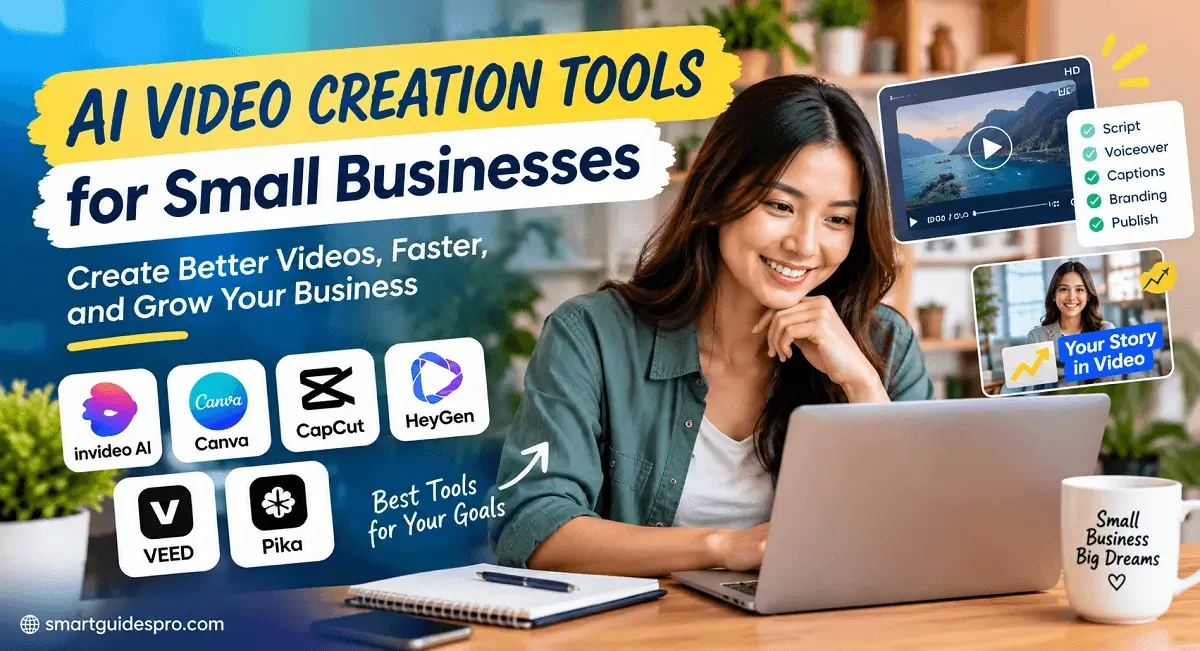
Discover the **best AI video creation tools for small businesses** and see how they can help you create professional videos faster and with less effort. We tested and compared 7 popular AI video tools for marketing, social media, editing, AI avatars, and more to help you find the right option for your business.
Introduction: Are AI Video Creation Tools Really Worth It for Small Businesses?
For a small business, creating a good video can feel like a bigger project than it should be. You need an idea, a script, visuals, editing, captions, music, and a final version that actually looks professional. If you are running the business yourself or working with a small team, finding the time for all of that can be difficult.
Traditional video production can also become expensive quickly. Hiring a videographer, editor, voice talent, or production team may make sense for a major campaign, but it is not always practical when you need several short videos every week for social media, product promotion, or customer education.
That is where AI video creation tools have started to change the equation.
Instead of treating video production as a long, complicated process, AI tools can help small businesses turn ideas, scripts, or existing content into videos much faster. They have also made video creation more accessible to people who have little or no experience with professional editing software.
But there is an important question that often gets overlooked: Are AI video tools actually good enough for a small business to rely on?
The answer is not as simple as “yes.”
Some tools can save hours of work and make it easier to produce consistent content. Others may look impressive at first but become frustrating because of limited customization, awkward AI-generated scenes, restricted free plans, or results that still require a lot of manual editing.
That difference matters when you are spending your time and money on a tool.
Why We Tested These AI Video Tools
For this guide, we looked at 7 of the best AI video creation tools for small businesses and compared them from a practical business perspective.
Rather than focusing only on how many AI features a platform offers, we looked at the things that matter when you actually need to create videos for a business: how easy the tools are to work with, how useful the results are, how much editing is still required, and whether the overall experience makes sense for a small team or solo business owner.
In my opinion, this is a more useful way to evaluate AI video software. A tool can have an impressive list of features, but that does not necessarily mean it will make your daily workflow easier.
One thing I’ve noticed with AI-powered creative tools is that the biggest benefit is often not replacing human creativity. It is reducing the amount of repetitive work between having an idea and turning that idea into something you can publish.
That can be particularly valuable for small businesses that need to create content regularly without hiring a full production team.
Throughout this guide, we’ll look at where these ai video tools genuinely help, where they still have limitations, and which types of businesses are most likely to benefit from them. We’ll also compare the tools based on different needs rather than assuming that one platform is automatically the best choice for everyone.
If you are still building your broader AI toolkit for your business, you may also want to explore Top 17 Best AI Tools for Small Businesses and Beginners and Top 10 Best AI Tools for Content Creation and Marketing for Small Businesses.
By the end, you should have a clearer idea of whether AI video creation is worth adding to your workflow—and which type of solution makes the most sense for your business.
Why Are Small Businesses Turning to AI Video Tools?
For a small business, video is no longer something you can simply ignore. Customers increasingly expect businesses to explain products, share useful information, and stay visible on social platforms through short-form video. The problem is that creating enough content to keep up can be difficult when you have a small team and a limited budget.
This is one reason AI video tools are becoming increasingly attractive to small businesses. They can reduce some of the time, cost, and technical effort traditionally associated with video production.
That does not mean AI suddenly makes every business a professional production studio. Instead, the real advantage is accessibility. A business owner who previously avoided video because the process seemed too complicated can now experiment with video content without building an entire production workflow from scratch.
Here are some of the biggest reasons small businesses are making the switch.
1. Lower Video Production Costs
Professional video production can require cameras, lighting, editing software, freelancers, voice talent, or production agencies. Those costs can be difficult to justify when a business needs frequent videos rather than one major campaign.
AI can lower the barrier by helping businesses produce certain types of content with fewer resources.
For example, a local restaurant may want several promotional videos every month to highlight new menu items, weekend specials, or seasonal offers. Hiring a production team for every short video would quickly become expensive.
With AI-assisted production, the restaurant can create more of these smaller pieces of content without treating every video like a full production project.
The savings will vary depending on the type of content and the quality a business expects, but the basic idea is simple: AI can make frequent video production more financially realistic for smaller teams.
2. Faster Content Creation
Time may be even more valuable than money for a small business owner.
Creating a traditional video can involve planning, recording, transferring files, editing, adding captions, reviewing the result, and preparing different versions for different platforms. Even a short video can consume several hours when all of those steps are included.
AI video tools can help shorten parts of that process.
Imagine an online store launching a new product. Instead of spending days figuring out how to turn product information into marketing content, the business can use its existing ideas, descriptions, or scripts as a starting point for video creation.
This matters because speed creates opportunities. A business that can turn an idea into usable content quickly can respond to trends, promotions, product launches, and customer questions while they are still relevant.
3. Less Technical Expertise Is Required
Video editing has traditionally had a fairly steep learning curve.
Someone unfamiliar with editing software may struggle with timelines, transitions, audio levels, aspect ratios, captions, and other technical details. For a busy business owner, learning all of this can feel like another job.
One of the biggest attractions of AI tools for small businesses is that they can make parts of the creative process more approachable.
You do not necessarily need to become a professional video editor before experimenting with business video. This opens the door for people who have good ideas but limited technical skills.
A consultant, for example, may know exactly what advice their audience needs but have no interest in spending hours learning advanced editing techniques. AI can help reduce the technical barrier between that knowledge and the finished content.
4. More Content for Social Media
Social media is one of the clearest reasons businesses are exploring AI video.
Platforms such as Instagram, TikTok, YouTube, and Facebook give businesses opportunities to reach potential customers through short-form and educational content. But maintaining a consistent publishing schedule can be challenging.
A small marketing team may not have enough time to manually produce a new video every day.
This is where AI video tools for social media marketing can become useful. Businesses can use AI-assisted workflows to create more variations of their content, adapt ideas for different formats, and keep their social feeds active.
Consider a local restaurant again. One customer visit might inspire several pieces of content:
- A short video introducing a new dish
- A behind-the-scenes clip
- A promotional announcement
- A customer FAQ
- A seasonal offer
- A quick food tip
The goal is not to turn every post into a polished commercial. It is to make useful and relevant video content easier to produce consistently.
5. Easier Marketing Experimentation
Small businesses rarely have unlimited marketing budgets, which makes experimentation important.
Instead of investing heavily in one video and hoping it performs well, businesses can test different messages, hooks, formats, and calls to action.
For example, an online store might create different versions of a product video. One could focus on the product’s main benefit, another could answer a common customer question, and another could demonstrate how the product is used.
This creates more opportunities to learn what the audience responds to.
AI does not guarantee that these experiments will succeed. What it can do is make experimentation less expensive and time-consuming.
And that distinction is important. The value of AI is not simply producing more videos; it is making it easier to test more ideas.
6. More Consistent Branding
Consistency becomes harder when multiple people are creating content or when a business publishes across several platforms.
A small business may want its videos to maintain the same tone, visual identity, messaging, and overall feel. Without a repeatable process, content can start looking disconnected from one post to the next.
AI-assisted video workflows can help businesses establish a more repeatable approach to content creation.
Think about a SaaS startup publishing educational videos. The company may want every video to use a similar communication style and reinforce the same brand identity. A repeatable workflow makes that easier to maintain as the amount of content increases.
Still, consistency should not mean making every video identical. The strongest business content usually maintains recognizable branding while adapting the message to the audience and platform.
7. Small Teams Can Produce More Content
Perhaps the biggest reason small businesses are paying attention to AI video is simple: small teams need leverage.
A five-person company cannot always operate like a fifty-person marketing department. There are only so many hours available for content creation, customer support, sales, product development, and day-to-day operations.
AI can help stretch those limited resources.
A real estate agent, for instance, could use video content to showcase properties, answer common buyer questions, explain local market concepts, and create educational posts. A small team does not necessarily need a separate production department for every piece of content.
The same principle applies to consultants, online stores, restaurants, and SaaS companies.
The goal is not to remove people from the creative process. It is to help a small team spend more time on the parts that require human judgment—such as choosing the right message, understanding customers, and deciding what is worth publishing.
The Bigger Opportunity for Small Businesses
The most interesting shift is not that AI can make a video.
It is that video creation is becoming less dependent on having a large budget, specialized equipment, or a dedicated production team.
For a small business, that can change the role video plays in marketing. Instead of producing one expensive video occasionally, a business may be able to create a steady stream of useful content and learn from how its audience responds.
Of course, more content does not automatically mean better marketing. A business still needs a clear message, a good understanding of its audience, and a reason for each video to exist.
But when the barriers to production become lower, small businesses have more room to experiment.
That is ultimately why AI video tools are gaining attention: they can give small teams more creative capacity without requiring them to operate like large production companies.
Related articles you may find helpful:
- We Tested and Compared 6 of the Best AI Graphic Design Tools for Small Businesses
- Top 7 Best AI Tools for Business Automation and Workflow Management
What Can AI Video Creation Tools Actually Do?
If you have never used an AI video platform before, it can be difficult to know what these tools actually do. The phrase AI video generator sounds impressive, but it can mean very different things depending on the platform and the type of video you want to create.
Some AI tools can turn a written idea into a video. Others help with editing, voiceovers, captions, avatars, or adapting existing content for social media. In many cases, they are not designed to replace every part of the creative process. Instead, they help automate specific tasks that traditionally required more time or technical skill.
For a small business, that distinction is important. The most useful AI video workflow is usually the one that removes repetitive work while still leaving room for human creativity and review.
Here are some of the most common capabilities you will find across modern AI video creation software.
| AI Feature | What It Does | Business Use |
| Text-to-video | Generates video content from a written prompt or description. | Creating visual content from an idea without starting with recorded footage. |
| Script-to-video | Turns a written script into a structured video using visuals, scenes, voice, or other elements. | Creating explainers, educational content, and marketing videos. |
| AI avatars | Uses digital presenters or virtual characters to deliver a script. | Training, announcements, product explanations, and presenter-style videos. |
| AI voiceovers | Generates spoken narration from written text. | Adding narration without recording your own voice. |
| Text-to-speech | Converts written text into synthetic speech. | Voice narration, tutorials, presentations, and accessibility. |
| Automated captions | Generates subtitles or captions from spoken content. | Making social media and educational videos easier to follow. |
| AI video editing | Assists with editing tasks such as trimming, arranging, enhancing, or modifying video content. | Speeding up routine editing work. |
| Templates | Provides pre-designed video structures that can be customized. | Creating promotional, social media, or branded content faster. |
| Stock footage | Provides access to libraries of ready-made video clips and images. | Filling visual gaps when original footage is unavailable. |
| Background removal | Separates a person or object from its original background. | Creating cleaner product or presenter videos. |
| Brand kits | Helps apply consistent brand elements such as logos, fonts, and visual identity. | Keeping marketing videos visually consistent. |
| Social media resizing | Adapts videos to different aspect ratios and formats. | Preparing content for platforms with different video dimensions. |
| Scene generation | Creates or assembles individual visual scenes based on a concept or script. | Turning ideas into multi-scene marketing or storytelling content. |
| Music and audio | Adds or helps generate background music and other audio elements. | Making videos feel more complete and engaging. |
Text-to-Video: Turning an Idea Into Visual Content
One of the most recognizable AI video capabilities is text-to-video generation.
The basic concept is straightforward: you describe what you want to see, and the AI attempts to generate visual content based on that description.
For a small business, this can be useful when you have a creative idea but do not have the equipment, footage, or production resources to create it traditionally.
For example, a business might want a short conceptual video showing a product being used in a particular environment. Instead of filming that scene from scratch, an AI system may be able to generate visual material that can become part of the final video.
The quality and level of control can vary significantly, so generated footage often benefits from human review and editing.
Script-to-Video: From Written Content to a Complete Structure
Another common capability is script-to-video.
Rather than starting with individual visual scenes, you begin with written content. The AI then helps transform that script into a video structure, potentially combining visuals, narration, captions, transitions, and other elements.
This can be especially useful for businesses that already produce written content.
For example, a consultant who has written an educational article could adapt the key ideas into a short video. An online store could turn product information into a simple promotional presentation. A SaaS company could transform an explanation of a product feature into an educational video.
This is one reason AI tools to generate videos can be appealing to content-heavy businesses. Existing written material can become a starting point for another content format.
AI Avatars and Digital Presenters
AI avatars take a different approach to video creation.
Instead of filming a person on camera, businesses can use a digital presenter to deliver a prepared script. This can be useful when a business needs presenter-style content but does not always have someone available to record.
Training and internal communication are practical examples.
A small company might need a short employee onboarding video, while a software business might want a presenter to explain how a particular process works.
Avatars can also be useful for businesses that prefer not to put employees or owners on camera.
However, authenticity still matters. For customer-facing content, businesses should consider whether a digital presenter fits their brand and audience rather than using one simply because the technology is available.
AI Voiceovers and Text-to-Speech
Recording narration can be surprisingly time-consuming.
You need a quiet environment, a suitable microphone, a script, and potentially several takes before the recording sounds right. AI voice generation can simplify this part of the process by converting written text into spoken narration.
For example, a small business could create an explainer video and use an AI-generated voice to narrate the key points.
This can be particularly useful when a business needs multiple versions of similar content or wants to experiment with different scripts.
That said, voice quality matters. A technically correct voiceover can still feel unnatural if the pacing, pronunciation, emotion, or tone does not fit the content.
Automated Captions
Captions may not sound as exciting as text-to-video generation, but they are one of the more practical AI-assisted features for everyday content.
Automatically generated captions can save creators from manually transcribing every sentence in a video.
For social media content, this can be particularly valuable because viewers may encounter videos in situations where they cannot or do not want to listen to audio.
Captions can also make educational and informational videos easier to follow.
The important step is reviewing the generated text. Names, technical terms, numbers, and industry-specific language can sometimes be transcribed incorrectly.
AI Video Editing
AI video editing tools focus less on generating an entire video from scratch and more on helping you modify existing content.
Depending on the software, AI-assisted editing may help with tasks such as organizing clips, removing unwanted sections, generating captions, improving audio, or making other repetitive editing tasks faster.
This can be valuable for a small business that already records its own footage.
For example, a real estate agent may record several property clips and then use AI-assisted editing to turn the raw material into a more polished presentation.
The key benefit is efficiency. Instead of asking AI to invent everything, you can use it to reduce the amount of manual work involved in preparing content you have already created.
Templates and Stock Footage
Not every business video needs to start with a blank canvas.
Templates give creators a predefined structure that can be adapted to a particular message or type of content. This is particularly helpful for beginners and non-designers who may not know how to structure a video visually.
Stock footage serves a similar purpose. If you do not have footage of a particular location, activity, or concept, stock libraries can provide additional visual material.
Together, templates and stock content can help a small business produce professional-looking videos without having to create every visual element from scratch.
Background Removal and Visual Cleanup
Background removal is another example of a relatively small feature that can have a practical impact.
A business may want to isolate a product, person, or other subject and place it into a different visual environment.
For an online store, this could help create cleaner product-focused content. For a consultant or educator, it could make a presenter easier to integrate into a branded video.
These editing capabilities may not create an entire video on their own, but they can remove small obstacles that traditionally required additional editing work.
Brand Kits and Consistent Visual Identity
Creating more videos only helps if those videos still feel like they belong to the same business.
Brand-related features can help creators maintain consistency by applying elements such as logos, fonts, colors, or other visual guidelines to their content.
This matters as a small business increases its publishing frequency.
Imagine a SaaS startup creating several educational videos each month. If every video looks completely different, the audience may have a harder time recognizing the company’s content.
A consistent visual identity helps make individual videos feel like part of a larger brand rather than isolated pieces of content.
Social Media Resizing
A video created for YouTube may not be suitable for Instagram Reels, TikTok, or other short-form platforms without modification.
Different platforms can use different aspect ratios, dimensions, and presentation styles.
AI-assisted resizing can help businesses adapt existing video content for multiple channels without manually rebuilding every version.
This is especially useful for small marketing teams that want to distribute one idea across several platforms.
However, simply changing the dimensions is not always enough. The strongest results usually come from adapting the content itself to the platform and audience.
Scene Generation and AI-Generated Visuals
Some AI systems can generate individual scenes or visual elements from descriptions.
Instead of thinking about the entire video as one object, creators can think in terms of separate moments: an opening scene, a product shot, an explanatory visual, a transition, and a closing message.
This approach can help businesses create visual content when traditional footage is difficult or expensive to obtain.
It can also make experimentation easier. A business can explore several visual concepts before deciding which direction fits the final video.
Music and Audio
Audio is easy to overlook, but it can have a major effect on how a video feels.
AI-assisted tools may help creators find, generate, or incorporate background music and other audio elements into their projects.
For promotional videos, music can help establish energy and mood. For educational content, subtle background audio may support the presentation without distracting from narration.
The important consideration is balance. Background music should support the message rather than compete with the voice or make the video feel overly artificial.
AI Video Creation Is More Than One Feature
The biggest misconception about AI video software is that every platform works like a magic “make video” button.
In reality, AI video creation is better understood as a collection of capabilities that can support different stages of production.
One business may primarily need automated editing. Another may benefit more from script-to-video generation. A third may care most about avatars and voiceovers, while a social media-focused business may value templates, captions, and resizing.
That is why understanding the underlying capabilities is useful before comparing individual platforms.
The question is not simply “Can this AI create a video?”
A better question is:
“Which parts of my video workflow can AI make faster, easier, or more accessible without sacrificing the quality my audience expects?”
That distinction will become increasingly important as we move into the actual tools tested in this guide.
Related articles you may find helpful:
- Top 8 Best AI Tools for Email Marketing and Lead Generation for Small Businesses
- Top 9 Best AI Customer Support Tools for Small Businesses
How We Tested These AI Video Creation Tools
With so many AI video platforms promising faster production and professional-looking results, simply listing their features is not enough. For this ai video creation tools compared guide, we wanted to look beyond marketing claims and evaluate how these platforms actually fit into a small business workflow.
Our goal was not to find the tool with the most features. Instead, we focused on a more practical question: Can a small business owner realistically use this tool to create useful videos without spending too much time, money, or effort?
We evaluated the seven tools using the same general criteria and considered the needs of businesses that may not have a dedicated video editor or large marketing team.
1. Ease of Use
The first thing we looked at was how quickly a new user could understand the platform.
We considered the interface, navigation, availability of templates, clarity of editing controls, and how much technical knowledge was required to create a usable video.
This matters because many small business owners are marketers, founders, consultants, or operators first—not professional video editors.
A tool can have impressive technology, but if it takes hours to understand, its practical value becomes much lower.
2. AI Video Quality
We also examined the quality of the videos produced with AI assistance.
This included visual consistency, scene quality, transitions, overall presentation, and whether the final output looked appropriate for business use.
For AI video generators, we paid particular attention to how well the system translated a basic idea or prompt into a coherent visual result.
The goal was not cinematic perfection. For most small businesses, a clear, professional, and engaging video is more useful than an overly complicated production.
3. Generation Speed
Time is one of the biggest constraints for a small team, so generation speed was another important factor.
We considered how quickly the platforms could turn an idea, script, or prompt into a usable starting point.
However, speed alone was not enough to receive a strong evaluation. A video that generates quickly but requires extensive corrections may not actually save much time.
4. Editing Capabilities
AI can create a starting point, but businesses often need to make changes before publishing.
We therefore looked at how easily users could trim clips, change scenes, adjust text, modify audio, add media, rearrange content, and make other basic edits.
Strong ai video editing tools should make the final polishing process straightforward rather than forcing users to move everything into another application.
5. Templates and Content Options
Templates can significantly reduce the time needed to start a project.
We looked at the variety and usefulness of available templates for common business content, including promotional videos, social media posts, presentations, educational content, and product-focused videos.
We also considered whether templates were flexible enough to customize rather than simply producing videos that looked identical to everyone else’s.
6. Voice and Avatar Quality
For platforms offering AI voices or digital presenters, we evaluated how natural and usable those features felt.
We considered voice clarity, pronunciation, pacing, tone, and how well the voice matched typical business communication.
For avatar-based content, we also considered whether the presenters looked and sounded convincing enough for situations such as training, explainers, presentations, or customer-facing content.
Natural delivery matters because an obviously artificial voice or presenter can make an otherwise polished video feel less credible.
7. Branding Options
Small businesses need consistency across their marketing channels.
We therefore considered features that help users apply logos, colors, fonts, brand assets, and other visual elements to their videos.
Branding is particularly important when a business plans to create videos regularly. The less work required to maintain a consistent visual identity, the easier it becomes to scale content production.
8. Social Media Support
Today’s small businesses often need videos in several formats rather than one traditional landscape video.
We looked at support for different aspect ratios, video formats, captions, and workflows designed for platforms such as YouTube, Instagram, TikTok, Facebook, and other social channels.
A useful AI video platform should make it reasonably easy to adapt content for different platforms instead of requiring users to recreate every video from scratch.
9. Export Quality
Before considering a video ready for publication, we checked the quality and flexibility of the export process.
This included resolution, file format options, visual quality, and whether restrictions such as watermarks could affect business use.
Export limitations may not matter for casual experimentation, but they become much more important when a business wants to publish professional-looking content consistently.
10. Free Plan and Usage Limits
Free plans were also part of our evaluation because many small businesses want to test a platform before paying for it.
We looked at what users can realistically accomplish without upgrading, including generation limits, export restrictions, watermarks, available templates, and access to important AI features.
A platform being “free” does not automatically make it a good option. What matters is whether the free version provides enough value to evaluate the product properly or create useful content.
11. Pricing and Overall Value
We considered pricing in relation to what each platform actually provides.
Instead of simply asking which tool costs the least, we looked at the overall value for a small business.
For example, a slightly more expensive platform may be worthwhile if it saves significant editing time, provides stronger branding features, or supports a larger content workflow.
On the other hand, paying for features a business rarely uses does not necessarily represent good value.
12. Learning Curve
Ease of use and learning curve are related, but they are not exactly the same.
A platform may initially look simple while requiring additional time to understand its more advanced capabilities.
We considered how quickly a typical beginner could move from creating a first test video to producing something that could realistically be used in a business workflow.
This was especially important for ai video editing tools for beginners and platforms aimed at non-designers.
13. Overall Business Suitability
Finally, we asked the most important question: Does this tool make sense for a small business?
We considered factors such as content creation speed, quality, ease of use, branding, collaboration, scalability, pricing, and the types of business videos the platform is suited for.
A tool does not need to excel at everything to be useful. A platform designed primarily for social media content, for example, may be extremely valuable to a small business that publishes several short videos every week.
What Mattered Most for Small Businesses?
Not every evaluation criterion carries the same weight.
For a large production studio, advanced editing controls and maximum creative flexibility might be the highest priorities. For a small business, the equation is often different.
We placed particular importance on ease of use, time savings, reliable output quality, practical AI features, branding, social media support, and overall value.
The reasoning is simple: a small business usually has limited resources. The best tool is not necessarily the one with the longest feature list. It is the one that helps a small team consistently produce useful videos without creating another complicated workflow to manage.
We also considered the balance between automation and human control. AI can dramatically speed up the first stages of video production, but businesses still need the ability to review, edit, and customize the final result.
That approach shaped our ai video tools comparison and helped us evaluate each platform from the perspective of actual business use rather than feature count alone.
In the next section, we move from methodology to the tools themselves and look at what each of the seven platforms can offer small businesses.
The 7 Best AI Video Creation Tools for Small Businesses
After looking at what AI video platforms can do and explaining how we evaluated them, it is time to get to the practical part: the tools themselves.
There is no single platform that is perfect for every small business. Some are better for creating complete videos from a prompt, while others are designed around AI presenters, social media editing, or fast content production.
For this review, we focused on seven ai video creation tools that cover different business needs. We looked at usability, output quality, AI capabilities, editing, branding, social media support, free access, and overall value.
Here are the seven tools we found most relevant for small businesses.
1. InVideo AI
Best for: Overall AI video creation and marketing content
Our rating: 4.6/5
What it does
InVideo AI is designed to turn a simple idea, prompt, or script into a more complete video. Rather than starting with a blank timeline, users can describe what they want and let the platform assemble much of the initial video.
That makes it particularly useful for small businesses that need marketing videos but do not want to build every scene manually.
Key features
- Prompt-based AI video creation
- AI-generated scripts and scenes
- AI voiceovers
- Stock media integration
- Automated subtitles
- Video editing and customization
What we liked
The biggest advantage is the amount of work it can take off the user’s hands during the first stage of production.
For a small business owner, being able to start with an idea rather than a blank editing timeline can make video creation feel much less intimidating.
It also fits a wide range of marketing content, including promotional videos, explainers, social media content, and simple business presentations.
What could be better
AI-generated videos can still require editing before they are ready for a professional audience. The first version should be treated as a draft rather than a finished marketing asset.
Users also need to pay attention to credits and plan limitations when generating content regularly.
Pros
- Strong all-in-one AI video workflow
- Good for beginners
- Useful for marketing content
- Reduces manual production work
Cons
- AI output may need manual refinement
- Free access has limitations
- Credit usage needs to be monitored
Best for
Small businesses that want one platform for creating different types of marketing videos without learning traditional video editing first.
Free plan
InVideo AI offers free access with limitations. Free users should expect restrictions around AI generation and exported content, so it is better viewed as a way to test the workflow before committing to regular production.
Business use cases
A local business could use it to create promotional videos, product explainers, social media posts, seasonal campaigns, or short educational content from a simple brief.
Our verdict
InVideo AI is one of the strongest all-around choices for small businesses that want AI to handle much of the initial video production process.
Official Website
2. Canva
Best for: Beginners and businesses already using Canva
Our rating: 4.5/5
What it does
Canva is more than an AI video generator. It is a broader visual content platform where businesses can create videos alongside presentations, graphics, social posts, and other marketing materials.
That broader ecosystem is what makes Canva particularly attractive to beginners.
Key features
- AI-assisted video creation
- Drag-and-drop video editor
- Large template library
- Stock images, videos, and audio
- Brand assets and design tools
- Social media formats
What we liked
The learning curve is one of Canva’s biggest strengths.
If a small business already uses Canva for social graphics or presentations, moving into video does not require learning an entirely new interface.
Templates are also helpful when the goal is to create something quickly rather than experiment with advanced video production.
What could be better
Canva is not the strongest choice for businesses looking for highly advanced generative video or complex professional editing.
Its strength is accessibility and versatility rather than giving experienced editors maximum control.
Pros
- Very beginner-friendly
- Excellent template ecosystem
- Strong branding capabilities
- Useful beyond video creation
Cons
- Advanced video generation is not its main strength
- Some AI features depend on the plan
- Advanced editors may find it limiting
Best for
Small businesses, solo entrepreneurs, and non-designers who want to create videos alongside their existing marketing graphics.
Free plan
Canva has a free plan, although access to some premium content and AI capabilities is limited. For a small business just experimenting with video, the free version can be a useful starting point.
Business use cases
Canva works well for social media videos, simple advertisements, product announcements, educational clips, presentations, and branded promotional content.
Our verdict
Canva is arguably the easiest starting point for a business that wants video creation without committing to a dedicated video platform.
Official Website
3. HeyGen
Best for: AI avatars, presenters, and multilingual business videos
Our rating: 4.6/5
What it does
HeyGen takes a different approach to AI video creation. Instead of focusing only on generated scenes, it is particularly strong at creating videos with AI presenters and digital avatars.
This makes it useful when a business needs a person-like presenter but does not want to record every video itself.
Key features
- AI avatar presenters
- AI voice generation
- Custom digital twins
- Multilingual video creation
- Script-to-video workflows
- AI video generation
What we liked
The biggest advantage is how practical presenter-based videos can be for business communication.
A company can create an explainer, product presentation, training video, or localized marketing message without setting up a camera, microphone, lighting, and recording session every time.
HeyGen’s current free plan includes up to three videos per month with videos up to one minute, making it possible to test the platform before upgrading.
What could be better
Avatar-based videos are not ideal for every type of marketing. Some audiences may still prefer real people, real products, and authentic footage.
There is also a noticeable difference between creating a quick AI presenter video and producing a highly customized brand film.
Pros
- Strong AI avatar experience
- Useful for business presentations
- Multilingual capabilities
- Good for repeatable video production
Cons
- Avatar videos may not suit every brand
- Free plan is limited
- Higher-value features require paid access
Best for
Businesses that need presenters, explainers, sales videos, onboarding content, or multilingual communication.
Free plan
HeyGen currently offers a free plan with limited monthly video creation and short video durations. Paid plans expand generation limits, resolution, and other capabilities.
Business use cases
Sales presentations, product explainers, onboarding videos, internal training, customer education, and localized marketing videos are natural use cases.
Our verdict
HeyGen stands out when the business needs an AI presenter rather than simply another edited marketing video.
Official Website
4. Runway
Best for: Creative AI-generated video and visual experimentation
Our rating: 4.4/5
What it does
Runway is aimed more toward generative video creation and creative control than simple business templates.
It can be useful when a business wants original visual scenes, creative B-roll, concept visuals, or more experimental AI-generated footage.
Key features
- Text-to-video generation
- Image-to-video generation
- Generative visual effects
- AI-assisted editing
- Creative scene generation
- Advanced visual controls
What we liked
Runway becomes interesting when standard stock footage is not enough.
Instead of searching through existing footage, businesses can use generative AI to create visuals that match a particular concept or creative direction.
That can be especially useful for advertisements, product concepts, creative campaigns, and visually distinctive content.
What could be better
Runway has a steeper learning curve than simpler template-based platforms.
It is also not necessarily the most efficient choice if the goal is simply to produce a basic social media video with captions and a logo.
Pros
- Strong generative video capabilities
- Excellent for creative experimentation
- Useful for original visual content
- More control for advanced users
Cons
- Higher learning curve
- Generation can consume credits quickly
- Not the simplest option for basic business videos
Best for
Creative businesses, marketers, agencies, and small teams that want more visually distinctive AI-generated footage.
Free plan
Runway provides limited free access, including a one-time credit allocation rather than an unlimited monthly workflow. This makes the free tier useful for testing the technology, but regular production may require a paid plan.
Business use cases
Creative advertisements, product visuals, campaign concepts, cinematic B-roll, social media experiments, and branded visual storytelling.
Our verdict
Runway is a strong choice when visual creativity matters more than having the simplest possible business video workflow.
Official Website
5. VEED
Best for: Social media video creation and browser-based editing
Our rating: 4.5/5
What it does
VEED combines AI-assisted creation with a browser-based video editor. Its approach is particularly useful for businesses that already have footage but want to make editing, captioning, resizing, and repurposing faster.
This makes it different from tools that focus primarily on generating an entire video from scratch.
Key features
- AI video creation
- Browser-based video editor
- Automatic captions
- AI voice and dubbing features
- Social media formatting
- Text-based editing tools
What we liked
VEED’s biggest strength is the combination of AI assistance and traditional editing controls.
A small marketing team can start with existing footage, improve it with AI tools, add captions, resize it for social platforms, and make final edits without installing complicated desktop software.
What could be better
Because VEED covers a broad range of functions, beginners may need some time to understand where different tools fit into the workflow.
It also makes more sense for businesses that want editing and content production rather than purely generative video.
Pros
- Strong browser-based workflow
- Useful AI editing features
- Good for social content
- Easy to access from different devices
Cons
- Some advanced features require paid plans
- AI generation is not its only focus
- Free exports have limitations
Best for
Small businesses that regularly edit existing footage and turn it into social media content.
Free plan
VEED offers free access with restrictions. The free workflow includes basic editing, but exports can include limitations such as watermarks and lower resolution depending on the feature being used.
Business use cases
Social media posts, product clips, interviews, promotional videos, tutorials, webinars, and short-form marketing content.
Our verdict
VEED is a practical middle ground for businesses that want AI assistance without giving up control over traditional video editing.
Official Website
6. CapCut
Best for: Short-form social media videos and budget-conscious creators
Our rating: 4.4/5
What it does
CapCut is especially popular for fast-paced short-form video creation. Its combination of templates, editing tools, captions, effects, and AI-assisted features makes it useful for businesses focused heavily on social media.
Key features
- AI-assisted video editing
- Automatic captions
- Templates
- Text-to-speech and voice tools
- Social media-focused editing
- Short-form video effects
What we liked
CapCut makes it relatively easy to turn basic footage into a more polished social video.
For a small business producing Reels, Shorts, TikTok-style content, or quick promotional clips, the workflow can be much faster than traditional editing.
Its low-cost entry point is another reason it deserves consideration for businesses that are still experimenting with video.
What could be better
CapCut is strongest for short-form and social-first content. Businesses looking for advanced corporate presentations, sophisticated avatar videos, or cinematic AI generation may need a different platform.
Pros
- Fast social media workflow
- Beginner-friendly
- Strong caption and template tools
- Budget-friendly entry point
Cons
- Less suited to advanced business production
- Some features vary by region and plan
- Can encourage overuse of effects and templates
Best for
Small businesses that primarily need short, engaging videos for social media.
Free plan
CapCut provides free editing and selected AI features, although available features and limits can vary by region, device, and account.
Business use cases
Instagram Reels, TikTok-style videos, YouTube Shorts, product clips, promotional announcements, and quick social campaigns.
Our verdict
CapCut is one of the most practical choices for a small business whose main video strategy revolves around short-form social content.
Official Website
7. Synthesia
Best for: Training, onboarding, and professional business presentations
Our rating: 4.5/5
What it does
Synthesia focuses heavily on AI presenter videos for professional communication, training, and learning.
Instead of relying on cameras and presenters, businesses can create structured videos using scripts, AI avatars, and generated voices.
Key features
- AI avatar presenters
- AI voiceovers
- Multilingual video creation
- Business presentation templates
- Training and learning workflows
- Script-based video creation
What we liked
Synthesia makes the most sense when a business needs repeatable presenter-led content.
Training modules, onboarding lessons, internal communication, and product education can be easier to update when the video is created from a script rather than recorded traditionally.
Its current free Basic plan includes up to 10 minutes of video per month, while paid plans add capabilities such as downloads and removal of the Synthesia logo.
What could be better
Synthesia is more specialized than general-purpose video editors.
If a business mainly needs quick social media clips or highly creative generative scenes, another platform may be a better fit.
Pros
- Strong for professional training videos
- Consistent AI presenters
- Multilingual support
- Useful for repeatable business communication
Cons
- Less suitable for cinematic creative content
- Avatar-focused workflow is not ideal for every business
- Important features are reserved for paid plans
Best for
Companies, consultants, educators, and small teams that regularly create training, onboarding, instructional, or presentation-style videos.
Free plan
Synthesia currently offers a free Basic plan with limited monthly video creation. It is useful for testing the platform, but businesses producing content regularly will likely need a paid plan.
Business use cases
Employee onboarding, training, product tutorials, internal communication, customer education, and professional presentations.
Our verdict
Synthesia is a particularly strong option for small businesses that need structured, professional videos with AI presenters rather than social-first content.
Official Website
A Quick Look at the 7 Tools
Each platform approaches AI video creation differently.
InVideo AI focuses on turning ideas into complete marketing videos. Canva prioritizes simplicity and design flexibility. HeyGen and Synthesia are stronger for AI presenters, while Runway focuses more heavily on generative visuals.
VEED and CapCut are particularly useful when social media and editing are central to the workflow.
That difference is important. The “best” tool depends heavily on what a business actually needs to produce.
We will compare these differences more directly in the next section rather than simply repeating the individual reviews.
Related articles you may find helpful:
- We Tested and Compared 6 of the Best AI Graphic Design Tools for Small Businesses
- Top 10 Best AI Tools for Content Creation and marketing for Small businesses
AI Video Tools Comparison: Which One Is Best for Small Businesses?
Choosing an AI video platform becomes much easier once the main differences are placed side by side. Instead of going through seven separate reviews again, this ai video tools comparison gives you a quick overview of where each platform fits best.
The table below focuses on practical factors that matter to small businesses, including usability, free access, core capabilities, and common business applications.
| Tool | Best For | Key Features | Free Plan | Ease of Use | Best Business Use |
| InVideo AI | Overall AI video creation | AI video generation, scripts, voiceovers, stock media, captions | Yes, with limitations | ⭐⭐⭐⭐⭐ | Marketing videos, explainers, promotional content |
| Canva | Beginners | Templates, AI features, drag-and-drop editing, branding, stock media | Yes | ⭐⭐⭐⭐⭐ | Social content, presentations, simple marketing videos |
| HeyGen | AI avatars | AI presenters, voice generation, avatars, translation, script-to-video | Yes, limited | ⭐⭐⭐⭐⭐ | Presentations, sales videos, explainers, localized content |
| Runway | Generative video | Text-to-video, image-to-video, generative effects, creative controls | Limited | ⭐⭐⭐⭐ | Creative campaigns, product visuals, original B-roll |
| VEED | Video editing | AI editing, captions, voice tools, browser editor, social formats | Yes, with limitations | ⭐⭐⭐⭐⭐ | Social media, tutorials, repurposing existing footage |
| CapCut | Social media | AI editing, captions, templates, effects, text-to-speech | Yes | ⭐⭐⭐⭐⭐ | Reels, Shorts, TikTok-style content, quick promotions |
| Synthesia | Professional avatars | AI presenters, voiceovers, multilingual videos, business templates | Yes, limited | ⭐⭐⭐⭐ | Training, onboarding, tutorials, business presentations |
Best Overall: InVideo AI
InVideo AI is our strongest all-around choice for businesses that want AI to handle a significant portion of the video creation process. It covers a broad range of marketing needs without requiring advanced editing skills.
Best for Beginners: Canva
Canva is the easiest recommendation for beginners, particularly for businesses already using Canva for graphics, presentations, or social media content.
Best for Marketing: InVideo AI
For businesses primarily creating promotional videos, explainers, advertisements, and other marketing assets, InVideo AI offers a particularly well-rounded workflow.
Best for Social Media: CapCut
If short-form content is the priority, CapCut is a practical option. Its editing tools, templates, captions, and social-first workflow make it well suited to frequent social media publishing.
Best for AI Avatars: HeyGen
HeyGen stands out for businesses that want AI presenters for sales videos, explainers, presentations, or multilingual content.
Best for Editing: VEED
VEED is a strong choice when the business already has footage and wants AI assistance with editing, captions, formatting, and repurposing.
Best Budget Option: CapCut
For businesses that want to experiment with AI-assisted video without immediately committing to a dedicated paid platform, CapCut offers a strong low-cost starting point.
What This AI Video Generator Comparison Tells Us
There is a clear pattern in this best ai video creation tools compared list: the tools are not competing for exactly the same job.
Some are designed to generate more of the video automatically, while others are better at editing, social content, branding, or AI presenters.
That is why the best choice should ultimately depend on the type of videos your business plans to create most often.
The next section takes this one step further by matching each type of business need with the most suitable AI video tool.
Which AI Video Tool Is Best for Different Business Needs?
The best AI video tool depends less on the tool’s overall ranking and more on what you actually need to create.
A restaurant promoting daily specials has very different requirements from a SaaS company creating employee training videos. Instead of asking which platform is universally the best, it makes more sense to ask: “I need to accomplish X. Which tool should I use?”
Here is a quick use-case guide based on the seven platforms we tested.
| Business Need | Recommended Tool | Why |
| Social media | CapCut | Fast short-form editing, captions, templates, and social-first workflows make it practical for frequent posts. |
| Product videos | Canva | Easy product-focused designs, templates, branding, and simple editing make it accessible to small teams. |
| YouTube | InVideo AI | Useful for turning scripts and ideas into longer-form videos with AI assistance, voiceovers, and supporting visuals. |
| Training | Synthesia | AI presenters and structured video workflows work especially well for instructional and employee training content. |
| Presentations | HeyGen | AI avatars can turn scripts into presenter-led business videos without requiring a live recording. |
| Promotional videos | InVideo AI | A strong all-around option for creating marketing-focused videos from ideas, scripts, or prompts. |
| AI avatar videos | HeyGen | Its core workflow is built around AI presenters, making it a natural choice for avatar-based content. |
| Beginner creators | Canva | A familiar drag-and-drop environment and templates reduce the learning curve for first-time video creators. |
| Budget-conscious businesses | CapCut | Its accessible free workflow makes it useful for businesses that want to experiment before investing in a dedicated paid platform. |
If You Need Social Media Videos
If your main goal is producing social media content, CapCut is the most practical starting point from our list.
It makes sense for businesses that need to publish short videos frequently rather than spend significant time producing one highly polished video.
This can work particularly well for restaurants, local businesses, online stores, and creators who need a steady flow of Reels, Shorts, or similar content.
If You Need Product Videos
For product demonstrations, announcements, and simple promotional content, Canva is an accessible choice.
It is especially convenient when the business already has product images, brand assets, and other marketing materials inside the platform.
If You Need YouTube Videos
For businesses planning longer-form YouTube content, InVideo AI is worth considering.
It can help turn a prepared topic or script into a structured video, reducing some of the repetitive work involved in assembling scenes and supporting visuals.
Human editing is still important, particularly for educational, review, or expert-led content where accuracy and personality matter.
If You Need Training Videos
For employee onboarding, internal training, and instructional content, Synthesia is the more specialized option.
The ability to create presenter-led videos from scripts can be useful when a business needs to update training material regularly without repeatedly recording employees or instructors.
If You Need Business Presentations
HeyGen is a strong fit when a presentation benefits from an AI presenter.
For example, a small company could create a product introduction, sales presentation, customer explainer, or internal communication video without arranging a traditional recording session.
If You Need Promotional Videos
For businesses looking specifically for ai tools for promotional videos, InVideo AI is a strong general-purpose choice.
It is suitable when the goal is to go from a marketing idea to a reasonably complete video without building every element manually.
If You Need AI Avatar Videos
If the presenter itself is an important part of the video, HeyGen is the obvious starting point among these seven tools.
This is particularly relevant for sales, education, customer onboarding, multilingual communication, and other situations where a consistent digital presenter can save recording time.
If You Are a Beginner
Canva is the safest starting point for someone who has little or no video-editing experience.
Its broader design ecosystem also means you are not learning a platform exclusively for video. You can use the same environment for graphics, presentations, social posts, and other marketing materials.
If Your Budget Is Tight
For a small business that is not ready to pay for another software subscription, CapCut is a sensible place to start.
Its free access can be enough for experimenting with short-form content, although businesses should always check current feature restrictions and commercial-use terms before building a larger workflow around a free plan.
The Bottom Line
There is no single winner for every business scenario.
If you need social media content, start with CapCut. For beginner-friendly branded content, Canva is a strong choice. For AI-generated marketing videos, InVideo AI is more versatile, while HeyGen and Synthesia make more sense when AI presenters are central to the project.
The important thing is to match the platform to the job instead of choosing a tool simply because it has the highest overall rating.
How to Choose the Right AI Video Creation Tool for Your Business
Finding the right platform is not simply about choosing the AI video tool with the longest feature list. A small business needs to know whether the software actually fits its workflow, budget, content goals, and team.
Before paying for ai video creation software for small businesses, ask a more useful question: “What should I look at before paying for an AI video tool?”
Here are the factors that matter most.
1. Identify Your Video Type
Start with the type of videos you expect to create most often.
Do you need social media clips, product videos, YouTube content, training videos, presentations, promotional videos, or AI avatar content?
Different platforms are optimized for different workflows. Knowing your primary video type first prevents you from paying for capabilities you may rarely use.
2. Check Ease of Use
A powerful platform is not necessarily useful if your team struggles to operate it.
Look at the interface, editing workflow, templates, and how quickly a new user can create a usable video.
For solo entrepreneurs and small teams, ai video tools for non designers should ideally reduce complexity rather than introduce another technical skill to learn.
3. Evaluate AI Quality
Do not judge AI quality from promotional demos alone.
Test the platform with a realistic business idea and see whether the generated script, visuals, voice, and scenes require extensive correction.
The best AI output is not necessarily the most impressive-looking demo. It is the output that gets your business closer to a publishable video with minimal rework.
4. Check Editing Features
AI generation is only one part of the workflow.
Make sure you can easily adjust scenes, text, audio, captions, timing, images, and other elements after the initial video is generated.
This is particularly important when evaluating ai video editing software for small businesses, because you may want AI to speed up production without completely taking control away from you.
5. Look at Templates
Templates can save considerable time, particularly for recurring content.
Check whether the platform has templates relevant to your actual business rather than simply offering a large template count.
A smaller collection of useful marketing, product, social media, or educational templates can be more valuable than thousands of designs you will never use.
6. Consider Branding
Your videos should look like they belong to the same business.
Check whether the platform supports logos, brand colors, fonts, reusable assets, and other branding elements.
This becomes increasingly important when you move from creating occasional videos to publishing content consistently.
7. Check Export Options
Before subscribing, check exactly what you can export.
Look at available resolution, file formats, aspect ratios, watermarks, and other restrictions.
A tool may appear affordable until you discover that an important export feature is unavailable on the plan you need.
8. Review the Free Plan
If a platform offers a free tier or trial, use it before committing to a subscription.
Do not just test whether you can create one video. Try to understand the actual limitations around credits, exports, AI features, templates, and other important capabilities.
The goal is to determine whether the platform fits your workflow—not simply whether its free version works.
9. Compare Pricing and Value
Price should be considered alongside usage.
A $20-per-month platform is not necessarily cheaper than a $30-per-month platform if the less expensive option requires significantly more manual work.
Think about how frequently your business will create videos and how much production time the tool could realistically save.
10. Check Commercial Rights
This is an easy factor to overlook.
Before using AI-generated content for advertisements, client work, product promotion, or other commercial purposes, review the platform’s current licensing and commercial-use terms.
Also check the licensing of stock footage, music, voices, images, and other assets included in the workflow.
If your business depends on the content commercially, this should be confirmed before publishing—not after.
11. Consider Team Collaboration
If more than one person will work on your videos, collaboration features can become important.
Look for shared projects, permissions, asset management, comments, team workspaces, or other features that can prevent files and revisions from becoming difficult to manage.
For a solo business owner this may not matter much today, but it can become valuable as the marketing team grows.
12. Think About Future Scalability
Finally, consider where your video workflow could be six or twelve months from now.
You may start with a few social media videos each month and eventually need dozens of videos, multiple team members, consistent branding, or content in several languages.
The best ai video creation software for your business should be capable of growing with your needs without forcing you to completely rebuild your workflow later.
A Simple Way to Make the Decision
Before subscribing, narrow your decision down to three questions:
What type of videos will I create most often?
How much manual work do I want AI to handle?
Does the platform provide enough value to justify its ongoing cost?
If a tool performs well on those three questions and also meets your requirements for quality, branding, exports, licensing, and collaboration, it is much more likely to be a good long-term fit.
For small businesses, the goal should not be to find the platform with the most AI features. It should be to find software that makes video production faster, simpler, and sustainable enough to use consistently.
Related articles you may find helpful:
- Top 10 Best AI Tools for Content Creation and marketing for Small businesses
- We Tested and Compared 6 of the Best AI Graphic Design Tools for Small Businesses
- Top 17 Best AI Tools for Small Businesses and Beginners (Complete Guide)
Are Free AI Video Creation Tools Good Enough for Small Businesses?
For many small businesses, paying for another software subscription is not an easy decision. If you only need a few short videos each month, a free AI video creation tool may seem like the obvious place to start.
The good news is that free plans can be surprisingly useful. They can help you create social media clips, simple promotional videos, basic explainers, and other business content without adding another monthly expense.
However, “free” usually comes with some trade-offs.
What Do Free AI Video Tools Usually Include?
Most free AI video platforms provide enough access to let you test their core workflow. Depending on the tool, you may get access to templates, basic editing, AI-assisted creation, stock media, captions, or a limited number of AI-generated videos.
Some platforms also provide monthly or one-time credits. These credits can be used for AI generation, premium assets, video processing, or other resource-intensive features.
That means a free plan can work well for experimenting, but it may not be suitable for producing videos at a high volume.
Common Limitations of Free Plans
Before relying on a free AI video tool for business content, pay attention to the limitations.
Credits: AI generation often uses credits, and free accounts may receive only a small monthly allowance. Once those credits run out, you may need to wait for the next billing cycle or upgrade.
Watermarks: Some free plans place the platform’s branding on exported videos. This may be acceptable for testing, but it can make a finished marketing video look less professional.
Resolution: Free exports may be limited to lower resolutions. That is often fine for quick social media content, but businesses may want higher-quality exports for websites, presentations, or larger screens.
Export restrictions: A free plan may limit downloads, export formats, video length, or the number of projects you can create.
AI generation limits: Generating a video from a prompt, script, or other AI input can consume significantly more resources than traditional editing. Free users may therefore receive only a limited number of generations.
Templates and premium assets: Free users can usually access a selection of templates, but some professional templates, stock footage, music, avatars, or effects may require a paid plan.
These restrictions do not necessarily make free tools bad. They simply mean you need to understand what “free” actually includes.
What About Commercial Usage?
This is one of the most important things for a small business to check.
A video being free to create does not automatically mean every asset inside it can be used commercially without restrictions. Templates, stock footage, music, AI-generated assets, fonts, avatars, and other elements can have different licensing conditions.
Before publishing a business advertisement, promotional video, or paid campaign, check the platform’s current licensing and commercial-use terms.
This is especially important if you plan to reuse videos across your website, YouTube channel, social media accounts, or paid advertising.
When Is a Free Plan Good Enough?
A free plan can be more than enough if you are just starting out.
Free AI video creation tools for small businesses are a good fit when you:
- Create only a few videos each month
- Mainly publish short social media content
- Are still learning how AI video creation works
- Do not mind occasional platform branding
- Can work within monthly generation limits
- Mostly need basic editing and templates
- Want to test an idea before paying for software
For example, a local business that occasionally needs an Instagram promotion or a simple product announcement may not need a premium subscription at all.
Free plans are also useful for beginners looking for free AI video editing tools for beginners because they allow you to learn the workflow without making an immediate financial commitment.
When Should You Consider Paying?
A paid plan starts making more sense when the limitations begin affecting your actual marketing workflow.
You should consider paying if you:
- Need to create videos consistently every week
- Require higher-resolution exports
- Want watermark-free videos
- Frequently run out of AI credits
- Need longer or more complex AI-generated videos
- Require premium templates, assets, or voices
- Produce content for clients
- Need commercial features or broader licensing
- Want faster production with fewer restrictions
- Need team collaboration or more advanced business features
In other words, upgrading should solve a real problem rather than simply give you access to more features.
Free vs. Paid: What Should a Small Business Expect?
| Area | Free Plan | Paid Plan |
| Cost | $0 | Monthly or annual subscription |
| AI credits | Usually limited | Usually higher |
| Watermark | May be included | Often removed |
| Export quality | May be restricted | Usually better options |
| AI generation | Limited | More generous |
| Templates | Basic selection | Larger premium library |
| Stock assets | Limited | More access |
| Video length | Often restricted | Usually higher limits |
| Commercial needs | Must check terms | Often more business-friendly |
| Best for | Testing and occasional content | Regular business production |
The exact limits vary between platforms and can change over time, so always check the current plan details before subscribing.
Our Verdict: Are Free AI Video Tools Worth Using?
Free plan is good enough if you are a beginner, create videos occasionally, and mainly need simple content for social media or basic business promotion. For many small businesses, starting free is actually the smartest way to discover whether AI video fits their workflow.
You should consider paying if video has become an important part of your marketing strategy and free-plan restrictions are slowing you down. Higher limits, better exports, fewer restrictions, and access to premium resources can quickly justify the subscription when you are producing content regularly.
For businesses on a tight budget, the best free AI video tools for small businesses are not necessarily the ones with the most features. The better choice is the one that lets you create useful videos without forcing you to pay before you know whether you will actually use it.
How Small Businesses Can Use AI to Create Better Videos
Knowing what AI video tools can do is useful, but the real value comes from knowing how to apply them to an actual business goal.
A restaurant does not need the same type of video as a SaaS company. An online store may need product demonstrations, while a consultant may get more value from educational videos.
The following examples show how different small businesses can turn a simple idea into useful video content using AI.
Example 1 — Restaurant: Turn Daily Specials Into Social Media Content
Goal: Promote a new dish, daily special, limited-time offer, or upcoming event.
AI workflow: Start with a short description of the offer and use AI to create a simple script or promotional concept. Add photos or short clips of the food, generate captions, and edit the content into a short vertical video.
Video type: Short promotional video, food showcase, or customer offer.
Platform: Instagram Reels, TikTok, Facebook, and YouTube Shorts.
Expected benefit: The restaurant can turn existing food photos and short clips into more frequent social media content without having to create a completely new production from scratch every time.
For example, instead of simply posting a photo saying “Weekend Special,” a restaurant could turn the same information into a 15–30 second video with an attention-grabbing opening, close-up food shots, pricing information, and a clear call to action.
Example 2 — E-commerce: Create Product Videos From Product Information
Goal: Show potential customers what a product looks like and how it can be used.
AI workflow: Provide the product details, key benefits, and target customer. Use AI to help structure the script, organize scenes, add text overlays, generate voice narration, and combine product images or footage into a short presentation.
Video type: Product showcase, product demonstration, or promotional video.
Platform: Product pages, Instagram, TikTok, YouTube, Facebook, and online advertising.
Expected benefit: Product videos can give shoppers more visual information than a static product image alone and can also provide reusable content for several marketing channels.
A small online store, for example, could create one product video and adapt it into several shorter clips for different social platforms.
Example 3 — Consultant: Turn Expertise Into Educational Videos
Goal: Build credibility and explain useful concepts to potential clients.
AI workflow: Start with a topic the consultant frequently discusses with clients. Use AI to outline the main points, create a concise script, generate supporting visuals or slides, and add captions. The consultant can then review and personalize the final video.
Video type: Educational video, talking-head video, presentation, or short explainer.
Platform: LinkedIn, YouTube, Instagram, and a business website.
Expected benefit: A consultant can turn existing knowledge into a consistent stream of educational content that helps demonstrate expertise before a potential client ever books a consultation.
This approach works particularly well for topics that can be broken into simple questions, such as “three mistakes new businesses make” or “how to prepare for your first marketing campaign.”
Example 4 — SaaS: Explain a Product Without Overloading the Viewer
Goal: Explain what the software does and why customers should care.
AI workflow: Begin with the customer’s problem rather than a list of software features. Create a short script showing the problem, introduce the product as the solution, demonstrate the key workflow, and finish with a call to action. AI can assist with the script, scenes, narration, captions, and editing.
Video type: Product explainer, feature walkthrough, onboarding video, or demo.
Platform: Website landing pages, YouTube, LinkedIn, email campaigns, and sales presentations.
Expected benefit: A clear explainer can make a complicated software product easier to understand and give potential customers a quick overview before they explore the product themselves.
For a small SaaS company, this can also create reusable content for marketing, sales, and customer education instead of producing separate videos for every channel.
Example 5 — Real Estate: Turn Property Information Into a Walkthrough
Goal: Give potential buyers or renters a quick visual introduction to a property.
AI workflow: Combine property photos, walkthrough footage, listing information, and key selling points. AI can help organize the sequence, write a narration, add captions, and create a polished introduction and closing message.
Video type: Property walkthrough, listing video, neighborhood highlight, or virtual tour.
Platform: Instagram Reels, TikTok, YouTube, Facebook, and property listing pages.
Expected benefit: Real estate professionals can turn existing property media into engaging video content and make listings easier to discover and share across social platforms.
The key is to let the actual property remain the focus. AI should improve the presentation rather than add unnecessary effects that distract from the home.
Example 6 — Online Business: Create Promotional Content Around an Offer
Goal: Promote a course, digital product, service, newsletter, membership, or limited-time offer.
AI workflow: Define the target audience and the main problem the offer solves. Use AI to help create a short promotional script, generate supporting visuals, add narration or captions, and produce several variations with different hooks or calls to action.
Video type: Promotional video, social media advertisement, product teaser, or short educational promotion.
Platform: Instagram, TikTok, YouTube Shorts, Facebook, LinkedIn, and email.
Expected benefit: An online business can test multiple promotional messages without having to build every video from scratch.
For example, the same digital product could be promoted through one video focused on the customer’s problem, another focused on the product’s benefits, and a third built around a common question from potential buyers.
The Bigger Opportunity: One Idea Can Become Multiple Videos
One of the most practical advantages of using AI tools for creating business videos is that a single piece of content does not have to remain a single video.
A product announcement could become a short social media clip, a longer YouTube video, an email embed, and a few additional promotional variations. An educational article could become several short videos. A property listing could become both a full walkthrough and multiple short clips highlighting individual features.
This is where AI video tools for social media content can become especially useful for small teams. Instead of constantly searching for completely new ideas, businesses can take one useful idea and adapt it into different formats.
The important part is to keep the human purpose behind every video clear. AI can help with the production process, but the message still needs to be useful, accurate, and relevant to the audience.
For a small business, better video does not necessarily mean more complicated video. Often, it means taking a clear business goal and turning it into simple content that people can understand quickly and act on.
AI Video Creation vs Traditional Video Production: Which Is Better?
AI has changed how businesses approach video production, but that does not mean traditional video production has become unnecessary.
For a small business owner, the better question is not simply, “Is AI better than traditional video?” It is which approach makes more sense for the type of video I need to create?
A short social media promotion and a major brand campaign have very different requirements. AI video creation can make everyday content much faster and more accessible, while professional production still has important advantages when authenticity, cinematic quality, and complex storytelling matter.
Here is how the two approaches compare.
| Factor | AI Video Creation | Traditional Production |
| Cost | Usually lower, especially for frequent short-form content | Usually higher due to crew, equipment, location, and production costs |
| Speed | Fast; many videos can be created or edited in a short time | Slower because planning, filming, editing, and revisions take more time |
| Skill | Accessible to beginners and non-designers | Often requires professional filmmakers, editors, or production teams |
| Quality | Can produce polished content, especially for digital marketing | Can achieve highly controlled, professional, cinematic results |
| Customization | Flexible for scripts, templates, visuals, voices, and formats | Highly customizable with complete control over filming and production |
| Scalability | Excellent for producing large volumes of content | More difficult and expensive to scale |
| Production complexity | Relatively simple for many everyday videos | Better suited to complex shoots, locations, actors, equipment, and storytelling |
Where AI Video Creation Has the Advantage
The biggest advantage of AI is speed.
A small business can turn an idea, script, product description, or existing footage into usable video content without organizing a full production process. This makes AI particularly useful when a business needs to publish frequently.
Cost is another major advantage. While paid AI platforms can still have subscription costs, the overall production process can require fewer resources than hiring a complete production team for every video.
AI also makes video creation more accessible. Someone without professional editing experience can create a promotional video, educational clip, or social media post using guided workflows and automated tools.
That leads to another important advantage: volume.
Instead of spending significant time producing one video, a small team can create several variations of the same idea for different audiences or platforms.
Where Traditional Video Production Still Wins
Traditional production remains the stronger option when the video depends heavily on real-world footage and human performance.
For example, a restaurant may want a professionally filmed brand commercial showing its chefs, customers, interior, and signature dishes. A real estate company might want high-end property footage captured with professional cameras and specialized equipment.
Traditional production also provides greater control over complex storytelling. Directors, cinematographers, actors, lighting teams, and editors can work together to create a very specific visual style.
This becomes particularly important for major campaigns where the video represents the brand at a high level.
There is also something AI cannot automatically replace: authentic physical presence.
Real people, real locations, real products, and genuine customer interactions can communicate credibility in ways that generated visuals may not always match.
So, Which One Should a Small Business Use?
For most small businesses, it does not have to be an either-or decision.
AI video creation is usually the better choice for:
- Frequent social media content
- Short promotional videos
- Educational content
- Simple product videos
- Explainer videos
- Content variations and testing
- Businesses with small marketing teams
- Situations where speed and budget matter
Traditional production is usually the better choice for:
- High-end brand campaigns
- Cinematic advertisements
- Professional commercial shoots
- Authentic physical product footage
- Complex storytelling
- Videos involving multiple locations or actors
- Major campaigns with large production budgets
In my opinion, the smartest approach for many small businesses is a hybrid strategy.
Use AI to handle the high-volume, everyday content that keeps your marketing channels active. When a video has major brand importance or requires authentic, high-end production, invest in professional filming.
The goal is not to replace traditional video production with AI. It is to use the right production method for the right business objective.
For a small business, AI is especially powerful because it removes much of the friction between having a good video idea and actually publishing it.
Common Mistakes to Avoid When Using AI Video Tools
AI can make video production much faster, but speed does not automatically equal quality.
One of the biggest mistakes small businesses make is assuming that if an AI tool can generate a complete video, the video is automatically ready to publish. In reality, AI can handle much of the production work, but good marketing still requires human judgment, creativity, and review.
Here are some of the most common mistakes to avoid.
1. Publishing Raw AI Output
The first draft generated by an AI tool should rarely be treated as the final version.
AI-generated videos can contain awkward transitions, unnecessary scenes, generic wording, strange visual choices, or pacing that does not fit the audience.
Always watch the complete video before publishing it. Remove anything that feels unnecessary and make the final result fit your brand.
2. Using Generic Scripts
A technically correct script can still be a weak marketing script.
Phrases such as “Take your business to the next level” or “Discover the ultimate solution” are common in marketing content and often say very little.
Instead, make the script specific to the customer’s problem. Explain what the product does, who it helps, and why the viewer should care.
The more specific the input, the more useful the AI output is likely to become.
3. Starting With a Weak Hook
People do not watch a video simply because a business wants them to.
The opening few seconds need to give viewers a reason to continue. A slow introduction, generic greeting, or long company introduction can lose attention before the main message begins.
Try starting with a question, problem, surprising fact, useful promise, or clear benefit.
For example, instead of:
“Welcome to our company. Today, we are going to introduce our product.”
A stronger opening could focus immediately on the customer’s problem:
“Still spending hours creating social media videos every week?”
The second approach gives the viewer a reason to keep watching.
4. Relying on Unnatural AI Voices
AI voices have improved significantly, but they are not always convincing.
Some voices may sound overly polished, emotionless, too fast, or poorly matched to the subject. This can make an otherwise good video feel artificial.
Choose a voice that fits the brand and audience, then listen carefully to pronunciation, pauses, emphasis, and pacing.
For important brand content, a real human voice may still provide a stronger sense of personality and authenticity.
5. Using Too Much Stock Footage
Stock footage can be useful, but filling an entire video with generic clips can make the content look interchangeable.
If every business in the same industry could use the exact same footage, the video may struggle to communicate what makes your business different.
Whenever possible, combine stock or AI-generated visuals with real product photos, screenshots, customer-facing footage, team images, or other brand-specific material.
6. Ignoring Brand Identity
AI can create visually attractive content that has nothing to do with your actual brand.
Colors, typography, tone of voice, imagery, music, and messaging should feel consistent across your marketing.
A professional video is not necessarily one with the most impressive effects. It is one that looks and sounds like it belongs to the business.
Before publishing, check whether the video feels consistent with your website, social media presence, and other marketing materials.
7. Overusing AI Effects
Just because an AI video tool can create dramatic transitions, animated text, visual effects, or constantly changing scenes does not mean you should use them all.
Too many effects can distract from the message and make a simple promotional video feel chaotic.
Use effects when they improve understanding or maintain attention. If an effect does not serve a clear purpose, removing it may actually make the video better.
8. Ignoring Copyright and Licensing
This is an easy mistake to overlook when AI is involved.
Businesses need to understand the usage rights for the assets included in their videos. This can include music, stock footage, images, fonts, templates, voice assets, avatars, and other third-party materials.
Do not assume that because an asset was available inside an AI platform, it can automatically be used anywhere for any commercial purpose.
Before publishing content for advertising or business use, review the relevant licensing terms and keep records of important assets when necessary.
9. Not Checking Facts
AI-generated scripts can contain inaccurate information.
This is especially important for businesses creating educational, technical, financial, health-related, product, or industry-specific content.
Check statistics, product claims, dates, names, technical information, and other important facts before publishing.
A polished video can still damage your credibility if the information inside it is wrong.
10. Making Videos Too Long
More information does not necessarily make a video more useful.
Small businesses sometimes try to put every product feature, benefit, explanation, and detail into one video. The result can be difficult to follow.
Give each video a clear purpose.
If you have five different messages, consider turning them into five shorter pieces of content rather than forcing everything into one long video.
11. Ignoring Platform-Specific Formats
A video created for YouTube may not work equally well on TikTok, Instagram Reels, LinkedIn, or another platform.
Aspect ratio, video length, captions, pacing, opening hooks, and audience expectations can differ between platforms.
Instead of creating one video and publishing the exact same version everywhere, consider adapting the content to the platform where it will appear.
This does not always require creating an entirely new video. Often, a different crop, shorter edit, opening hook, caption style, or call to action can make the content more suitable.
12. Forgetting Human Review
This may be the most important mistake of all.
AI can generate scripts, visuals, voices, captions, and edits, but it does not understand your customers in exactly the same way you do.
A human should review the final video for accuracy, brand consistency, tone, visual quality, licensing concerns, and overall usefulness.
Ask a simple question before publishing:
Would I actually want my target customer to see this?
If the answer is uncertain, the video probably needs another round of editing.
AI Can Speed Up Production, But It Cannot Replace Good Marketing
The biggest lesson is simple: AI can speed up production, but it does not automatically create good marketing.
A business can generate a video in minutes and still produce content that nobody wants to watch.
The strongest results usually come from treating AI as a production assistant rather than a complete marketing department. Let AI help with repetitive or time-consuming tasks, but keep humans responsible for the strategy, message, creativity, fact-checking, and final quality control.
That balance is what turns an AI-generated video from something that merely looks finished into content that actually has a purpose.
How to Get Better Results From an AI Video Generator
Getting a video from AI is easy. Getting a good business video takes a little more thought.
The difference usually starts before you click the generate button. When the goal, script, prompt, visuals, branding, and final edit are clear, AI has much better direction to work with.
Here is a practical workflow you can use with an AI video generator for business.
Step 1: Start With a Clear Goal
Before creating anything, decide what the video needs to accomplish.
Are you trying to promote a product, explain a service, educate your audience, generate leads, or drive people to your website?
Keep one primary goal for each video. A short promotional video, for example, might have one simple objective: encourage viewers to try a new product.
A clear goal makes every later decision easier.
Step 2: Write a Strong Script
Do not rely entirely on AI to decide what your business should say.
Start with the main message you want customers to remember. Then structure the script around a simple flow:
Hook → Problem → Solution → Benefit → CTA
Keep the language conversational and specific to your audience.
For a small business, a short and focused script is often more effective than trying to explain everything about a product in one video.
Step 3: Create a Useful Prompt
A vague prompt usually produces a generic result.
Instead of asking an AI video generator to “make a marketing video,” provide context about the audience, objective, tone, video length, visual style, and call to action.
For example:
Create a 30-second vertical promotional video for a small coffee shop introducing a new iced caramel latte. Target local customers aged 18–35. Use a warm, modern, energetic style. Show close-up shots of the drink, ice, caramel drizzle, and barista preparation. Start with an attention-grabbing question, use short on-screen captions, and end with a clear invitation to visit the shop this weekend.
The goal is not to make the prompt unnecessarily complicated. It is to give the AI enough information to understand what you are trying to create.
Step 4: Generate the Scenes
Once the script and direction are ready, generate the video scenes.
Think about the story visually. Each scene should support something being said rather than simply filling space.
For example:
- Scene 1: Grab attention with the main problem or offer
- Scene 2: Introduce the product or solution
- Scene 3: Show the product in use
- Scene 4: Highlight the main benefit
- Scene 5: Finish with the CTA
If the first generation is not right, do not be afraid to regenerate individual scenes. AI video creation is often an iterative process.
Step 5: Edit the AI Output
The generated video is a starting point, not necessarily the final product.
Watch it from beginning to end and remove anything unnecessary. Fix awkward transitions, change scenes that do not match the script, adjust pacing, and make sure the important information is easy to understand.
This is also where you can replace generic AI visuals with your own product photos, footage, screenshots, or other authentic business content.
A few minutes of human editing can make a noticeable difference.
Step 6: Add Your Branding
Make the video recognizable as your business.
Where appropriate, add your logo, brand colors, preferred fonts, product images, website address, and consistent visual elements.
Do not overdo it. The purpose of branding is to create recognition, not turn every scene into an advertisement.
Your brand voice matters too. If your business normally sounds friendly and approachable, the video should not suddenly sound like a formal corporate presentation.
Step 7: Add Captions
Many people watch videos without sound, particularly when browsing social media.
Add clear captions or on-screen text so the main message remains understandable without audio.
Keep captions short and easy to read. Avoid placing large amounts of text on screen at once.
Captions can also reinforce important information such as prices, product benefits, key statistics, or the next action you want viewers to take.
Step 8: Optimize for the Platform
Do not treat every platform exactly the same.
A video designed for Instagram Reels, TikTok, or YouTube Shorts will generally need a different presentation from a longer YouTube video or LinkedIn post.
Check the aspect ratio, length, pacing, captions, opening hook, and overall presentation before publishing.
You can also create different versions of the same core video rather than simply uploading one identical file everywhere.
This is one area where AI tools for creating social media videos can save time: a single idea can be adapted into several pieces of platform-specific content.
Step 9: Add a Clear CTA
Do not leave the viewer wondering what to do next.
Your call to action should match the video’s goal.
For example:
- “Shop the collection today.”
- “Book your free consultation.”
- “Visit us this weekend.”
- “Try the free demo.”
- “Learn more on our website.”
- “Follow us for more tips.”
A simple CTA is usually better than several competing instructions.
Step 10: Review Before Publishing
Finally, review the video as if you were the customer.
Check the facts, spelling, pronunciation, visuals, captions, branding, licensing, and CTA. Make sure the product or service is represented accurately.
Then ask one final question:
Does this video give the viewer a reason to keep watching or take action?
If not, go back to the script or opening rather than simply adding more effects.
A Simple AI Video Workflow for Small Businesses
The entire process can be summarized as:
Goal → Script → Prompt → Scenes → Edit → Brand → Captions → Platform → CTA → Human Review
This workflow keeps AI in the role where it is most useful: helping you move faster while allowing you to maintain control over the final message.
The best AI tools for creating business videos are not a substitute for having a clear marketing idea. They simply make it easier to turn that idea into finished content.
And that is ultimately the secret to getting better results from AI video generation: give the AI better direction, then use human judgment to make the final video better.
Our Verdict: Which AI Video Creation Tool Should You Choose?
After looking at the different ways small businesses can use AI for video creation, one thing becomes clear: there is no single tool that is perfect for every business.
The right choice depends heavily on what you create most often. A restaurant that needs short social videos has different priorities from a SaaS company creating product explainers or a consultant producing educational content.
If I were choosing an AI video tool for a small business today, I would focus less on which platform has the longest feature list and more on which one makes my actual content workflow easier.
Based on our evaluation, these are the categories where each tool stands out most.
🏆 Overall Winner: InVideo AI
InVideo AI is our overall pick because it provides a strong balance between speed, accessibility, and business-focused video creation.
It is particularly appealing for small businesses that want to go from an idea or script to a usable marketing video without building everything manually.
What makes it stand out is its versatility. You can use it for promotional content, social media videos, explainers, and other marketing-focused projects.
It may not be the perfect choice for every specialized workflow, but for a small business that wants one general-purpose AI video creation solution, it is the strongest all-around option in our lineup.
🌱 Best for Beginners: Canva
For someone who has little or no video editing experience, Canva is the easiest recommendation.
Its familiar visual interface reduces the learning curve, which matters when the person creating the video is also running the business, managing marketing, or handling social media.
I would choose Canva for a business owner who wants to create attractive content without spending significant time learning professional video-editing techniques.
It is especially useful when video is only one part of a broader content workflow.
📱 Best for Social Media: CapCut
If social media is the primary reason you are creating videos, CapCut is our pick.
Its workflow is well suited to short-form, fast-moving content where pacing, captions, effects, and quick edits matter.
For a small business regularly producing content for platforms such as TikTok, Instagram, or YouTube Shorts, that focus can be more valuable than having a huge collection of advanced production features.
If your strategy revolves around publishing frequent short videos, CapCut deserves serious consideration.
📣 Best for Marketing: InVideo AI
For businesses that see video primarily as a marketing tool, InVideo AI gets our recommendation.
The reason is not simply that it can generate videos. It is the combination of turning marketing ideas into structured video content quickly and making that content easier to adapt for different campaigns.
This makes it a practical choice for promotional videos, content marketing, product messaging, and social media campaigns.
For a small marketing team that needs to produce content consistently, reducing the distance between an idea and a finished video can be a major advantage.
👤 Best for AI Avatars: HeyGen
For businesses that specifically want presenter-style videos without filming a person every time, HeyGen is our choice for AI avatars.
This makes it particularly interesting for presentations, educational content, internal communication, sales messages, and other situations where having a consistent digital presenter is useful.
I would not choose an avatar-focused platform simply because avatars are impressive. The format needs to make sense for the message.
But when an AI presenter genuinely fits the content, HeyGen is one of the strongest options in this group.
✂️ Best for Editing: VEED
For businesses that already have footage, recordings, or other media and mainly need help turning them into polished videos, VEED is our editing pick.
This is an important distinction. Not every business needs AI to generate an entire video from scratch.
Sometimes you already have the raw material. What you need is a simpler way to edit it, add captions, improve the presentation, and prepare it for publishing.
That makes VEED particularly suitable for businesses that want AI-assisted editing rather than relying entirely on generated content.
💰 Best Budget Option: CapCut
For businesses that need to keep production costs under control while still creating regular short-form content, CapCut is our budget pick.
Its biggest advantage here is practicality. A small business can create and edit a wide variety of social content without needing a highly sophisticated production workflow.
It is particularly attractive for entrepreneurs, creators, and small teams where one person may be responsible for both creating and publishing content.
The Bottom Line
If I had to narrow the entire list down to a few decisions, my recommendations would be:
- Best overall: InVideo AI
- Best for beginners: Canva
- Best for social media: CapCut
- Best for marketing: InVideo AI
- Best for AI avatars: HeyGen
- Best for editing: VEED
- Best budget option: CapCut
But I would not interpret these categories as a strict ranking.
A small business should choose based on its primary video workflow. If you mostly create social media content, the best overall tool for you may not be our overall winner. If you already have plenty of footage, an editing-focused platform may make more sense than a text-to-video generator.
That is why the best AI video creation tool is ultimately the one that helps your business create useful content consistently without making the production process harder than it needs to be.
Frequently Asked Questions(FAQ) About AI Video Creation Tools
If you are still deciding whether AI video tools are right for your business, these are some of the questions small business owners commonly ask.
What is the best AI video creation tool for small businesses?
InVideo AI is our best overall pick for small businesses. It offers a practical balance of AI-assisted video creation, ease of use, and marketing-focused workflows, making it suitable for businesses that need to create different types of content without a complicated production process.
However, the best choice depends on your specific needs. Canva is easier for beginners, CapCut is particularly strong for short-form social content, and HeyGen is better suited to businesses that want AI avatar videos.
What is the best AI video generator for business?
InVideo AI is one of the strongest general-purpose AI video generators for business use. It can help turn ideas, scripts, and marketing concepts into structured video content, which is useful for promotional videos, social media content, and other business communications.
For specialized needs, an avatar-focused or editing-focused platform may be a better fit.
Are AI video creation tools free?
Yes, many AI video creation tools offer free plans or limited free access, but they usually come with restrictions. Common limitations include AI credits, watermarks, export quality, video length, premium assets, and the number of videos you can generate.
Free plans are often enough for beginners and businesses creating occasional content, while businesses producing videos regularly may benefit from a paid plan.
Can small businesses use AI to create marketing videos?
Yes, small businesses can use AI to create marketing videos for products, services, social media, advertising, education, and promotions.
AI can help with tasks such as writing scripts, generating scenes, creating voiceovers, adding captions, and editing content. The strongest results still require human input to make sure the message, branding, and final video match the target audience.
What is the best AI video editing tool for beginners?
Canva is one of the best AI video editing options for beginners because of its simple and accessible interface. It allows users with limited editing experience to create and customize videos without dealing with a highly technical workflow.
VEED is another useful option for beginners who already have footage and want a straightforward way to edit, caption, and prepare videos for publishing.
Can AI create a complete video from a script?
Yes, some AI video platforms can turn a script into a complete draft video with scenes, narration, visuals, captions, and music. However, the quality of the result depends heavily on the script, prompt, available assets, and the type of video being created.
For business content, it is usually better to treat the AI-generated video as a first draft and edit it before publishing.
Are AI-generated videos good enough for social media?
Yes, AI-generated videos can be good enough for social media, especially for short promotional, educational, and informational content.
The most important factor is not whether every visual was generated by AI. It is whether the video has a strong hook, clear message, appropriate pacing, useful information, and a relevant call to action.
Adding real product footage, photos, screenshots, or other brand-specific content can also make AI-assisted videos feel more authentic.
Can I use AI-generated videos commercially?
Yes, AI-generated videos can often be used commercially, but you must check the platform’s licensing terms and the rights attached to individual assets.
This can include music, stock footage, templates, images, fonts, avatars, voices, and other third-party content. Commercial-use rules can vary between platforms and subscription plans, so businesses should review the current terms before using a video in advertising or other commercial campaigns.
Which AI video tool is best for beginners?
Canva is our top recommendation for beginners who want an easy starting point. Its familiar interface and relatively simple workflow make it less intimidating for someone creating business videos for the first time.
If the main goal is social media content, CapCut can also be a practical beginner-friendly choice. The important thing is to start with a simple workflow and learn how to edit the AI output rather than relying entirely on automatic generation.
Can AI video tools replace professional video editors?
AI video tools are unlikely to completely replace professional video editors for every type of project. They are excellent at speeding up repetitive tasks, creating simple content, and helping small businesses produce videos with fewer resources.
Professional editors still provide valuable creative judgment, storytelling skills, visual consistency, detailed pacing, color work, sound design, and control over complex projects.
For many small businesses, the most practical approach is to use AI for routine content while bringing in professional expertise when a project requires a higher level of production and creative control.
Final Verdict: Are AI Video Creation Tools Worth It for Small Businesses?
After looking at seven different AI video platforms, one conclusion stands out: AI video creation tools are worth considering for small businesses, especially when speed, consistency, and content volume matter.
But they are not a magic replacement for good marketing or professional video production.
What we learned from the seven tools is that each one approaches video creation differently. Some are better suited to general business content, some make short-form social media production easier, while others are more useful for AI avatars or editing existing footage.
For most small businesses, the biggest benefit is not simply being able to generate a video with AI. It is being able to turn ideas into usable content faster and with fewer production barriers.
Who Should Use AI Video Creation Tools?
AI video tools are particularly useful for:
- Small businesses with limited marketing teams
- Entrepreneurs creating their own content
- Businesses that need regular social media videos
- Online stores creating product content
- Consultants producing educational videos
- SaaS companies creating explainers and product content
- Businesses testing different marketing messages
- Beginners who do not have professional video-editing skills
If your business needs several pieces of video content every month, AI can make the production process considerably easier.
For a broader look at how AI can support different areas of a small business, see Top 17 Best AI Tools for Small Businesses and Beginners.
Who Should Still Consider Traditional Video Production?
AI is not always the right answer.
Businesses should consider traditional production when they need high-end commercial work, authentic physical footage, complex storytelling, professional actors, multiple locations, or a major brand campaign where production quality is especially important.
For example, a company launching a major national advertising campaign may benefit from professional directors, cinematographers, lighting, sound, and production crews.
The same applies when the authenticity of real people, products, locations, or customer experiences is central to the story.
For everyday content, however, hiring a full production team for every video may be unnecessary.
Our Final Picks
If I were choosing from the seven tools for a small business today, my recommendations would remain:
- Best overall: InVideo AI
- Best for beginners: Canva
- Best for marketing: InVideo AI
- Best for social media: CapCut
- Best for AI avatars: HeyGen
- Best for editing: VEED
- Best budget option: CapCut
These recommendations are not meant to suggest that one platform will work perfectly for every business. Your content goals should ultimately determine which workflow makes the most sense.
The Most Important Lesson: AI Still Needs a Human
Even the best AI video creation software cannot completely understand your brand, customers, and marketing goals on its own.
AI can help generate a script, create scenes, produce narration, add captions, and speed up editing. But someone still needs to decide whether the message is convincing, the facts are correct, the visuals make sense, and the final video actually feels like the business behind it.
That human review can make the difference between a video that simply looks finished and one that actually works.
In my opinion, the strongest approach is not AI instead of humans. It is AI plus human judgment.
Use AI to reduce repetitive production work, then spend your time improving the parts that matter most: the idea, story, brand, audience, and final message.
So, Are AI Video Creation Tools Worth It?
Yes — for many small businesses, they are.
The best AI video creation tools for small businesses can lower the barrier to producing useful video content and make it easier for small teams to compete in an increasingly video-focused marketing environment.
You do not need to create cinematic videos every day. You need content that communicates something useful, looks credible, reaches the right audience, and gives viewers a reason to take the next step.
Start with a clear business goal, create a simple video, review the AI output carefully, and improve it before publishing.
If you are also looking to streamline other parts of your content workflow, our guide to Top 10 Best AI Tools for Content Creation and Marketing for Small Businesses is a natural next step.
Ultimately, AI video creation tools are most valuable when they help you create more useful content without losing the human touch that makes your business different.
Related articles you may find helpful: